

SkillKit
SkillKit provides universal skills for AI coding agents—write once, deploy across Claude Code, Cursor, GitHub Copilot and more.
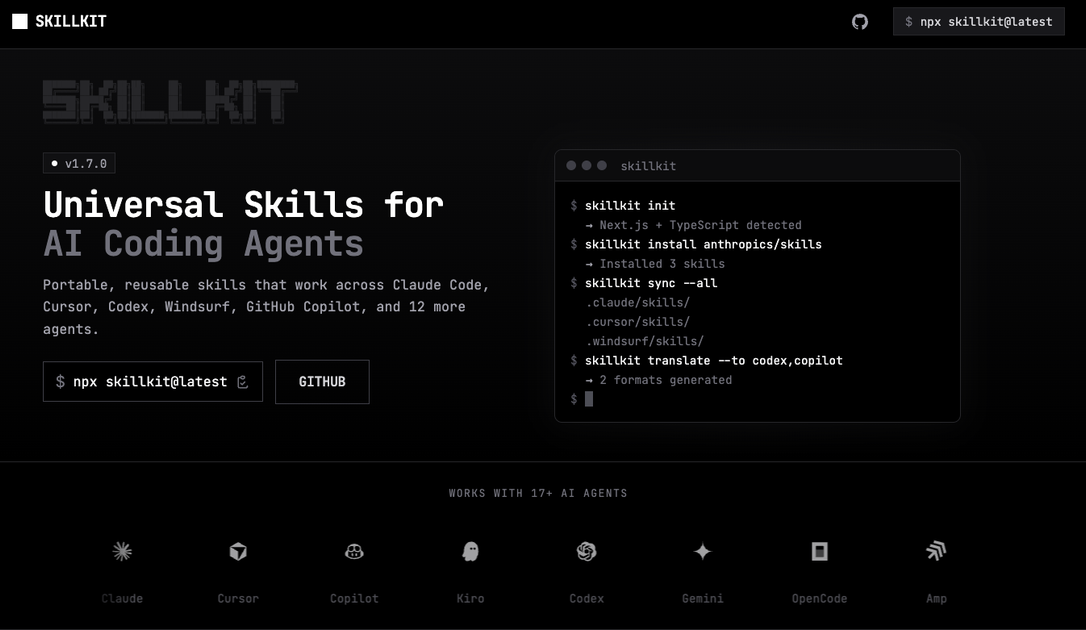
What is SkillKit?
SkillKit provides universal skills for AI coding agents, enabling you to write once and deploy the same skills across tools like Claude Code, Cursor, GitHub Copilot, and others.
The core purpose is to standardize how AI coding agents perform common tasks by providing reusable skill definitions that can be reused across agent environments rather than recreated for each tool.
Key Features
- Universal skill definitions for AI coding agents: Provides a reusable way to package skills intended for coding-focused agents.
- Write once, deploy to multiple agents: Emphasizes cross-agent deployment so the same skills can be used in more than one environment.
- Agent coverage including Claude Code and Cursor: Explicitly targets popular AI coding agents such as Claude Code and Cursor.
- Support for GitHub Copilot and additional agents: Includes GitHub Copilot as part of the deployable agent set, with mention of more tools beyond those named.
How to Use SkillKit
- Create or select a SkillKit skill you want to reuse for an AI coding task.
- Deploy the skill to your target AI coding agent (e.g., Claude Code, Cursor, GitHub Copilot).
- Run your usual coding workflow with the agent, using the deployed skill to guide how the agent should carry out the task.
Use Cases
- Reusing coding task instructions across tools: A developer can apply the same skill to work in both Claude Code and Cursor without rewriting the skill for each agent.
- Standardizing agent behavior for common developer workflows: A team can keep a consistent approach to repeated coding tasks when switching between supported AI coding agents.
- Switching AI coding agents without losing prior skill work: When adopting a new agent, users can deploy existing skills rather than building new instructions from scratch.
- Using GitHub Copilot for the same skill set: A workflow can continue in Copilot while using the same underlying skill concept deployed to that agent.
FAQ
Which AI coding agents are supported?
SkillKit explicitly mentions Claude Code, Cursor, and GitHub Copilot, and also indicates support for additional AI coding agents beyond those named.
What does “write once, deploy to 44 AI coding agents” mean?
The page states that skills can be written once and deployed across a broader set of AI coding agents, suggesting you reuse the same skill content in multiple agent environments.
Do I need to rewrite skills for each agent?
The stated goal is to avoid rewriting by supporting deployment of the same skills across multiple agents.
Is SkillKit limited to a single programming language or task type?
The provided content describes SkillKit as “universal skills for AI coding agents” but does not specify particular programming languages or task categories.
Where can I learn setup steps?
The provided source excerpt does not include onboarding or setup details beyond the general “write once, deploy” concept, so the specific steps are likely documented on the site.
Alternatives
- Agent-specific prompt packs: Instead of reusable skills designed for cross-agent deployment, you can use prompts tailored to a single agent’s workflow.
- General-purpose automation for AI agents: Tools that orchestrate prompts/workflows across systems can serve as an alternative, though they may require more integration work per agent.
- Frameworks for building agent instructions: Development frameworks for agent behavior can replace SkillKit when you want fine-grained control, at the cost of additional setup per target agent.
- Copying and maintaining separate instructions per tool: A manual approach where you keep per-agent versions of similar instructions; this differs by requiring ongoing maintenance when you add or change agents.
Alternatives

Devin
Devin is an AI coding agent that helps software teams complete code migrations and large refactoring by running subtasks in parallel.

AakarDev AI
AakarDev AI is a powerful platform that simplifies the development of AI applications with seamless vector database integration, enabling rapid deployment and scalability.

Arduino VENTUNO Q
Arduino VENTUNO Q is an edge AI computer for robotics, combining AI inference hardware and a microcontroller for deterministic control. Arduino App Lab-ready.

imgcook
imgcook is an intelligent tool that converts design mockups into high-quality, production-ready code with a single click.

open-codex-computer-use
open-codex-computer-use is an open-source “Computer Use” MCP server that lets AI agents run desktop GUI actions on macOS, Linux, and Windows.

Codex Plugins
Use Codex Plugins to bundle skills, app integrations, and MCP servers into reusable workflows—extending Codex access to tools like Gmail, Drive, and Slack.