
Fully mechanical, ultra-thin typing mechanism
Altar II is described as a fully mechanical keyboard in a very thin chassis, using a preloaded tension spring arranged laterally to achieve 1.8 mm of vertical travel depth.

Altar II is a compact, fully mechanical Mac keyboard with a detachable control dial, configurable haptics, and a native companion app.
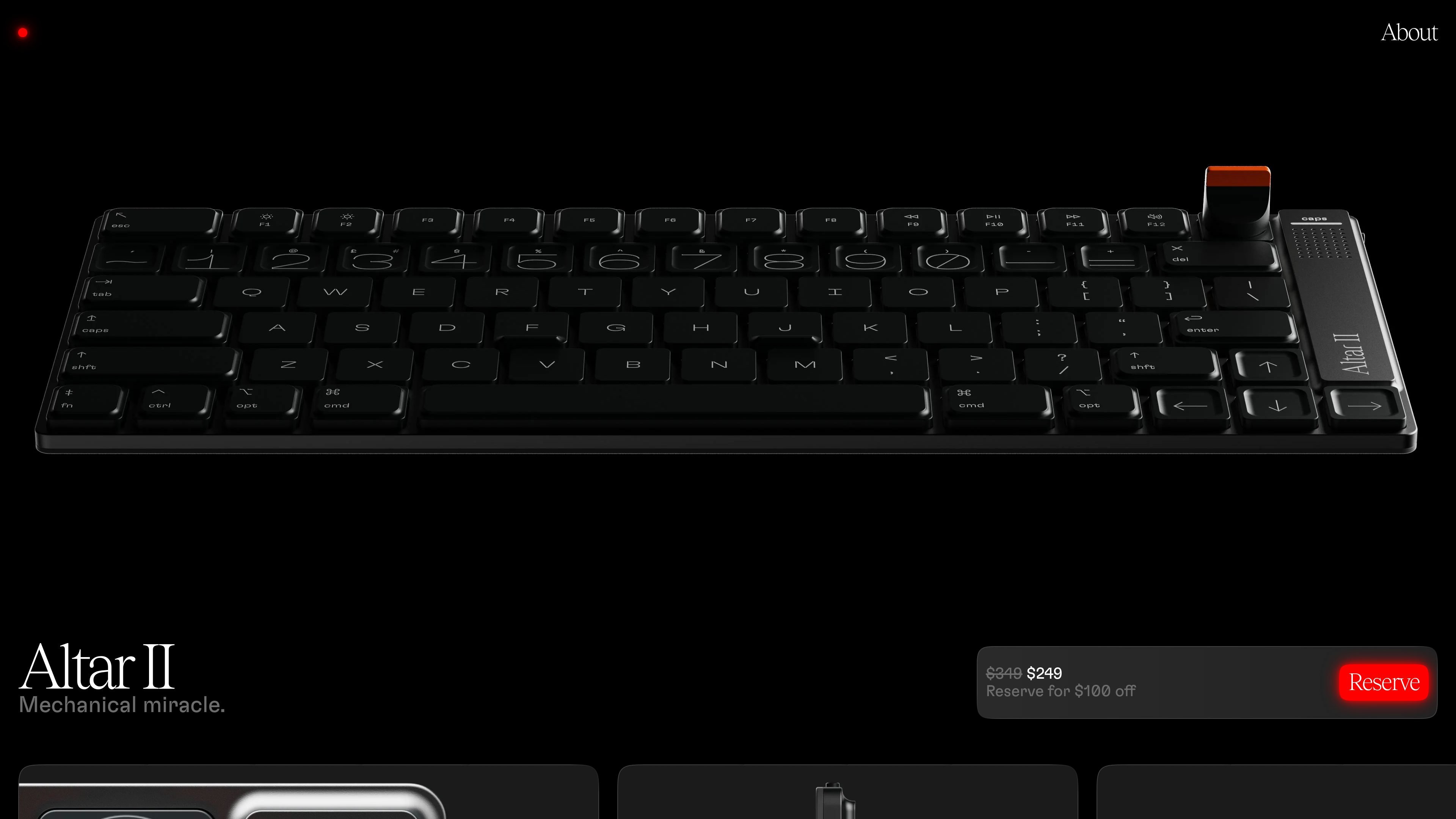
Altar II is a low-profile mechanical keyboard from Electronic Materials Office. The product page positions it as a Mac-focused keyboard that combines a full mechanical switch mechanism with an unusually thin chassis, a 75% layout, and a set of software and hardware controls built around the M-Dial and companion app.
The page emphasizes tactile typing, configurable feedback, and compact design. It highlights a magnetically detachable control dial, haptic and audio cues, a native macOS app for customization, and a construction approach that includes recyclable aluminum, recycled-content plastics, and compact packaging.
Altar II is described as a fully mechanical keyboard in a very thin chassis, using a preloaded tension spring arranged laterally to achieve 1.8 mm of vertical travel depth.
A magnetically detachable M-Dial provides click actions and rotation gestures for tasks such as volume, play/pause, skip, back, and Siri, and it can be swapped or custom-built.
Harmonic Synthesiser haptics add subtle tactile feedback for typing, shortcuts, device state changes, and notifications, with intensity and behavior adjustable in the app.
A built-in high-fidelity speaker supports audio cues such as wake sounds and charging chimes.
The native macOS companion app lets users change key bindings, M-Dial behaviors, backlight settings, and haptic and audio levels, with app-specific shortcuts supported.
NiteLite backlight uses a long-wavelength amber-red light and only activates in low ambient light conditions.
For users who want a compact keyboard for daily writing or development work but still need a function row and arrow keys, Altar II offers a smaller footprint without dropping those navigation controls.
For Mac users who want to bind keyboard and dial actions to specific applications, the companion app supports custom shortcuts and per-app behaviors for tools like Figma, DaVinci Resolve, and Visual Studio Code.
For people who prefer tactile feedback beyond the keypress itself, the keyboard combines haptics, audio cues, and the M-Dial to make actions like volume changes and shortcut completion more noticeable.
For users who move between locations, the detachable M-Dial and on-device settings make it easier to stow the keyboard or take it with them while keeping their preferences available.
For users working at night or in dim rooms, the low-light amber-red NiteLite backlight is designed to preserve night vision and reduce eye strain when activated.
Altar II is presented as a fully mechanical keyboard designed for Mac, with a native companion app for customizing key bindings, M-Dial behavior, backlight, haptics, and audio levels.
The product page describes Altar II as a 75% keyboard with a complete function row and full-size arrow keys, plus a Mac-style layout with Command, Option, Control, and Function keys in familiar positions.
Yes. The page says all M-Dial functionality is customizable in the Altar II companion app, and that settings can live on the device so they can travel with it.
The product page says Altar II runs with a companion app made for macOS. It also says settings can live on Altar II and be used on any computer or OS without the app, but the app is the place to customize the device.
The pricing page shows Altar II at a reserve price of $249, with the page also showing $349 and a note indicating a $100 off reservation offer.

MacSpoof is a macOS MAC address changer that lets you change or randomize your Wi‑Fi MAC to reconnect and limit device logging on public Wi‑Fi.

NomNak is a free iPhone app for discovering restaurants through friends’ recommendations, with saved spots, a food passport and city search.

Ctrl+Shift+3 is a calm, text-first community platform with chronological feeds, profiles, RSS, and private Clicks for smaller communities.

Hexel Editor is a macOS hex editor for opening, searching, inspecting, and editing binary files. Built for developers, reverse engineers, and security researchers.

TyeGit is a native Git client built with Rust and Tauri for fast, precise control over staging, commits, branches, and remotes on Windows, macOS, and Linux.

Servey mirrors and controls a Mac from iPhone or iPad with a real terminal and automatic local or remote connectivity, no VPN or port forwarding.