
Finder-based conversion
Drag one file or a batch in Finder, hold Shift, and release toward a format shown by the Portal around the cursor.

Arazio is a Mac utility for converting and processing files directly from Finder, with 283 tested conversions and 14 file tools. It processes files locally and writes new files beside the originals rather than uploading or modifying them.
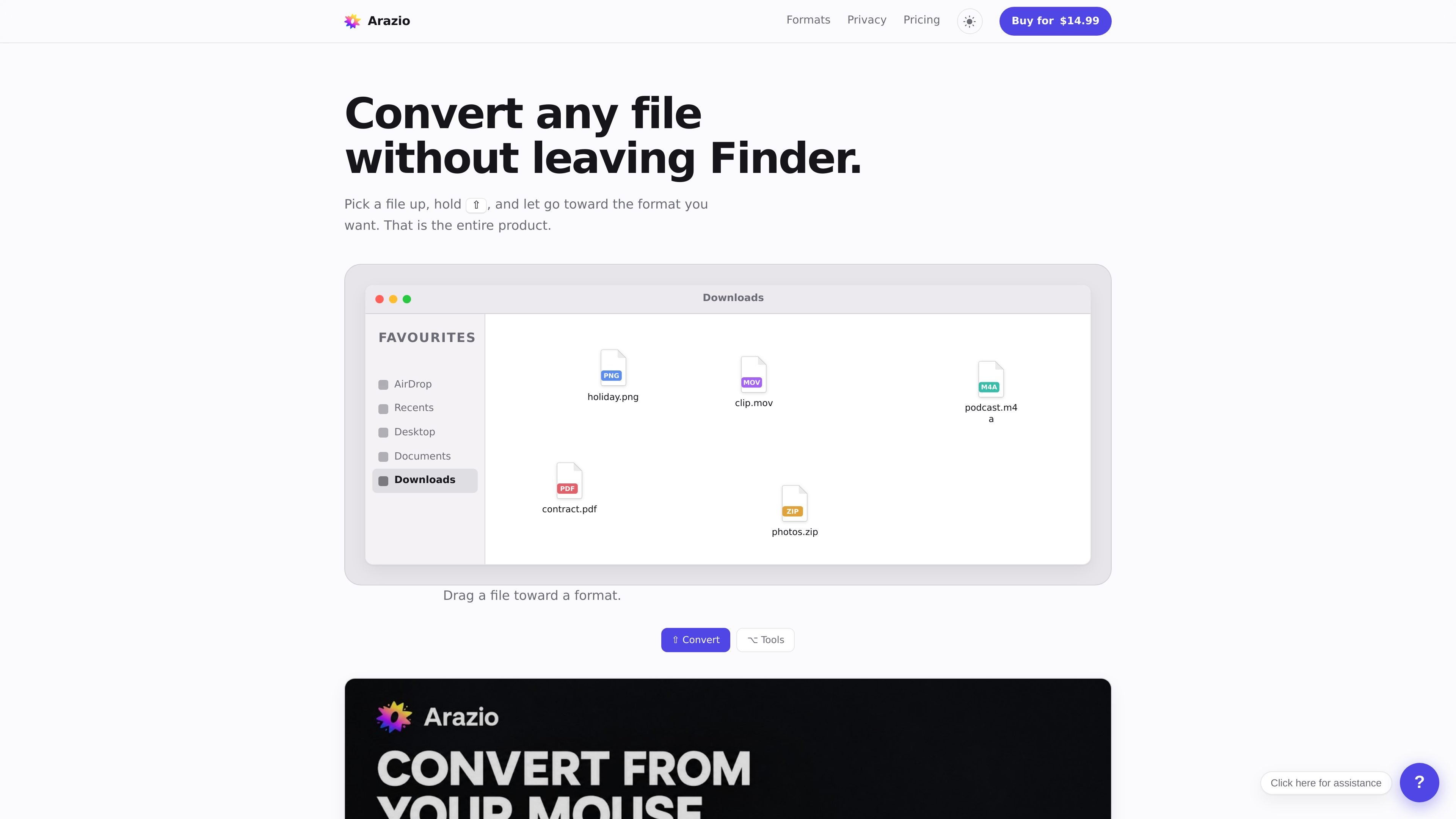
Arazio is a Mac file-conversion and file-processing utility controlled from Finder. Instead of opening a separate converter window, you drag a file or selection, hold a modifier key, and use the Portal around the cursor to choose a format or tool.
The app processes files locally and writes the result next to the original in the same folder. Its catalogue covers 283 tested conversions across images, video, audio, documents and archives, alongside 14 tools for common transformations and extraction tasks.
Drag one file or a batch in Finder, hold Shift, and release toward a format shown by the Portal around the cursor.
The app lists 283 tested conversions across images, video, audio, documents and archives, showing only conversions available for the current selection.
Hold Option to access Compress, Resize, Crop, Rotate, Flip, Trim, Split, Merge, Extract, Extract Audio, Extract Pages, Remove Audio, Normalize and Strip Metadata.
Outputs are written in the source file’s folder beside the original; the original is never modified or moved.
The bundled FFmpeg is built with networking disabled, while Apple frameworks provide functions such as media and document processing. The product states that files remain on the Mac.
Batch workflows support selections of up to fifty files in the drag gesture, with constraints for mixed file kinds and tool-specific settings for operations such as Merge, Compress and Resize.
Convert a file while organizing it in Finder: drag it from its current location, choose a listed format from the Portal, and receive the new file beside the source.
Process a group of related images, videos or other compatible files in one drag. Arazio applies shared settings where appropriate and keeps the generated files with the originals.
Use targeted tools to reduce file size, change image dimensions, crop or rotate visuals, or remove metadata before sharing or archiving them.
Work with video and audio files using tools such as Trim, Split, Merge, Extract Audio, Remove Audio and Normalize. Merge lets users set the order of multiple files.
Keep sensitive or unpublished files on the computer when a local workflow is preferable to sending them to an online converter. Arazio states that its conversion engines have no networking code.
Arazio runs on a Mac and is used from Finder. Drag a file or selection, hold Shift to open conversion formats, hold Option to open file tools, then release toward the chosen action. The output is written in the same folder beside the original.
The bundled FFmpeg build has networking disabled, and the site says its engines contain no networking code. Arazio contacts its service only to activate a licence and check for a newer version; neither process receives the file. Update checks can be turned off.
Arazio supports 283 tested conversions across images, video, audio, documents and archives. The available formats depend on the selected file or files; the Portal offers only conversions tested to work for that selection.
The 14 listed tools are Compress, Resize, Crop, Rotate, Flip, Trim, Split, Merge, Extract, Extract Audio, Extract Pages, Remove Audio, Normalize and Strip Metadata.
Arazio does not modify or move the original. It writes the converted or processed file alongside it in the same folder. When multiple files of different kinds are selected, the app asks the user to pick one kind rather than combining them.

MacSpoof is a macOS MAC address changer that lets you change or randomize your Wi‑Fi MAC to reconnect and limit device logging on public Wi‑Fi.

DemoTV is an audience-ranked station for discovering and comparing independent product demos. Founders can submit videos, embed approved demos on their websites, collect viewer inquiries and optionally commission demo production or labelled promotion without buying ranking.

NomNak is a free iPhone app for discovering restaurants through friends’ recommendations, with saved spots, a food passport and city search.

Ctrl+Shift+3 is a calm, text-first community platform with chronological feeds, profiles, RSS, and private Clicks for smaller communities.

Hexel Editor is a macOS hex editor for opening, searching, inspecting, and editing binary files. Built for developers, reverse engineers, and security researchers.

TyeGit is a native Git client built with Rust and Tauri for fast, precise control over staging, commits, branches, and remotes on Windows, macOS, and Linux.