
Pixel-based regression detection
Capture rendered snapshots and compare them against approved baselines so layout shifts, style drift, missing elements, and responsive breakage are surfaced before merge.

Buddy Visual Tests compares rendered UI snapshots to approved baselines to catch visual regressions before merge in Buddy Pipelines, GitHub Actions, or local workflows.
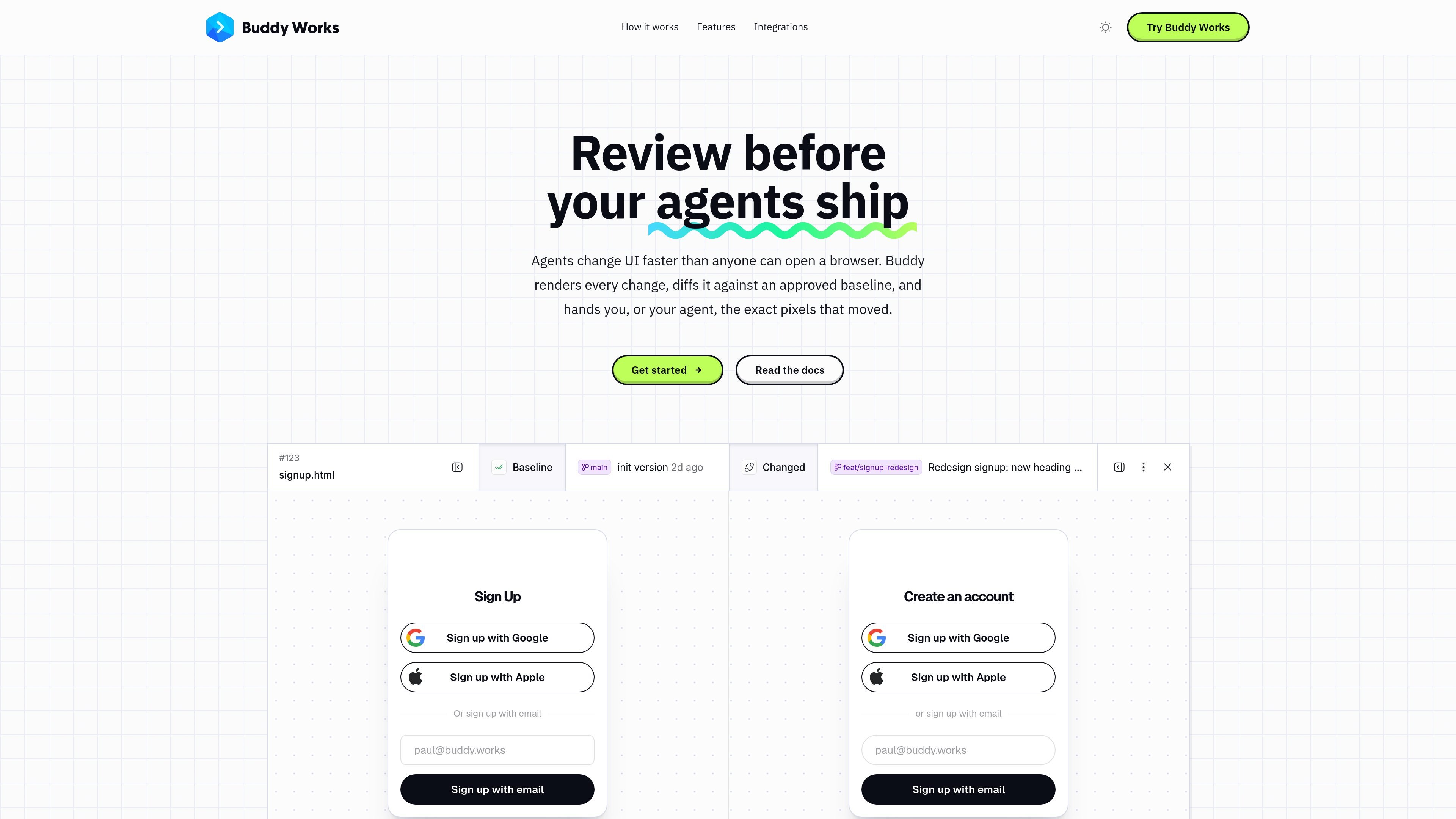
Buddy Visual Tests is a visual regression testing feature for catching UI changes that functional tests do not detect. It compares rendered snapshots of an app against approved baselines and highlights differences for review, including layout shifts, style drift, missing elements, and responsive breakage.
The product is designed for teams that want visual checks in their delivery pipeline without writing new test assertions from scratch. It can be run in Buddy Pipelines, GitHub Actions, or locally, and Buddy describes the feature as being in Preview.
Capture rendered snapshots and compare them against approved baselines so layout shifts, style drift, missing elements, and responsive breakage are surfaced before merge.
Define suites around what to render and how to compare, including browser and device combinations plus a diff threshold.
Compare snapshots per browser and device variant rather than only at the session level, so mobile and desktop results can be reviewed separately.
Review diffs and approve or reject changed snapshots; approved changes become the new reference for later runs on that branch.
Pause Buddy pipelines until visual changes are reviewed, or use GitHub Actions and local runs for the same workflow outside Buddy.
Use URL or sitemap capture, E2E plugins, or Storybook uploads depending on whether the team already has test code or wants scriptless testing.
Use Visual Tests to stop a release when a UI change alters rendering unexpectedly. The approval action can hold a Buddy pipeline until someone reviews the diffs and either approves or rejects the session.
Run visual checks on changes produced by an agent or developer and review the exact pixels that changed. This is useful when a change may be functionally correct but still introduces a visual regression.
Use URL or sitemap capture when you do not want to add test code to the repo. Buddy can snapshot live pages directly from a URL and compare them against an approved baseline.
Attach Visual Tests to existing Playwright, Cypress, Selenium, or Puppeteer workflows, or upload a Storybook build for component libraries and design systems.
Compare browser- and device-specific snapshots to catch issues that appear only on mobile, tablet, or a different browser engine.
Visual Tests are set up as suites. In Buddy, you go to TEST → Visual Tests, add a suite, and choose how snapshots will be collected: via E2E test plugins, Storybook uploads, or scriptless URL/sitemap capture. The docs say the suite can then be wired into Buddy Pipelines, GitHub Actions, or a local machine.
A session is a single run of your visual tests. It contains the snapshots captured for that run across the browser, system, and device combinations enabled in the suite, and it waits for review if differences are found.
Visual Tests compare each snapshot against a baseline resolved per snapshot and per browser/device variant. On a feature branch, the first run compares against the latest approved baseline from the branch’s ancestor history; later runs on that branch compare against the newly approved snapshots.
The source documents show Buddy Pipelines and GitHub Actions, and also note that Visual Tests can run locally. The home page also describes a CLI-based workflow using the bdy command.
The pricing page shows Buddy offers a free plan and paid plans, and the Visual Tests page says Visual Tests are free while in Preview. The docs do not describe a separate Visual Tests price or quota model.

ByteAsk is a terminal-first AI coding agent for C and C++ that edits repos and verifies changes with compilers, debuggers, sanitizers, and tests.

Manta AI is an autonomous web app testing tool that maps app behavior, catches regressions, and generates tests from a URL, no scripts or selectors needed.

EAS Observe monitors production performance in Expo and React Native apps, showing startup metrics, session timelines, release markers, and errors in the Expo dashboard.

Traccia is an agent observability and governance platform with OpenTelemetry-native tracing, policy enforcement, prompt evaluation, and compliance evidence for AI workflows.

Hoplite is a cloud coding agent platform for teams running software tasks in isolated sandboxes with repository context and imported local setup. Pro, Scale, and Enterprise plans.

LoupeKit browser panel inspects live pages for stack, layout, SEO, accessibility and AI code smells. Free tier; Pro adds exports, reports, advisories and server-side readings.