
Area, window, and fullscreen capture
Capture a selected area, a full screen, or a specific window. The page says captures can be started from the menu bar or a global shortcut, with live dimension display while selecting an area.

Capso is a native macOS screenshot and screen recording app for capturing, annotating, recording, and extracting text from screen content. Free forever, open source, and an alternative to CleanShot X.
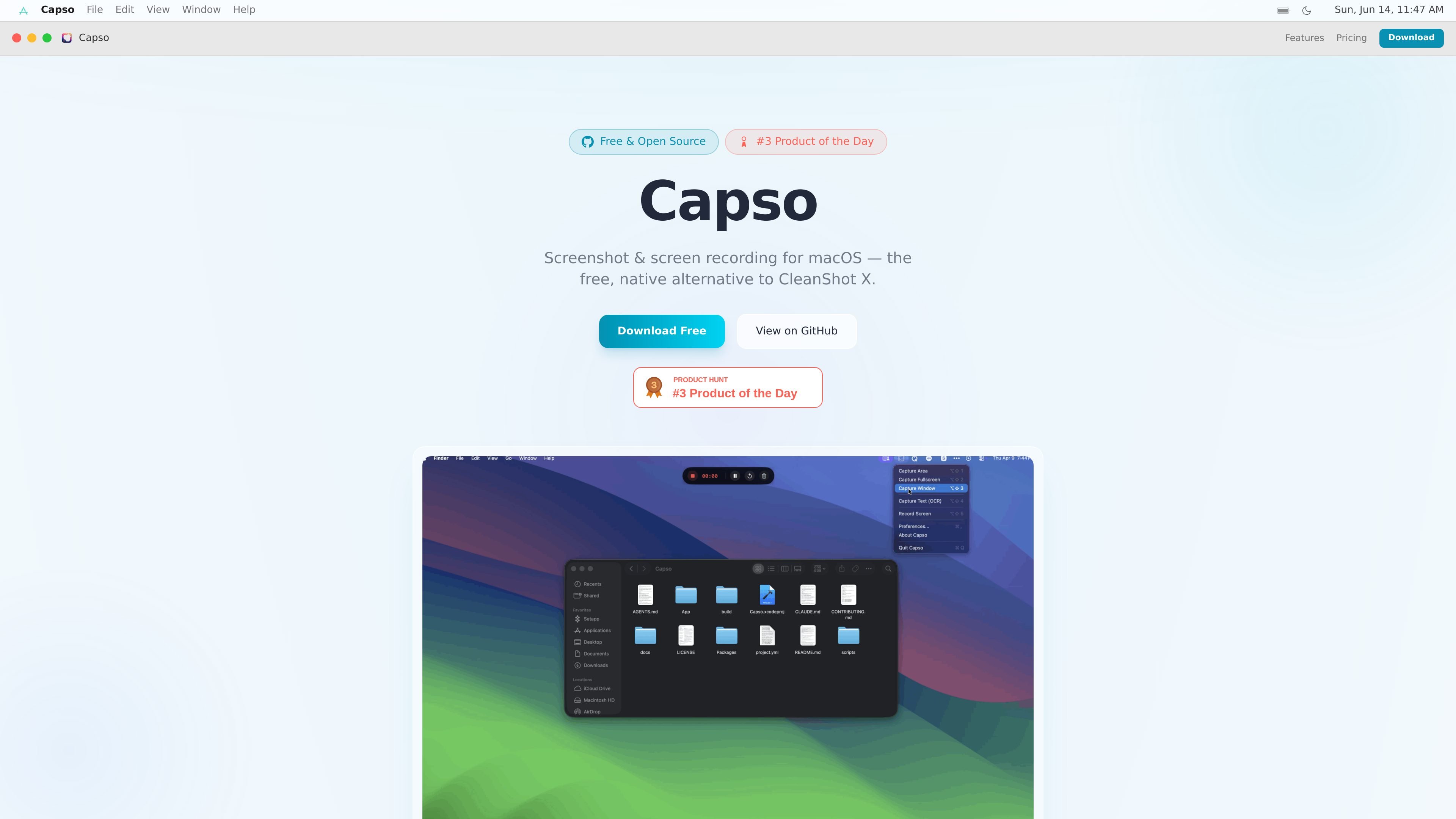
Capso is a native macOS screenshot and screen recording app that combines capture, annotation, recording, OCR, and screenshot beautification in one tool. It is presented as an open-source alternative to CleanShot X and is built with Swift 6 and SwiftUI.
The product page emphasizes that Capso is free forever with no trial, feature gating, or subscription. It supports area, window, and fullscreen capture, MP4 or GIF recording, OCR text recognition, and a Quick Access workflow for copying, saving, annotating, pinning, or dragging captures after they are taken.
Capture a selected area, a full screen, or a specific window. The page says captures can be started from the menu bar or a global shortcut, with live dimension display while selecting an area.
Record video or GIF, with support for system audio, microphone input, and webcam overlay. Recording controls include choosing an area, a 3-2-1 countdown, and pause, resume, or restart actions.
Open captures in a full editor with arrows, rectangles, ellipses, text, freehand drawing, pixelate and blur tools, numbered counters, and highlighters.
Add a background color or gradient, padding, rounded corners, and a drop shadow, with Solid or Liquid Glass styling and real-time preview.
Copy text from a selected area using OCR. The page also mentions a visual mode that highlights detected text blocks for selective copying.
Show a draggable webcam picture-in-picture overlay while recording, with circle, square, portrait, and landscape shapes plus snap-to-corner positioning.
Capture an area, window, or full screen from a global shortcut or the menu bar, then copy, save, or drag the result from Quick Access.
Record a product demo, walkthrough, or bug repro as MP4 or GIF, with system audio, microphone input, and a webcam overlay when needed.
Mark up screenshots with arrows, shapes, text, blur, or numbered counters when you need to explain a UI issue or highlight a step.
Extract text from a screenshot or selected screen area instead of retyping it manually, using OCR with selectable text blocks.
Pin a capture as an always-on-top reference while working in another app, including lock mode for click-through use.
Capso is a macOS app for screen capture, annotation, recording, OCR, and screenshot beautification. It is positioned as a free, open-source alternative to CleanShot X.
Yes. The page states that Capso is free forever, with no trial, no feature gating, and no subscription.
The FAQ says personal and internal company use is permitted under the BSL 1.1 license. The stated restriction is that you cannot fork Capso and sell it as a competing commercial screen capture product.
Yes. The page says the DMG from GitHub Releases is signed with a Developer ID certificate and notarized with Apple, so macOS Gatekeeper should open it without warnings.
Capso requires macOS 15.0 (Sequoia) or later. The page attributes that requirement to its use of ScreenCaptureKit, the Vision framework, and modern SwiftUI features.

Tactiq is an AI note taker for Google Meet, Zoom, and Microsoft Teams that transcribes meetings live into summaries, action items, and follow-up outputs.

Tavus is an AI video platform for real-time face-to-face agents, digital twins, and AI companions, with APIs and multilingual workflows for developers.

HiringPartner.ai is an autonomous AI recruiting platform for sourcing, screening, and interviewing candidates 24/7 with ATS-connected workflows and bulk resume uploads.

SpeakoFlow is a free, open-source desktop voice-to-text app for Windows, macOS, and Linux. Dictate into any app, use Flow, cleanup, translation, and a screen-aware assistant.

nolainocr is an AI OCR tool that extracts structured data from PDF invoices, receipts, forms, contracts, and bank statements into Excel, Google Sheets, JSON, or CSV.

Notewarp is an AI note-taking tool that turns voice notes, uploads, or pasted text into cleaner notes, transcripts, summaries, and action items.