
Persistent cable-style channels
Create persistent user-made channels from media already stored on your computer so playback feels more like a scheduled TV lineup than a folder browser.

ChannelOS is a downloadable Windows app that turns your local media library into programmable cable-style TV with persistent channels, a TV Guide, and couch-friendly playback.
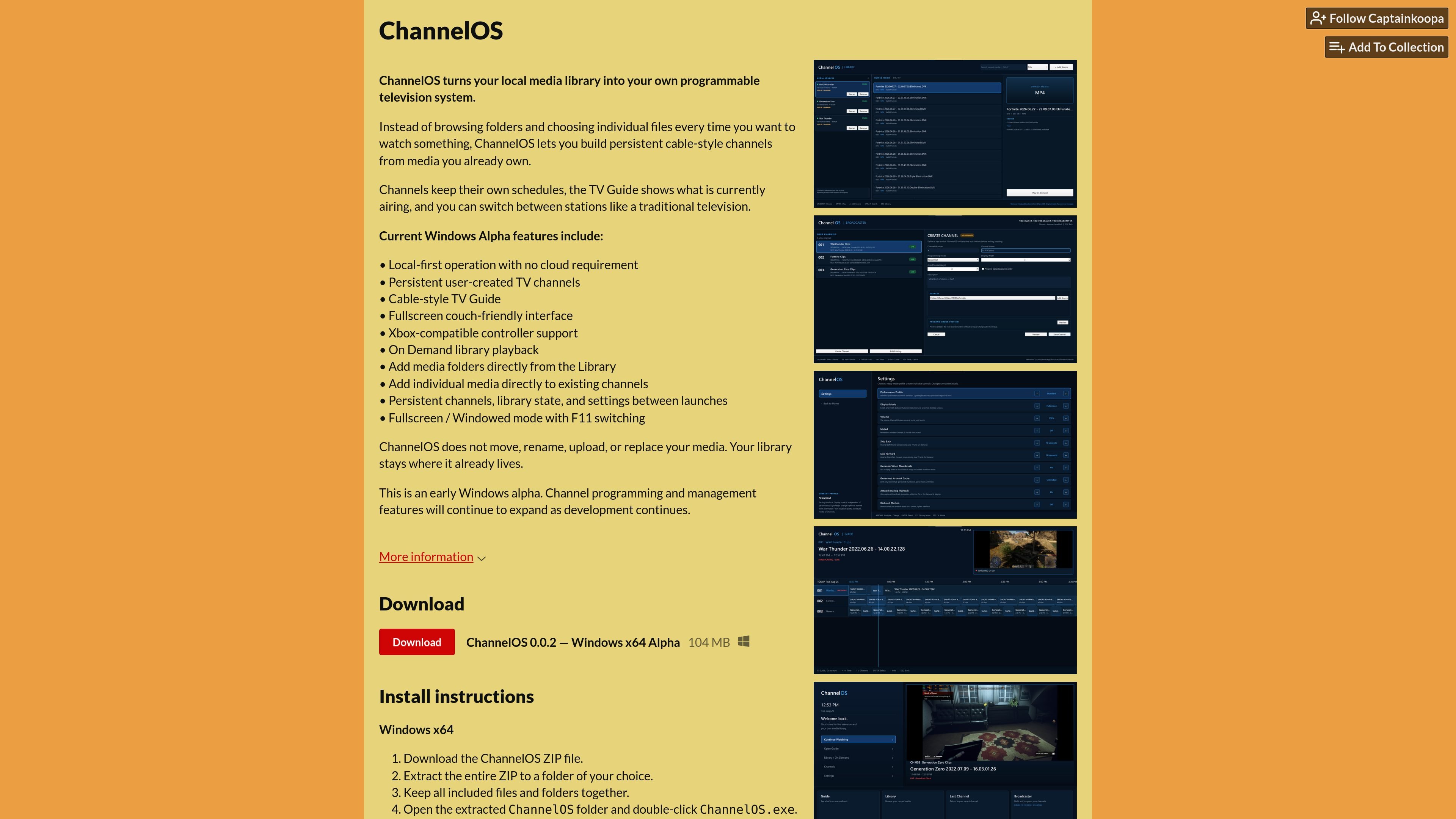
ChannelOS is a downloadable Windows app that turns a local media library into a programmable cable-style television system. Instead of opening folders and picking files one by one, you create persistent channels, assign media to them, and browse them through a TV Guide that shows what is currently airing.
The product is positioned as an early Windows alpha for people who already own a media library and want a more television-like way to watch it. It works locally, keeps your library in place, and is designed around scheduled channel playback, on-demand viewing, and a fullscreen interface for relaxed viewing sessions.
Create persistent user-made channels from media already stored on your computer so playback feels more like a scheduled TV lineup than a folder browser.
View what is currently airing across channels in a TV Guide interface designed around channel surfing and scheduled playback.
Use the app on a couch-friendly fullscreen interface, or switch back to a windowed mode with F11 when needed.
Control playback with an Xbox-compatible controller, which supports a more living-room-style workflow.
Add media folders from the library or attach individual media directly to an existing channel instead of rebuilding everything from scratch.
Play local files on demand, while keeping channels, library state, and settings persistent between launches.
Set up a personal viewing experience where movies and shows play through named channels instead of being launched one file at a time.
Use the TV Guide to check what is currently airing and jump between channels as if you were browsing stations on a television.
Watch from a couch with fullscreen playback and controller input, making the app feel closer to a living-room media device than a desktop file manager.
Add entire folders to the library when you want broad coverage, or place individual media directly into a specific channel when you want finer control.
Keep a local collection intact while testing a new playback workflow, since the app is designed to leave your files where they already live.
ChannelOS is an early Windows alpha that currently focuses on turning local media into persistent channels with a TV Guide and library playback. The page does not describe a separate browser-based or mobile setup.
On first launch, you choose a folder containing media you own. ChannelOS then indexes the media in place and creates your first channel.
No. The product page says ChannelOS works locally and does not move, rename, upload, or replace your media.
The page says it is a downloadable Windows x64 alpha and that it does not require separate Python, Qt, VLC, or FFmpeg installations.
The creator says ChannelOS will remain free, open source, and local first. The page does not provide a paid plan or pricing details.

MacSpoof is a macOS MAC address changer that lets you change or randomize your Wi‑Fi MAC to reconnect and limit device logging on public Wi‑Fi.

NomNak is a free iPhone app for discovering restaurants through friends’ recommendations, with saved spots, a food passport and city search.

Ctrl+Shift+3 is a calm, text-first community platform with chronological feeds, profiles, RSS, and private Clicks for smaller communities.

Hexel Editor is a macOS hex editor for opening, searching, inspecting, and editing binary files. Built for developers, reverse engineers, and security researchers.

TyeGit is a native Git client built with Rust and Tauri for fast, precise control over staging, commits, branches, and remotes on Windows, macOS, and Linux.
Servey mirrors and controls a Mac from iPhone or iPad with a real terminal and automatic local or remote connectivity, no VPN or port forwarding.