

Crayo
Crayo is a web-based AI video editor for generating short-form clips from a file or YouTube/TikTok link—style subtitles and speech enhancement.
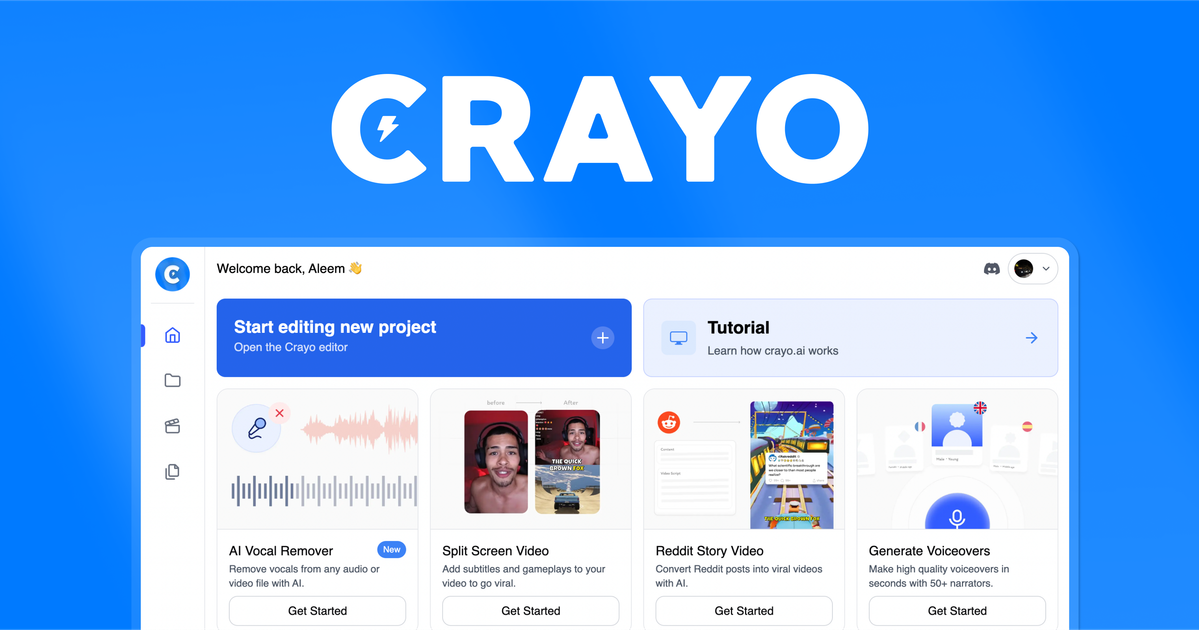
What is Crayo?
Crayo is a web-based AI video editor designed for people who want to create and clip shareable videos quickly. It focuses on turning source videos into short-form outputs by combining tools for subtitle generation, editing workflows, and additional video enhancements.
The platform supports a guided workflow where you upload a video (or provide a link), choose a subtitle style, and generate a finished video. Crayo is positioned as an all-in-one tool for editing tasks commonly used in short-form and gameplay content workflows.
Key Features
- Web-based editor with full control: Run the editing workflow in a browser so you can manage uploads, settings, and generation without switching tools.
- Upload from a file or a YouTube/TikTok link: Start from an existing video source rather than being limited to manual downloads.
- Subtitle generation with selectable styles (15+ viral styles): Choose from multiple subtitle formatting styles before generating the output.
- Speech enhancement capabilities: Includes “cutting-edge speech enhancement” to improve spoken audio as part of the editing pipeline.
- Gameplay-optimized output tools: Provides tools intended for editing gameplay clips as well as other short-form video formats.
- Additional utilities (e.g., downloading videos and background removal): Offers supporting tools used during the clipping and formatting process, including background removal referenced by users.
How to Use Crayo
- Create an account and start a project: Sign up, then begin a new workflow.
- Upload a video or paste a YouTube/TikTok link: Use any supported input source to provide content for editing.
- Select a subtitle style: Pick one of the available styles to control how captions appear in the generated video.
- Generate the video: Use the editor to generate the edited output, then review the result.
- Use the editor tools as needed: Apply additional tools mentioned on the site (such as speech enhancement, downloads, or background removal) within the editing process.
Use Cases
- Clipping long videos into short, captioned highlights: Upload a longer video or link, select a subtitle style, and generate a ready-to-share short.
- Creating streamer-style blurred clips: Follow the site’s workflow example for generating a streamer blurred clip and produce a formatted short from existing content.
- Improving spoken audio for clarity: Use speech enhancement tools as part of the editing pipeline to make dialogue easier to hear in the final clip.
- Preparing gameplay clips with readable overlays: Generate gameplay-optimized outputs designed for short-form distribution while using caption styling to improve readability.
- Removing backgrounds for clip-style edits: Use background removal capabilities (mentioned by a user) when you need a cleaner subject for overlay-style or focus edits.
FAQ
-
Can I cancel my plan? The page includes a question about canceling, but it does not provide the cancellation details on the provided content. Check the account or billing section for the current policy.
-
What is a workflow credit? The FAQs list “workflow credit,” but the provided page content does not define it. Look for the definition in the full FAQ or help center.
-
How long is a VEO3 video? The page lists this question, but no answer is included in the provided content.
-
Is VEO3 free? The page lists this question, but pricing or free availability details are not included in the provided content.
-
Can I monetize videos created with Crayo? The FAQ lists this question, but the provided content does not include an explicit answer.
Alternatives
- Online subtitle-and-caption editors: Tools focused specifically on adding captions and subtitle styling may be simpler if you only need text overlays.
- General-purpose web video editors: Browser-based editors that support trimming, basic effects, and export can work if you prefer manual editing over an AI-guided workflow.
- AI voiceover and speech enhancement platforms: If your primary goal is audio cleanup (not clipping or caption styling), audio-focused AI tools may better match the workflow.
- Short-form social media editing tools: Apps built around clips, captions, and quick formatting can be a closer fit when your output is primarily for TikTok/shorts-style publishing.
Alternatives

Bansi
Bansi is an AI video editor that turns raw footage into a polished first draft in minutes—upload supported formats and generate review-ready edits.

CAMB.AI
Turn a single live stream into a multilingual broadcast with real-time AI audio dubbing for YouTube, Twitch, X and more.

Captions.ai
Captions.ai is an online video editor and app with AI-powered editing, automatic captions, music, and AI avatars for faster video creation.

optimo
optimo is a free, open-source CLI that optimizes and converts images and videos for the web using ImageMagick and FFmpeg compression workflows.

FlexClip
FlexClip is an AI-powered online video maker and editor with templates and built-in tools. Generate videos, subtitles, translation & more faster.

DeepMotion
DeepMotion is an AI motion capture and body-tracking platform to generate 3D animations from video (and text) in your web browser, via Animate 3D API.