
Employee profiles
Store each employee's name, role, department, birthday, start date, and status in a single profile that uses a clean URL you can bookmark.
CrewareOS is an employee relationship management web app for managers to track employee details, log shared notes, and keep context visible.
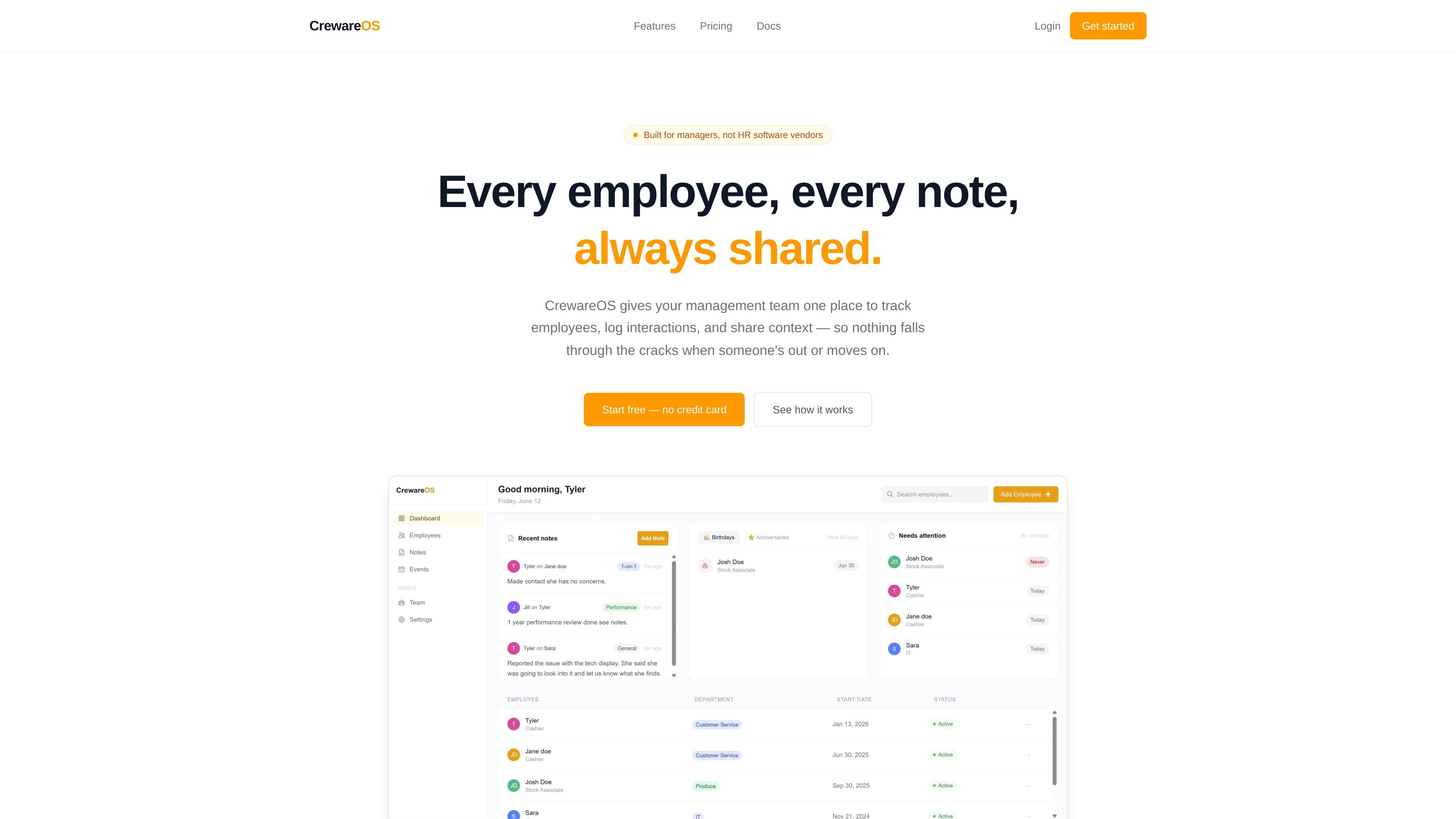
CrewareOS is an employee relationship management tool for management teams that need one shared place to track employees, log interactions, and preserve context over time. The site positions it as software for managers rather than a traditional HR system.
The product combines employee profiles, shared notes, date reminders, and simple role-based access so managers can see the same information and avoid losing context when someone is out or leaves. The homepage also emphasizes quick setup, with a create-workspace flow, one-click manager invites, and immediate login for invited users.
Store each employee's name, role, department, birthday, start date, and status in a single profile that uses a clean URL you can bookmark.
Write notes after interactions and let any manager read them later, so context stays shared instead of living in one person's inbox or notebook.
Surface upcoming birthdays and work anniversaries in dashboard widgets so important dates are visible without manual tracking.
Assign admins, managers, or read-only viewers without a more complex permission setup.
Highlight active employees who have not had a note logged recently, making it easier to notice where follow-up may be needed.
Create a workspace, invite managers, and start using the system quickly, with the homepage describing setup as something that takes minutes.
Keep a shared timeline of notes so any manager can see prior interactions before a meeting, check-in, or performance conversation.
Track birthdays, anniversaries, and employee status in one place when you want a lightweight system for recurring relationship details.
Give admins, managers, and read-only viewers different access levels when the workspace needs broad visibility without everyone editing data.
Review the "needs attention" view to spot active employees who have gone a while without a logged note and may need follow-up.
CrewareOS is set up as a shared workspace for management teams, so multiple managers can log in, add notes, and view the same employee timeline. The source also shows three role types: admin, manager, and read-only viewer.
The site describes employee profiles, shared notes, birthday and anniversary reminders, role-based access, and a "needs attention" view for employees who have not had a note logged in a while.
The homepage says teams can create a workspace, invite managers, and start logging in minutes, with no onboarding calls or setup fees mentioned on the site.
The pricing section on the homepage shows a free Starter plan, a Team plan, and an Enterprise plan with SSO/SAML, audit logs, and dedicated support.
The site presents CrewareOS as employee relationship management for managers, not HR software vendors, so it appears focused on shared management context rather than full HR administration.
SignalLEMO is a B2B lead intelligence and outreach platform for field-service and specialized service teams. It helps users find prospects, draft outreach, and track pipeline activity in one place.

Lasso is an ecommerce product data platform for enriching catalog records, processing supplier files, generating product content, and monitoring competitors. It combines a web app with a REST API, SDK, and MCP server for teams and developers.

Biji is a versatile platform designed to enhance productivity through innovative tools and features.

Struere is an AI-native platform for turning spreadsheet data into structured operational software with dashboards, alerts, and automations. It is aimed at teams that want to replace manual spreadsheet workflows without building custom tools from scratch.

garden-md is an open-source Node.js CLI that turns meeting transcripts into a local company wiki, linking entities and preserving the original text.

Falconer is an AI-powered company brain that keeps internal documentation accurate, searchable, and up to date by syncing with tools like GitHub, Slack, and Linear. It helps engineering and cross-functional teams centralize knowledge and answer questions from a shared source of truth.