
Manual blur for elements, areas, and words
Click an element, drag a region, or select specific words to hide exactly the content you want during a demo or recording.

DataBlur is a browser extension that hides sensitive content on screen before you share, record, or present it. Works locally with manual blur and auto-detection.
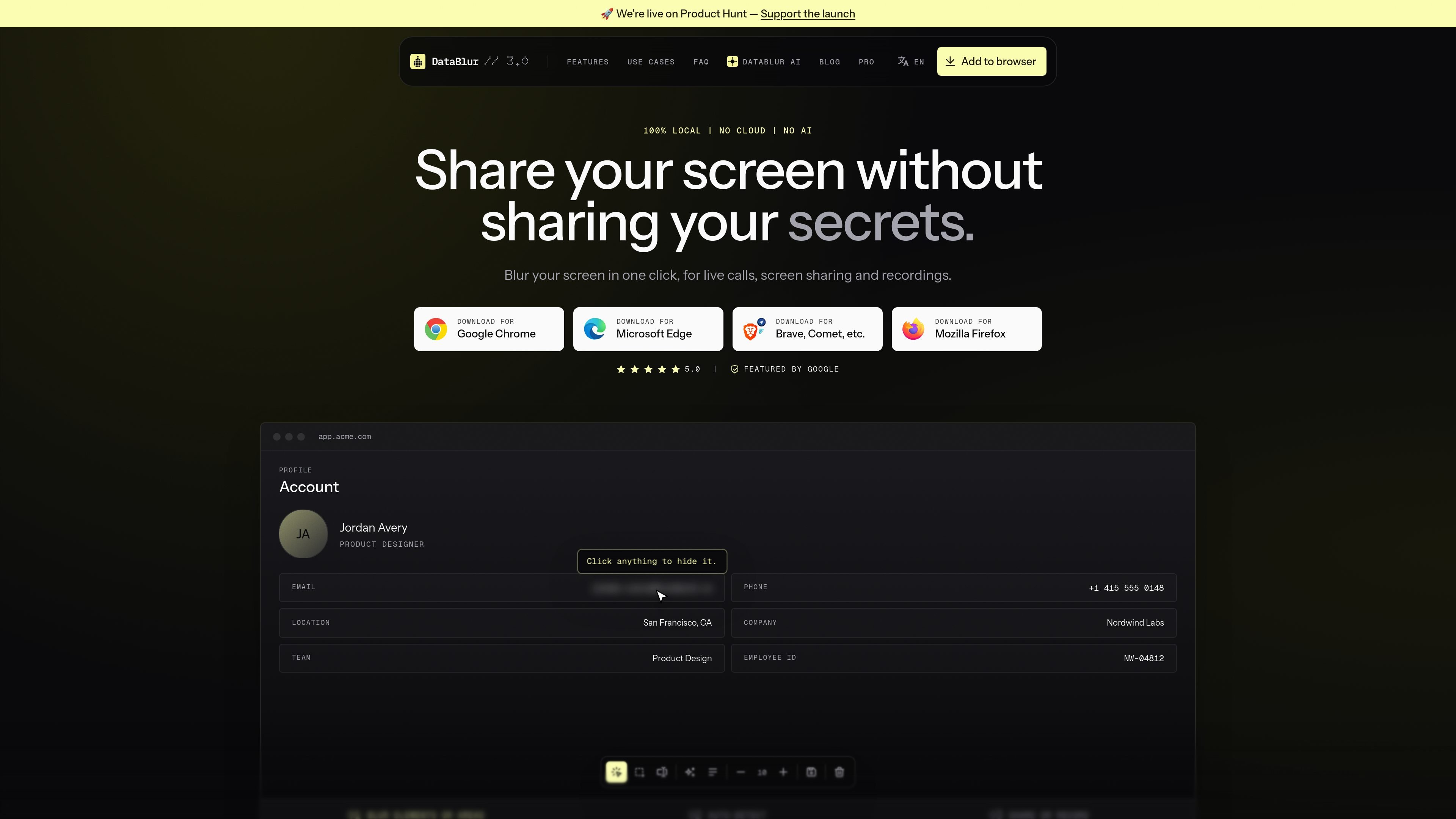
DataBlur is a browser extension for hiding sensitive information on screen before it is captured in a call, screen share, or recording. The site positions it as a one-click way to blur content live, without editing video afterward.
The product focuses on keeping the sensitive parts of a page unreadable while you continue using the page itself. It supports manual blurring, auto-detection for common data types, and saved blur setups for repeat demos, while processing everything locally in the browser.
Click an element, drag a region, or select specific words to hide exactly the content you want during a demo or recording.
Automatically detects common sensitive data patterns such as emails, phone numbers, names, cards, and API keys using deterministic matching on the device.
Hide matches from a comma-separated list of keywords or regular expressions across pages, so repeated identifiers can be removed consistently.
Save a blur setup for a site and reload it later, which is useful when you present the same product or dashboard often.
Blur one item in a column and let the extension suggest similar elements to hide the rest of the pattern.
Processes content locally in the browser, with no cloud and no sign-up mentioned on the site.
Present a real dashboard or customer record during a live call while masking names, emails, phone numbers, card details, or API keys that appear on the page.
Record tutorials or walkthroughs without needing frame-by-frame cleanup later, since the sensitive content is hidden before recording starts.
Set up a reusable blur profile for the pages you present most often, so the same sensitive areas can be restored quickly on repeat demos.
Use keyword or regex-based rules to hide internal IDs, account numbers, or other repeated strings that appear across multiple pages.
Work from a browser extension that keeps the sensitive parts unreadable while you scroll or navigate, rather than relying on after-the-fact editing.
DataBlur is a browser extension for hiding sensitive data on your screen while you present, record, or share live in Chrome, Edge, and Firefox. The homepage says it works in one click and processes everything locally in the browser.
The site shows download options for Google Chrome, Microsoft Edge, Brave/Comet-based browsers, and Mozilla Firefox. The product copy also describes it as a browser extension, so it is tied to supported desktop browsers rather than a separate app.
The source states that blurring is free and that Pro adds saved blur profiles and removes the watermark. The pricing page itself was not available, so no additional plan details should be assumed.
Yes. The blog says you can choose an element or drag an area to blur, and it also describes auto-detection for items such as emails, phone numbers, card numbers, and API keys.
The blog says the blur persists while you scroll and navigate, and that it runs locally with no cloud. That makes it suited to live demos and recordings where the sensitive data stays on the page as you move around it.

Pixelcut is an AI photo editor for product images, social content and video assets. Free and paid plans; mobile app and browser access for individuals and teams.

Petalica Paint is a web service for automatic line-art coloring and tracing drawings from photos, with commercial use allowed under stated terms.

Wearvue AI generates personalized outfit previews from a photo, refines styles for any occasion, and shows similar real products to shop.

Upscale.media is an AI image upscaling and enhancement tool by Pixelbin that sharpens low-resolution images in the browser, with bulk processing and API support.

Free browser-based AI image enlarger by PhotoAid for upscaling JPEG, WEBP, and PNG photos, especially portraits, without heavy blur.

Magic Eraser is an AI-powered tool that allows users to quickly remove unwanted objects, people, text, and blemishes from photos with ease.