
Broad document support
Open PDFs, EPUBs, Word files, OpenDocument files, Rich Text, Slides, Text, Markdown, and web articles in one reading library.

Fluence reads PDFs, ebooks, reports, and articles aloud with text highlighting. Bookmark, annotate, ask document questions, and create audio files.
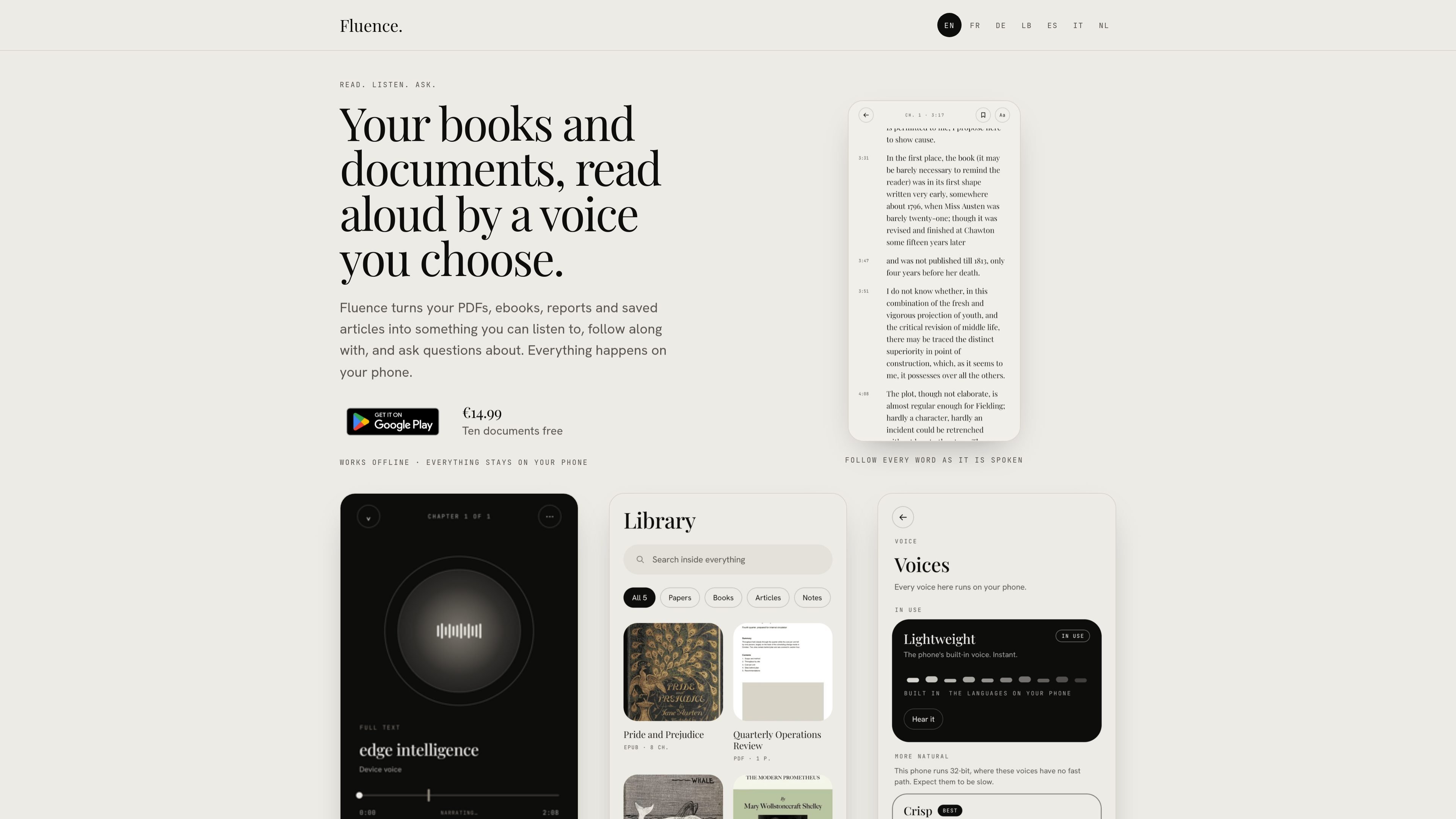
Fluence is a phone-based reading and listening app for books and documents. It opens PDFs, ebooks, reports, saved articles, and other supported files, then lets you read them on screen, listen to them aloud, or use questions to explore the document.
The app combines synchronized text and audio with document notes, bookmarks, and answers grounded in the file being read. It performs reading, speech generation, and question answering on the phone, and is designed to work offline so the library, notes, and recorded voice remain on the device.
Open PDFs, EPUBs, Word files, OpenDocument files, Rich Text, Slides, Text, Markdown, and web articles in one reading library.
Listen to a document with the voice supplied in the app, or create a personal reading voice from a short recording.
The sentence currently being spoken is highlighted, letting you track the audio against the text while reading.
Bookmark a line or write a note beside it while working through a document.
Ask questions about a document and receive answers drawn from that document, with the relevant source passages shown.
Prepare the complete document as a single audio file for later playback, including in the car or in another app.
Import a book or report, listen while away from the screen, and keep the text available for checking passages when needed.
Use sentence highlighting to maintain your place during audio playback, then bookmark important lines or add notes beside them for later review.
Ask a focused question about a long document and inspect the passages Fluence presents with the answer instead of searching through the entire file manually.
Turn a supported book or document into one prepared audio file to keep for playback in the car or to send to another app.
Fluence opens PDF, EPUB, Word, OpenDocument, Rich Text, Slides, Text, Markdown, and web articles. These are the input types listed on the product site.
You can read a document on screen, listen to it with a selected voice, and follow the spoken text as the current sentence is highlighted. Fluence can also answer questions using the document and show the passages supporting the answer.
Fluence includes a voice that reads 31 languages. You can also create a personal reading voice from a short recording you speak yourself.
Fluence prepares audio for the whole document while you do something else. The prepared result is one audio file; preparing it is free, while saving the file out is included in the full version.
Ten documents can be used free. The full version costs €14.99 as a one-time payment and remains yours on phones signed in with the same Google account.

PDFTools is a browser-based suite of free and premium PDF tools for editing, conversion, and document handling—process PDFs locally without uploading files.

An AI-powered tool that summarizes PDF documents quickly and efficiently, providing clear insights and allowing users to interact with the content.

Wallie is an open-source AI streamer that watches your screen, hears chat, and delivers live commentary in a configurable persona. Runs locally with your own keys.

Paperpal is an AI tool for academic writing, offering literature reading, language polishing, citations, plagiarism checks, AI detection, and pre-submission review.

nolainocr is an AI OCR tool that extracts structured data from PDF invoices, receipts, forms, contracts, and bank statements into Excel, Google Sheets, JSON, or CSV.

Fylom is an AI podcast generator that turns topics or questions into researched, narrated episodes with voice selection and recurring listening.