
Single-chat creative workflow
Describe the video or motion asset in plain English and the agent maps the work, chooses the needed models, and produces a finished cut.
Fluent Frame is an AI creative agent for branded video and motion assets, with one workflow for generation, editing, and revisions.
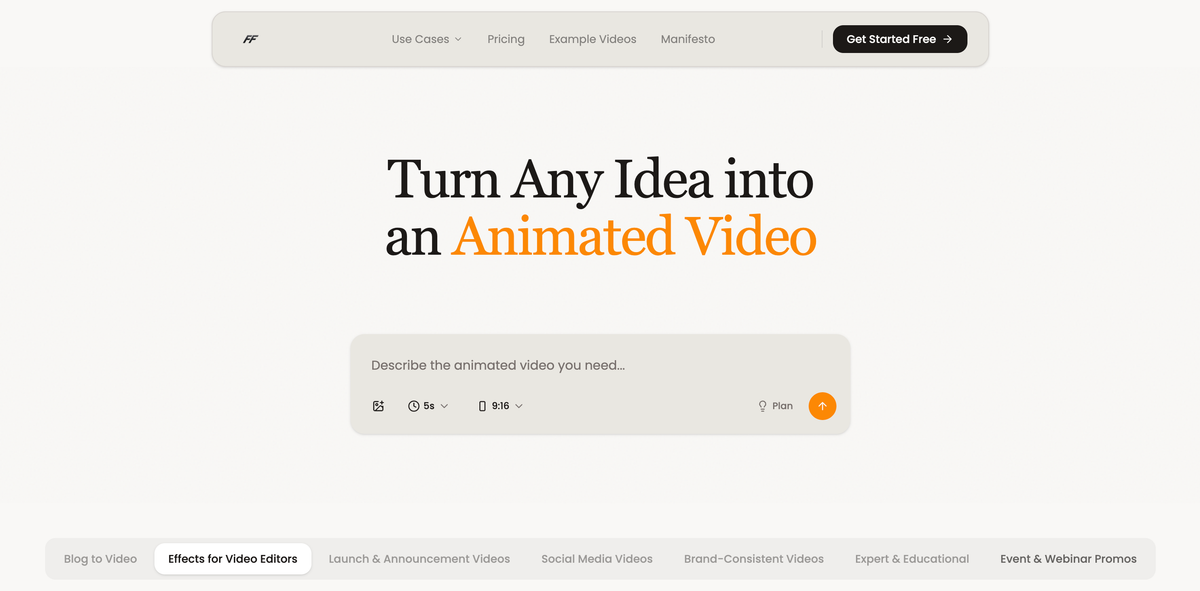
Fluent Frame is an AI creative agent for agencies, in-house teams, founders, and solo creators who need to produce finished video and motion assets from a brief. The site presents it as a replacement for the usual stack of separate tools used for scripting, avatars, cutting, motion, and related production steps.
The product is designed to take a single chat prompt, map the production plan, and ship a branded deliverable in minutes rather than days. Users can create client or brand kits from a URL or brand book PDF, then reuse those settings to generate on-brand output and revise it through conversation.
The pricing page shows self-serve monthly plans and a monthly retainer option for custom volume. Plans are organized by creative volume, brand-kit capacity, video length, export support, and support level, with free credits available at signup.
Describe the video or motion asset in plain English and the agent maps the work, chooses the needed models, and produces a finished cut.
Create a client or brand kit from a URL or brand book PDF so the system can extract logos, colors, fonts, and voice for reuse.
Generate and refine assets without switching among separate script, avatar, edit, and motion tools. The site frames this as one system replacing a stitched stack.
Adjust output by chatting back instead of reopening a workflow builder. The site says revisions stay conversational and source files are included.
Keep output aligned to each client’s visual identity, with exact logo and color handling described as code-accurate rendering.
Choose a self-serve plan for your volume or book a consultation for a monthly retainer. Higher tiers add more brand kits, longer videos, and support options.
Load a client brand kit once, then produce multiple deliverables without rebuilding the setup for every new brief.
Create launch videos, product ads, explainers, or demos from one brief when the team needs on-brand assets quickly.
Turn a written idea into a finished launch asset, even when there is no dedicated design or video team.
Apply a single visual identity across recurring videos or social content so episodes stay consistent over time.
Use the monthly retainer option when a team wants ongoing production support instead of a self-serve plan.
Fluent Frame is built for teams that need to turn a brief into a finished video asset. The site positions it as a replacement for stitching together separate tools for scripting, avatars, editing, motion, and related production steps.
The site says you do not need to pick a model or wire a workflow manually. You describe what you want in plain English, and the agent routes the work end to end.
Yes. The home page says teams can load each client's brand once and ship work from one account, and the pricing page includes plans with multiple brand kits and unlimited brand kits on higher tiers.
The pricing page lists monthly self-serve plans plus a monthly retainer option. It also says free credits are available at signup and the site offers a trial flow.
The pricing page says the output can vary depending on the generation models used and the length and complexity of the piece. It also notes that creative counts are estimates rather than fixed guarantees.

讯飞绘镜 (iFlytek Huijing) is an AI video creation platform that transforms creative ideas into scripts, storyboard images, and dynamic videos quickly and efficiently.

VIDEOAI.ME is an AI video generator for spokesperson videos, ads, explainers, and social content from a script without filming.

Official HeyGen API docs for AI avatar videos, video translation, lipsync, and interactive video-agent sessions via API, MCP, and CLI workflows.

艺映AI is a free AI video creation tool for text-to-video, image-to-video, and video-to-video creation for short social and promo clips.

Clipia.ai is an AI image and video generation platform for presentations, agent workflows, and developer integrations, with shared credits.

TapNow is a web-based AI visual creation platform for businesses, creators, and teams with image and video generation, editing, planning, and collaboration tools.