
Multiple forwarding destinations
Send matching iPhone SMS messages to Email, Slack, WhatsApp, Discord, Telegram, Microsoft Teams, another phone or iMessage, or a custom webhook.

Fwrd - SMS Forwarder sends selected iPhone SMS to Email, Slack, WhatsApp, Discord, Telegram, Microsoft Teams, another phone, iMessage, or webhooks.
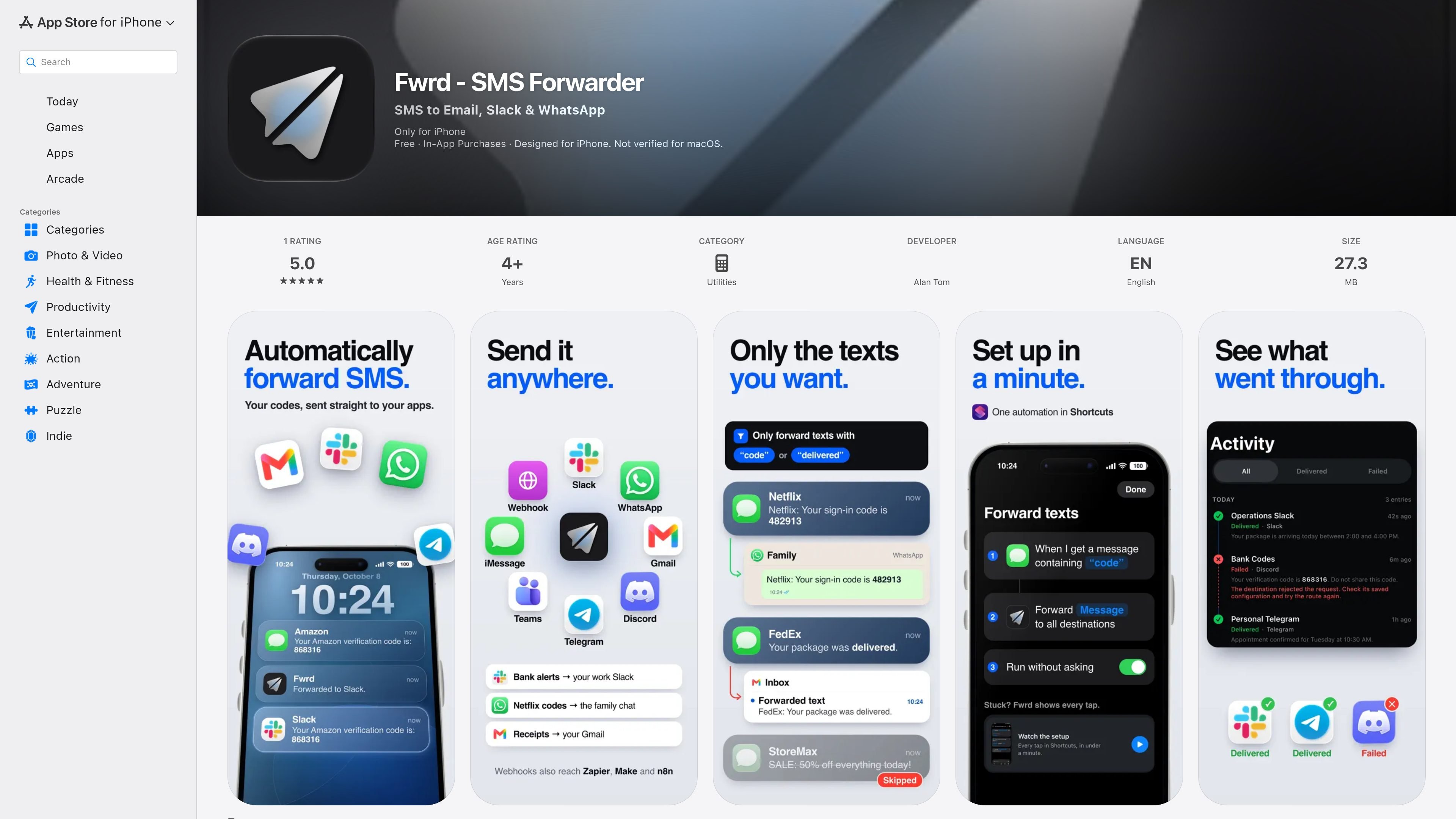
Fwrd is an iPhone utility that automatically forwards selected SMS messages to communication apps, email, another phone or iMessage, and webhooks. It is designed for people who need verification codes or other incoming texts to appear in a work channel, shared chat, inbox, or second phone without manually copying them.
The workflow uses one Message automation in Apple’s Shortcuts app after a destination is added in Fwrd. Matching messages can be forwarded while the iPhone is locked, but the phone must remain powered on and online. Fwrd includes filtering, delivery activity, and a free allowance of 15 forwarded texts per month; the App Store listing also offers Fwrd Pro in monthly and annual in-app purchase options.
Send matching iPhone SMS messages to Email, Slack, WhatsApp, Discord, Telegram, Microsoft Teams, another phone or iMessage, or a custom webhook.
Route messages based on selected words, likely verification-code content, or specific hours, with Try a Text available to check a filter first.
Use Apple Shortcuts for Email, another phone, and WhatsApp forwarding, while Fwrd sends Discord, Slack, Microsoft Teams, Telegram, and webhook messages directly from the iPhone.
Connect a webhook to Zapier, Make, or n8n, with additional webhook compatibility listed for Mattermost and Rocket.Chat, to pass messages into other workflows.
Review which messages were forwarded, their destinations, and failed deliveries from the activity view and delivery digest.
Forwarding is designed without an Fwrd account or Fwrd servers; messages go from the iPhone to selected destinations and forwarding history remains on the device.
Receive one-time passcodes in a work Slack channel, team chat, or inbox when the phone receiving the code is not the device you normally carry.
Send selected texts to another phone or iMessage so a second device can receive relevant messages without manually relaying each one.
Use word, code-pattern, and time-based filters to direct only relevant messages to Discord, Telegram, Microsoft Teams, or a webhook instead of forwarding every SMS.
Pass incoming texts through a webhook to Zapier, Make, or n8n, then continue the workflow in tools such as Google Sheets or Notion.
Use delivery activity and failure information to check whether forwarded messages reached their intended destinations.
Fwrd forwards matching SMS messages from an iPhone to destinations such as Email, Slack, WhatsApp, Discord, Telegram, Microsoft Teams, another phone or iMessage, and a webhook.
Add a destination in Fwrd, then create one Message automation in Apple’s Shortcuts app. The app provides an in-app guide and setup videos, and matching messages can be forwarded while the iPhone is locked.
Filters can match specific words, messages that look like verification codes, or selected hours. The Try a Text function lets you check a filter before using it.
Fwrd offers 15 forwarded texts per month for free. One text counts once even if it is sent to multiple destinations; Fwrd Pro removes that limit. The App Store lists monthly and annual Pro in-app purchases.
The iPhone must be powered on and online for forwarding to work. The app requires iOS 26.0 or later according to the App Store listing.

MacSpoof is a macOS MAC address changer that lets you change or randomize your Wi‑Fi MAC to reconnect and limit device logging on public Wi‑Fi.

DemoTV is an audience-ranked station for discovering and comparing independent product demos. Submit videos, embed approved demos, collect inquiries or commission production and labelled promotion.

Ship It: Idle Dev Tycoon is an iPhone idle simulation game about building apps, managing a software studio, and selling it for lasting progression benefits.

NomNak is a free iPhone app for discovering restaurants through friends’ recommendations, with saved spots, a food passport and city search.

CAPTA is a mobile GPS waypoint app for saving, organizing, and revisiting locations offline, with camera capture, optional sync, and GPX export.

Ctrl+Shift+3 is a calm, text-first community platform with chronological feeds, profiles, RSS, and private Clicks for smaller communities.