
AI content detection
Scans pasted text or uploaded documents and highlights phrases that are likely to be AI-generated, with support for major model families such as ChatGPT, GPT-5, GPT-4, Gemini, Claude, and Llama.

GPTZero is an AI content detector and writing analysis tool for authenticating documents, Google Docs, classroom workflows, plagiarism checks, and API integrations.
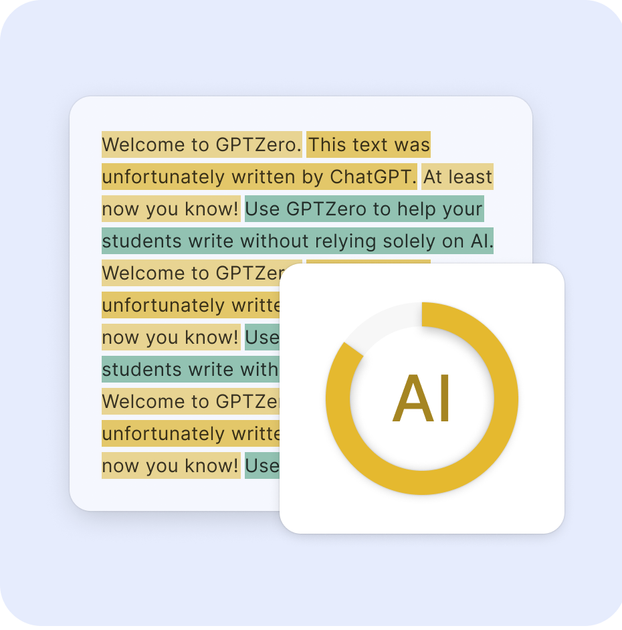
GPTZero is an AI content detector and writing analysis tool built to identify text generated by large language models and to help readers verify whether writing is authentic. The product website positions it as a detector for content from systems such as ChatGPT, GPT-5, GPT-4, Gemini, Claude, and Llama, while also offering writing-quality and authenticity checks.
The site presents GPTZero as useful in education, hiring, publishing, legal, and other settings where document authenticity matters. Beyond basic AI scanning, it includes writing reports, replay-style document history, plagiarism checking, Google Docs feedback, classroom integrations, and an API for embedding detection into other products and workflows.
Scans pasted text or uploaded documents and highlights phrases that are likely to be AI-generated, with support for major model families such as ChatGPT, GPT-5, GPT-4, Gemini, Claude, and Llama.
Provides a writing report that combines AI detection with authenticity signals such as writing activity timelines, copy-paste history, revision duration, and multi-user editing indicators.
Shows a replay-style view of how a document was written so reviewers can inspect edits, major pastes, and the sequence of changes over time.
Adds AI writing feedback directly in Google Docs comments and lets users customize the prompt with a rubric or assignment files.
Checks text for plagiarism and source attribution gaps, and the site also describes a reference-finding flow for essays and research papers.
Exposes the detector through integrations for classrooms, workspaces, Zapier, and an API, including ready-to-use code in multiple languages.
Teachers and administrators can scan assignments, review mixed-authorship documents, and use writing reports to discuss academic integrity with students.
Students and writers can use the Chrome extension or Google Docs tools to get feedback, inspect revision history, and improve drafts while they write.
Teams and organizations can integrate detection into existing workflows through Zapier, LMS connections, or an API instead of moving documents into a separate tool.
Publishers, recruiters, and legal or compliance teams can review documents for AI content, source support, and authenticity when the provenance of a text matters.
Researchers and readers can use the hallucination and source-checking tools to find supporting evidence for claims in essays and research papers.
GPTZero identifies likely AI-generated text in a document or pasted text and highlights specific phrases it detects. The site also describes a Chrome extension and writing reports for Google Docs and web pages.
The source says GPTZero uses a proprietary multi-factor model and that independent benchmarks and internal testing found it highly accurate, including strong results on mixed documents. The site also notes that no AI detector is perfect.
According to the site, you can paste text, upload a document, or use the Chrome extension for Google Docs and web pages. For scans over 10,000 characters, the FAQ says you need to create a free account first.
Yes. The source says GPTZero is used by teachers, students, colleges, institutions, publishers, recruiters, copywriters, marketers, businesses, and other organizations that need authentic writing.
GPTZero supports English, German, Portuguese, French, and Spanish with industry-leading accuracy, and the site notes it is also used in many other languages.

Winston AI is an AI content detector and plagiarism checker for text and images, helping educators, publishers, and institutions review originality and share results.

Originality.ai is a content integrity platform for AI detection, plagiarism checks, readability, grammar, fact checking, and content quality review. Supports text, file, URL, and site scans.

Writecream AI Content Detector & Checker is a free tool to check whether pasted text appears written by AI or a human, with an AI content percentage.

tata.run is a professional free AI content detector that provides a one-click 'reduce AI' feature to significantly lower AI detection rates.

学术猹 by NetEase Youdao offers paper checking, AI detection, rewriting and AI reduction for Word, PDF and TXT files, with a free daily check.

Winston AI is a web-based AI content detector and plagiarism checker with a separate API for product and research workflows. Text scans, file upload, URL import, shareable reports, and sentence-level results.