
Sleep-verified unlocking
HyperSleep keeps selected apps locked until it verifies that you actually slept, so unlocking depends on sleep detection rather than a clock-based timer.

HyperSleep blocks selected social apps until it detects real sleep, using phone signals to unlock in the morning and keeping sleep data on-device.
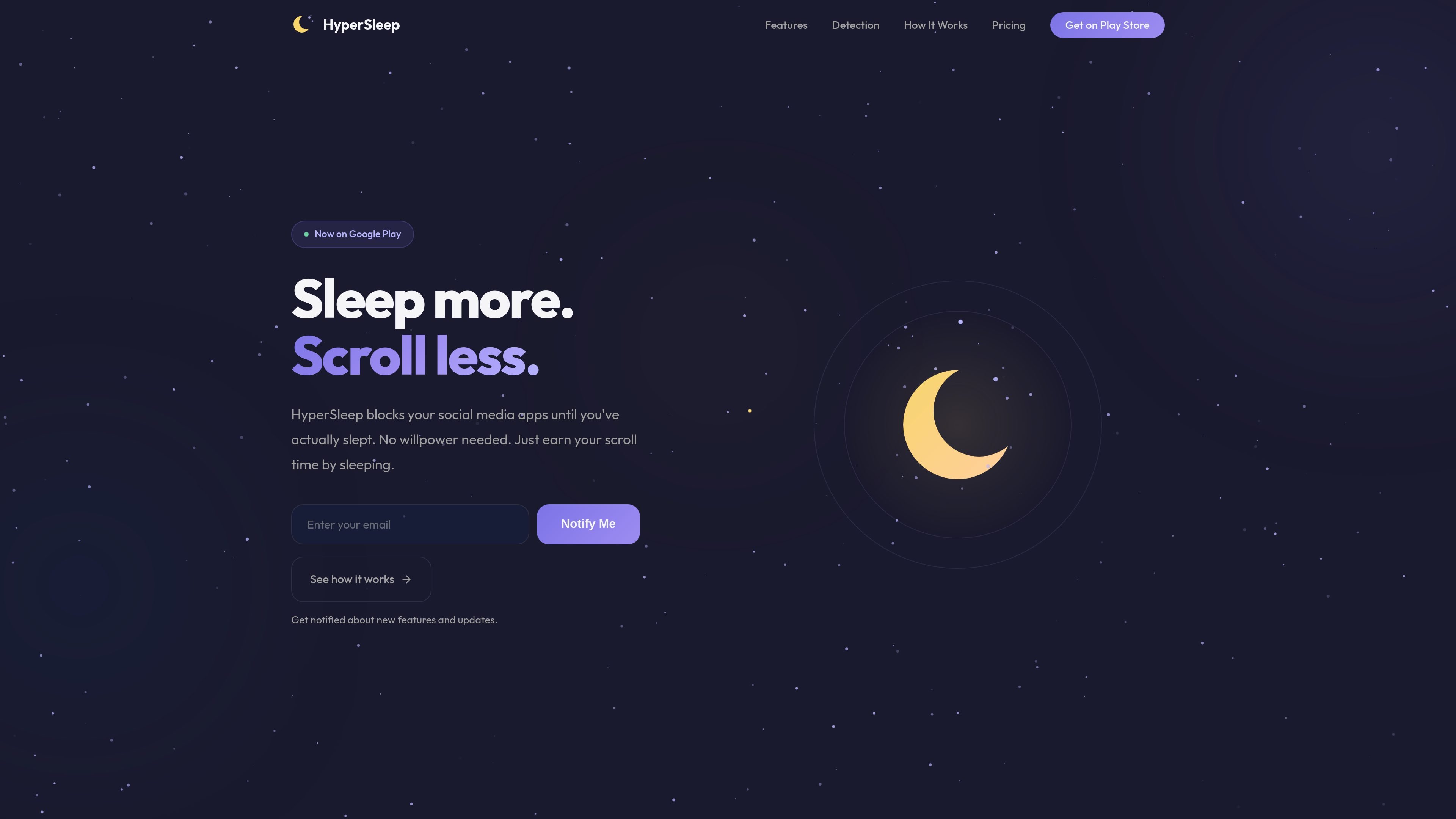
HyperSleep is an Android app that blocks selected social media and other distracting apps until it verifies that you have actually slept. Instead of ending access on a fixed timer, it uses sleep detection to decide when to unlock.
The product is positioned for people who want a stricter bedtime boundary without giving up control of their phone. It supports scheduled or manual sleep sessions, optional quick breaks and overrides, and keeps all sleep data on the device.
HyperSleep keeps selected apps locked until it verifies that you actually slept, so unlocking depends on sleep detection rather than a clock-based timer.
The app cross-references Google Sleep API, motion, ambient light, and phone-usage signals to reduce reliance on any single reading.
You can choose the apps to block, and the lock screen overlays those apps without force-closing them.
Bedtime rules can follow a schedule, active days, or a manual start, which makes the app fit different routines.
Users can see a morning recap with sleep time, a quality score, and a streak that tracks repeated goal completion.
Sleep data stays on the device, with no account, no cloud upload, and no microphone access.
Set a bedtime and block specific social apps so you cannot open them again until the app detects real sleep and unlocks them in the morning.
Choose a sleep goal and use the morning recap to track whether you are consistently reaching it over time.
Keep the phone available for alarms, calls, and messages while still locking the apps that are most likely to distract you in bed.
Use the quick break or full override options when sleep is not realistic, such as during travel or a rough night, without removing the guardrail entirely.
Start a session manually or follow active-day scheduling if your routine changes from day to day.
HyperSleep locks the apps you choose until it verifies that you actually slept, rather than ending on a fixed timer. It uses multiple signals together, including Google Sleep API, motion, ambient light, and phone-usage signals.
You are not trapped. Only the apps you choose are locked, so calls, alarms, and messages stay available. If you need access to a blocked app, you can use a 5-minute quick break or a full override from the lock screen, each with a small accountability cost.
No. HyperSleep runs on your phone’s own sensors and does not require a smartwatch or other wearable. Native Wear OS support is mentioned as a roadmap item.
Yes. You can pick exactly which apps to lock, such as social apps, while leaving other apps untouched.
Yes. The site says HyperSleep is Android first for now, with iOS on the roadmap.
MealTime is your personal, offline-first recipe companion designed to help you save, organize, plan meals, and generate smart grocery lists, all while keeping your data private.

Biji is a versatile platform designed to enhance productivity through innovative tools and features.

Gemma AI is a phone call reminder app that calls you with scheduled reminders instead of push notifications. It helps people who want a more direct way to stay on schedule, with Google Calendar sync and conversational call interactions.

Spotit is a macOS app that reads your screen and highlights exactly where to click, using voice questions and on-screen guidance.

Carbon Voice is an asynchronous voice messaging app for teams and individuals, with transcripts, AI catch-up, and cross-device access. It helps people and agents communicate without needing a live call.
ClawCard gives AI agents a dedicated identity stack: email, US phone number, virtual cards, wallet, on-chain identity, and access to paid APIs. It is built for automated signups, checkouts, credential storage, and machine payments through CLI and REST workflows.