
Bot-free meeting capture and file upload
Capture meetings without a visible bot, or import existing audio and video files when you do not need live capture.

Laxis is an AI copilot for conversations that combines meeting capture, dictation, AI writing, and workflow automation. Turn meetings and spoken input into notes, docs, and updates.
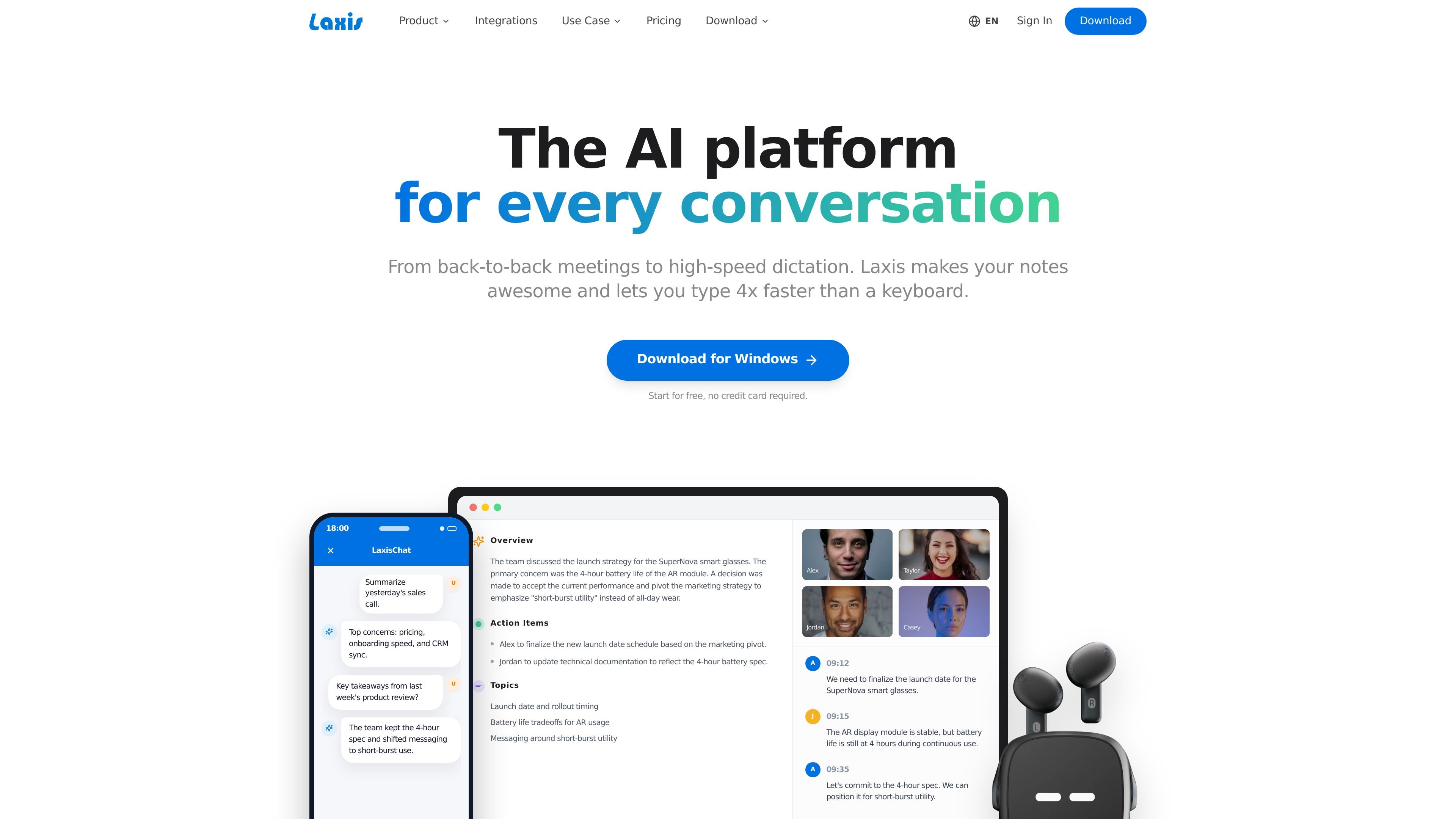
Laxis is an AI copilot for conversations that combines meeting assistance, voice dictation, writing help, and workflow automation in one product. The site positions it for back-to-back meetings, fast dictation, and turning spoken or captured conversation into usable notes and documents.
Its meeting assistant can capture conversations without a visible bot, accept file uploads, and generate summaries, action items, and reports from what was discussed. The voice keyboard works across desktop apps on Mac and Windows, letting users speak into any text field and have Laxis clean up the output before it is inserted.
Capture meetings without a visible bot, or import existing audio and video files when you do not need live capture.
Generate summaries that combine the meeting record with AI analysis, including key decisions, action items, and topic breakdowns.
Ask questions across your meeting history to retrieve facts, trends, and prior decisions without searching through individual notes.
Create documentation from talk using 50+ professional templates, including reports and executive-style summaries.
Sync meeting outcomes, action items, and customer data to CRM and other tools, with Business listing 7,000+ app integrations.
Use a voice keyboard to dictate, clean up filler words, remove repetition, and rewrite or translate text in any app on desktop.
Capture live meetings without showing a bot, then turn the conversation into summaries, action items, and searchable history for follow-up.
Dictate emails, messages, docs, and CRM notes in any desktop app, then use verbal cleanup and punctuation correction to make the text publication-ready.
Ask Laxis questions about previous meetings to recover decisions, budget references, and other details that would otherwise be buried in notes.
Generate structured deliverables from conversations using templates, especially when a spoken discussion needs to become a report or recap.
Keep customer data and meeting outcomes moving into CRM and connected tools so sales and team updates do not depend on manual copy-paste.
Laxis is an AI copilot for conversations that combines meeting capture, AI summaries, chat over past meetings, report generation, and an AI voice keyboard for dictation across apps.
The voice keyboard is available on Mac and Windows desktop and works inside apps such as Slack, Gmail, Notion, Microsoft Word, Visual Studio Code, Salesforce, HubSpot, Chrome, X, and LinkedIn. The meeting assistant also supports online and in-person meetings.
The free Basic plan includes 300 minutes per month of transcription, 30 days of conversation history, meeting summaries, search across conversations, folders, export and share, and the voice keyboard. Paid plans add more transcription, unlimited storage, AI writing tools, CRM automation, and team administration features.
According to the FAQ on the voice keyboard page, you can press a hotkey, speak naturally, and Laxis transcribes your speech while cleaning filler words, removing repetition, and adding punctuation. The result appears at your cursor in the app you are using.
The pricing page says Business includes a 14-day full-access trial, and subscriptions can be upgraded, downgraded, or canceled from account settings. Enterprise pricing is custom.

QuickQuill is a local-first macOS dictation and transcription app to record meetings, summarize audio, and export notes without the cloud.

Flunkey is a voice-first productivity layer for Windows that turns speech into text, AI outputs, and remembered context without leaving your app.

MeetStream is a meeting bot API for Zoom, Google Meet, Microsoft Teams, and Webex. Record, stream, and analyze meetings with usage-based pricing and $5 free credit.

Liam is an AI copilot for inbox management, email replies, prioritizing messages, and scheduling meetings. Free for individuals; custom pricing for teams and enterprise.

Tactiq is an AI note taker for Google Meet, Zoom, and Microsoft Teams that transcribes meetings live into summaries, action items, and follow-up outputs.

garden-md is an open-source Node.js CLI that turns meeting transcripts into a local company wiki, linking entities and preserving the original text.