
Article-to-audio conversion
Paste an article URL, upload a PDF, or paste text directly to turn reading material into audio.

listen. turns article URLs, PDFs, or pasted text into audio for podcast apps. Includes a daily article feed by topic and a Chrome extension for fast capture.
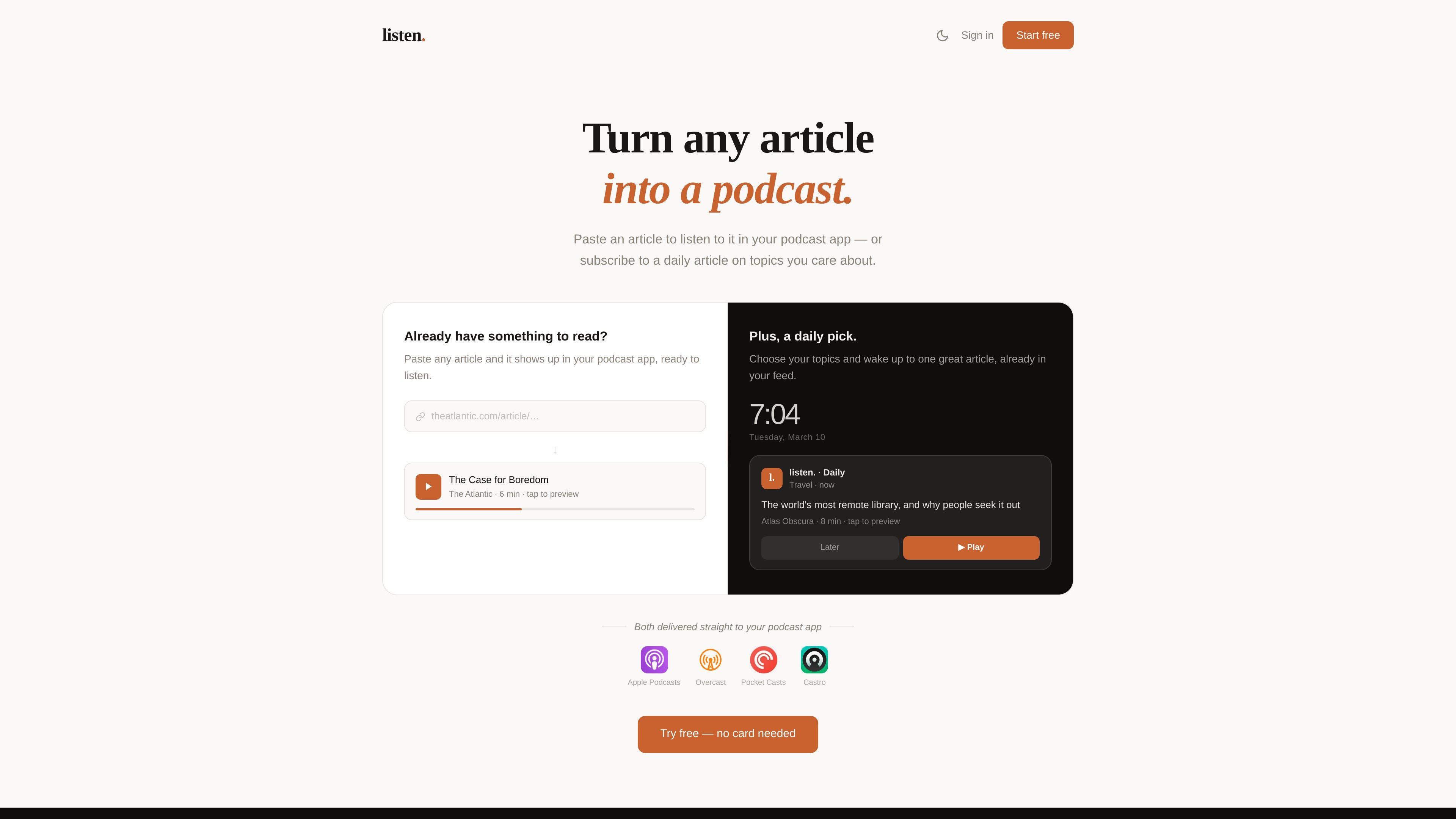
listen. turns articles into audio so readers can listen inside a podcast app instead of sitting with a webpage. The product accepts article URLs, PDFs up to 5 MB and 30 pages, or text pasted directly, then generates audio with one of four available voices.
It also offers a daily article workflow: you choose topics of interest and receive one curated article each morning in your podcast feed. Pro converts are stored in a private RSS feed that can be connected to common podcast apps, including Apple Podcasts, Overcast, Pocket Casts, and Castro.
Paste an article URL, upload a PDF, or paste text directly to turn reading material into audio.
Choose from four voices: Nova, Onyx, Shimmer, and Alloy, and preview each one before generating.
Pro articles are saved to a private RSS feed so they appear automatically in supported podcast apps after you add the feed URL.
Subscribe to a curated daily article based on selected topics, delivered each morning to your feed.
Connect the feed to Apple Podcasts, Overcast, Pocket Casts, Castro, or another podcast app that accepts RSS.
Install the Chrome extension to add articles with one click while browsing, including paywalled pages via copy-and-paste workaround.
Turn reading material into something you can hear while commuting, walking, or doing chores, then play it through a podcast app you already use.
Choose topics such as history, business, science, or art and receive one curated article each morning in your feed without spending a conversion from your monthly allowance.
Capture articles from the browser and send them to your podcast queue for later listening, including pages that are easier to paste in manually when automated fetching fails.
Use the service for newsletters, research papers, or standard web articles when you want an audio version without switching to a separate reading app.
Yes. New accounts can convert 3 articles for free with no credit card required. After that, a Pro subscription is needed to continue converting articles.
You can convert any article URL, PDF file up to 5 MB and 30 pages, or text you paste directly. The source notes that most news sites, blogs, newsletters, and research papers work out of the box.
Every article you convert on Pro is automatically saved to a private RSS feed. You copy the feed URL once, then add it to Apple Podcasts, Overcast, Pocket Casts, Castro, or any other podcast app that accepts RSS feeds.
Yes. Cancel from your account page at any time. Your plan remains active until the end of the billing period, then it downgrades to Free.
On the 1st of each calendar month, not on your billing date. Monthly conversion counts reset for everyone on that date.

Fylom is an AI podcast generator that turns topics or questions into researched, narrated episodes with voice selection and recurring listening.

CAMB.AI Streams dubs live audio in real time for YouTube, Twitch, X and other platforms, using existing live workflows and no post-production.

Official HeyGen API docs for AI avatar videos, video translation, lipsync, and interactive video-agent sessions via API, MCP, and CLI workflows.

Talkpal is an AI language learning app for web and mobile with speaking, listening, writing, pronunciation practice, guided courses, roleplays, and 130+ languages.

BeFreed is a personalized audio learning app that turns books and knowledge sources into narrated listening experiences with interactive audio and learning tools.

Gemini 3.1 Flash TTS is Google’s preview text-to-speech model for expressive AI speech with fine-grained style and delivery control across Gemini API, Google AI Studio, Vertex AI, and Google Vids.