
Local file sharing from your machine
Serve files from your own Mac or Windows machine instead of uploading them to a third-party cloud service. The homepage emphasizes that files stay on your disk and that the server runs locally.
Lynqo is a local-first desktop app for Mac and Windows with P2P file sharing, frame-accurate video review, and clipboard sync on your own machine.
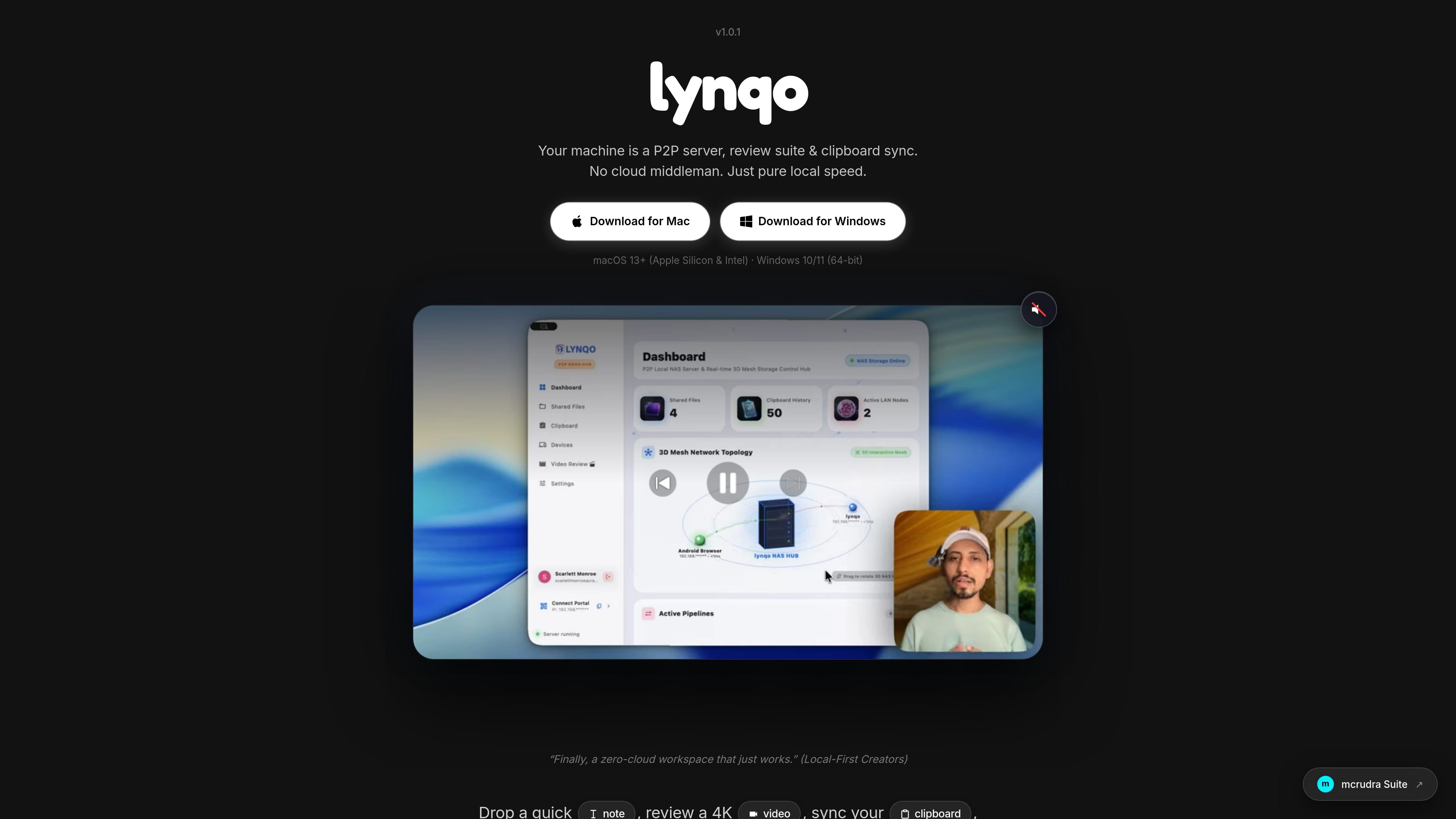
Lynqo is a local-first desktop app for Mac and Windows that turns your machine into a P2P server for file sharing, video review, and clipboard sync. It is positioned for creators who want to work without uploading assets to a third-party cloud service.
The homepage centers on a local workspace where people can serve files, review video with timecodes, share links or invite-only channels, and sync clipboards across connected devices. It runs on your own machine at localhost:7432, with same-network access by default and an optional Cloudflare tunnel for remote sharing.
Serve files from your own Mac or Windows machine instead of uploading them to a third-party cloud service. The homepage emphasizes that files stay on your disk and that the server runs locally.
Review video with timecodes and timestamped comments, including workflows for 4K edits. The page presents this as a frame-accurate review experience for creators and clients.
Sync clipboard content across connected devices from one local workspace. The site describes this as built in and available alongside file sharing and review tools.
Discover nearby devices automatically over mDNS. The homepage calls this instant and contrasts it with manual connection workflows.
Invite people into private channels that live on your machine. Hosting gives you control over members, privacy, and history, while joining an invite-only channel gives access without those controls.
Share locally on the same Wi‑Fi or, if needed, enable a Cloudflare tunnel for remote access. The FAQ notes the tunnel as an optional path for sharing beyond the local network.
A video editor can share a cut directly from a Mac or Windows machine, let a client stream it from the source machine, and collect comments at exact timestamps without uploading a large file first.
A small studio can keep a local workspace on one computer and use invite-only channels so team members can access files and history under the host's control.
A creator working in the same office can move notes, links, or snippets between devices with clipboard sync instead of switching between separate apps or using AirDrop-style transfers.
A user on the same network can connect new devices quickly through mDNS discovery rather than entering device details manually.
A remote collaborator can still access shared material when the host enables the optional Cloudflare tunnel for outside-the-network sharing.
Lynqo runs a local Rust-powered server on your Mac or Windows machine at localhost:7432. Devices on the same Wi‑Fi connect directly to that server, and for remote sharing you can optionally enable a Cloudflare tunnel.
The source says you do not need to upload files to use Lynqo for local sharing and video review. Clients can connect to your machine directly for playback and comments, while clipboard sync and LAN file serving stay local.
Lynqo is presented as a local-first alternative to cloud review and file-sharing tools. Its homepage highlights that it keeps files on your machine, supports timecoded video review, and includes built-in clipboard sync and device discovery.
Yes. The homepage explicitly says clients can leave comments at exact timestamps during video review.
The product page says Lynqo works on macOS 13+ and Windows 10/11, and it includes separate downloads for Mac and Windows.

ArtDeck is a visual reference board app for iPhone, iPad, and Mac. Collect mixed references on one canvas and study them with ToolBox lenses. Offline, optional iCloud sync, one-time purchase.

Biji is a versatile platform designed to enhance productivity through innovative tools and features.

Dcyde is a shared decision log for product teams to capture what was decided, why, and the source, with searchable records from Slack, Figma, or Dcyde.

Carbon Voice is an async voice messaging app for teams and individuals, with transcripts, AI catch-up, and cross-device access.

Goldfish is an AI memory app for macOS that helps you reply, write, summarize, and continue with context already on your Mac. It stores memory locally and writes in your tone.

Malyatko is a baby tracker for feeding, sleep, growth, teething, and milestones. Use it on iPhone, Apple Watch, and widgets offline, with iCloud sharing.