
Prompt-based email creation
Generate emails from plain English prompts, then refine them in the same workspace. The site describes MigmaAI as handling design, copy, images, compatibility, and campaign structure from brand context.

MigmaAI is an AI email workspace for creating, editing, sending, and tracking marketing emails with prompts, Figma, screenshots, HTML, URLs, and brand context.
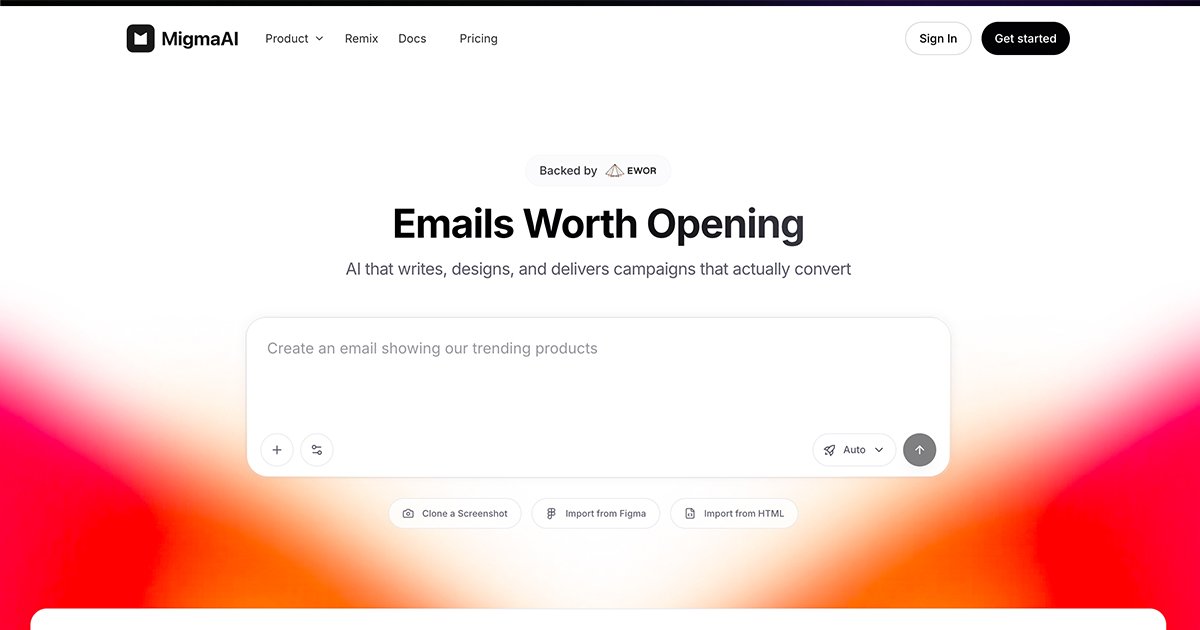
MigmaAI is an AI email workspace for creating, editing, sending, and measuring marketing emails. The product is built around a single flow that moves from brand context or source material to an editable email, then on to sending, tracking, and export.
The site describes several starting points: a text prompt, a Figma frame, a screenshot, HTML, a URL, or a reference email. It also emphasizes brand import and brand voice learning, so teams can reuse colors, fonts, style, and tone instead of rebuilding each campaign from scratch.
MigmaAI is aimed at brand and marketing teams that want to produce production-ready email HTML faster, with visual editing and testing built into the workflow. The pricing page shows a free Hobby plan if available, a Premium plan, and Enterprise options for teams.
Generate emails from plain English prompts, then refine them in the same workspace. The site describes MigmaAI as handling design, copy, images, compatibility, and campaign structure from brand context.
Start from existing assets such as Figma frames, screenshots, HTML, URLs, or brand references. The home page and contact page both point to import-based workflows for turning source material into editable email HTML.
Edit text, images, colors, and spacing directly in the email canvas. This keeps generation and manual adjustment in one interface instead of splitting work across separate tools.
Send campaigns and track opens, clicks, skipped recipients, and unsubscribes from the same workspace. The site presents sending and tracking as part of the core workflow, not an add-on step.
Import brand context from a website and reuse stored colors, fonts, voice, and style across emails. The about page also says MigmaAI learns brand voice and supports one-click brand import.
Preview emails on 30 real devices and clients, with mention of anti-spam checks and preflight-style checks on the about page. This is positioned as part of keeping emails compatible before sending.
A marketer can describe the campaign in plain English and get a first draft that includes copy, design, and compatibility handling. This is useful when speed matters more than starting from a blank canvas.
A designer can drop in a Figma frame, then turn it into editable email HTML and adjust spacing, text, and images inside MigmaAI. The site repeatedly frames Figma-to-email as a core workflow.
A brand team can import a website or brand reference to reuse colors, fonts, voice, and style across multiple sends. That reduces the amount of manual setup needed for recurring campaigns.
An email team can preview and check messages before launch, then send them and monitor opens, clicks, skipped recipients, and unsubscribes. The product positions this as a single workspace for preflight and delivery.
An agency or team can start from a screenshot, HTML file, or competitor email and remix the layout into a new campaign. The trending page and contact page both point to browsing and rebuilding existing emails.
MigmaAI is an AI email workspace for creating and editing marketing emails. It combines prompt-based generation with brand imports, visual editing, sending, tracking, and export in one place.
The source says you can start from plain English, a Figma frame, a screenshot, HTML, a URL, or a reference. It also mentions importing from Figma, screenshots, HTML, and brand context from a website.
MigmaAI says it differs from Mailchimp or Klaviyo by creating the email itself, while those tools send it. You can export to another sending platform or send directly through MigmaAI.
The site says MigmaAI offers a free Hobby plan if available, a paid Premium plan, and Enterprise options for teams. The pricing page also says there is a 30-day money-back guarantee and that you can cancel anytime.
No technical skills are required for the core workflow. The site says you can describe the email in plain English and MigmaAI handles design, copy, images, and compatibility.

Liam is an AI copilot for inbox management, email replies, prioritizing messages, and scheduling meetings. Free for individuals; custom pricing for teams and enterprise.

An All-In-One AI Platform that combines tools for image, video, voice, writing, and chat to enhance creativity and collaboration.

Slidesgo is a presentation template platform for Google Slides, PowerPoint and Canva workflows, with free and Premium templates plus AI-assisted creation.

Wysera is an AI business platform with PostWyse for content and OpsWyse for CRM and revenue workflows, powered by shared Wyse AI and approval-first automation.

Grok is a free AI assistant developed by xAI, engineered to prioritize truth and objectivity while offering advanced capabilities like real-time information access and image generation.

Creativly is a web-based AI creative studio for fast visual concepts, mockups, and stylized images from short inputs.