
Fast input workflow
Upload, drop, or paste a screenshot or video to start a mockup without moving through a multi-step setup flow.

Mokkit is a web tool for turning screenshots and videos into transparent device mockups. Fast browser editing with visible styling controls and PNG export.
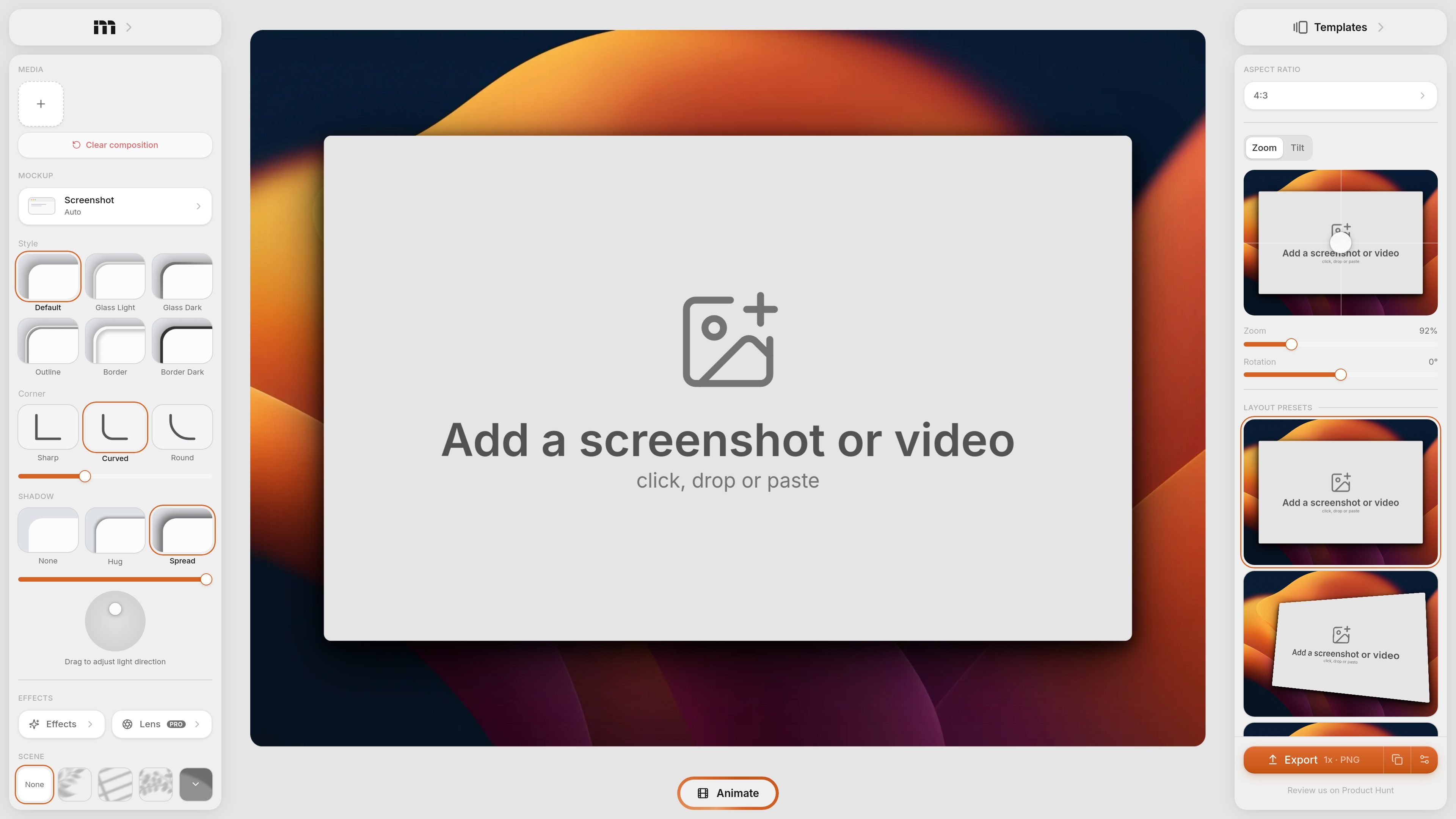
Mokkit is a web-based tool for turning screenshots and videos into transparent device mockups and other presentation visuals. The product page positions it as a way to create animated visuals that convert, with an interface focused on fast input and visual adjustment rather than manual design work.
The home page shows a browser-based editor where users can add a screenshot or video by clicking, dropping, or pasting, then refine the result with controls for styles, backgrounds, effects, layout presets, aspect ratio, zoom, tilt, and rotation. The visible export control shows PNG output, and the pricing page provided does not contain usable pricing information.
Upload, drop, or paste a screenshot or video to start a mockup without moving through a multi-step setup flow.
Choose between transparent and solid backgrounds, including gradient backgrounds, to fit the output into different product or marketing layouts.
Adjust device styling with options such as glass light, glass dark, outline, border, border dark, and corner shape variations.
Fine-tune composition with controls for light direction, shadow handling, zoom, tilt, and rotation.
Use layout presets and aspect ratio controls to shape the final visual for different placements.
Export a PNG file at 1x according to the page controls shown on the home page.
Turn a product screenshot into a cleaner device-style presentation for a landing page, app store asset, or social post.
Add visual polish to a screen recording by placing it in a mockup frame and adjusting the composition for presentation use.
Prepare mockups quickly when you do not want to open a separate design tool and need a browser-based workflow instead.
Experiment with background, shadow, and layout settings to match a screenshot to different channel formats or page sections.
Mokkit creates transparent device-style visuals from screenshots or videos. The rendered page shows inputs such as click, drop, or paste, but it does not describe a longer setup process.
The home page shows export as PNG at 1x, but it does not list additional export formats or higher-resolution options.
The interface shows template and layout controls such as aspect ratio, zoom, tilt, rotation, and layout presets, but the available templates are not documented in detail on the provided pages.
The source mentions both screenshots and videos as inputs, and the page also references animated visuals, but it does not provide a full workflow description for team collaboration or shared editing.
The pricing page provided appears to be a placeholder that says the page does not exist, so the available plans, trial status, and pricing structure are not shown in the source.

Video Effects SDK adds real-time webcam effects like background blur, replacement or removal, denoising, framing, beautification, and color grading for live video apps.

PixelDrive is a bulk image generation API for on-brand images from one template via browser editor, REST API, CSV batch, or MCP.

DeepMotion is a web-based AI motion capture and 3D animation platform with Animate 3D for video-to-animation and SayMotion for text-to-animation.

Napkin AI turns text into editable visuals for presentations, documents, and shareable content. Text-first generation, collaboration, and export to PPT, PNG, SVG, or PDF.

UNI-1 by Luma is a multimodal model for text-to-image, image editing, reference-guided creation, and API-based visual workflows.

Refero MCP for AI agents connects an MCP-compatible agent to Refero’s curated library of web and iOS product interfaces and user flows. It helps agents research real design patterns before generating UI, with access included in the Refero Pro plan.