
Retro mobile-style interface
The homepage presents a browser-based interface styled to resemble an early-2010s iPhone screen, complete with familiar status-bar and lock-screen elements.

nOS4 is a browser-based retro UI experience recreating an early-2010s mobile interface—ideal for nostalgic browsing, visual demos, and interface reference.
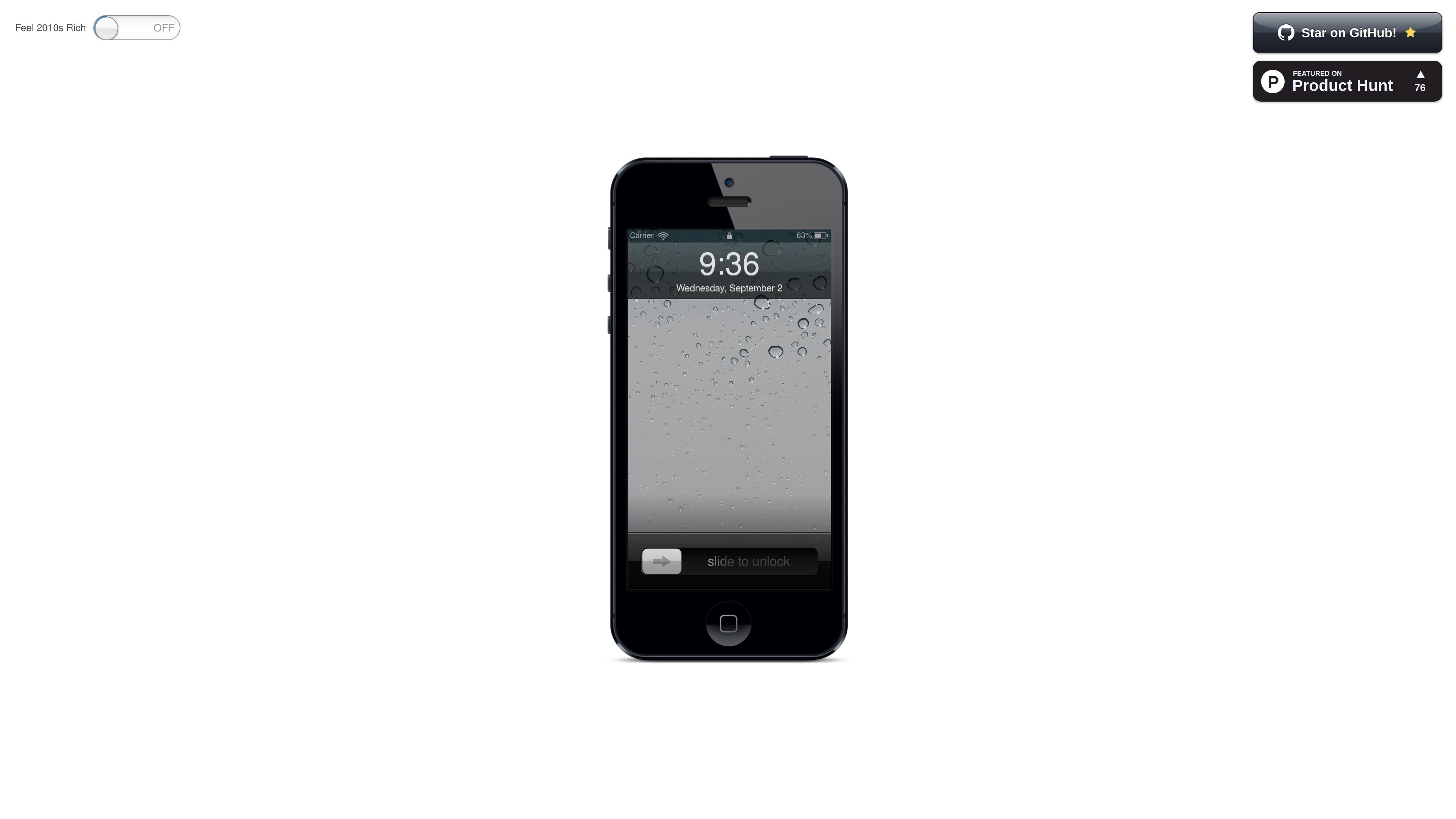
nOS4 is a browser-based product that recreates the look and feel of a nostalgic early-2010s mobile interface. The homepage centers on a stylized phone screen with familiar status-bar details, lock-screen text, and prompts such as “slide to unlock,” making the product’s purpose primarily experiential.
Based on the page copy, nOS4 is less about productivity software and more about delivering a recognizable visual and interaction pattern inside the browser. The visible content points to a lightweight, web-accessed experience built around interface simulation and retro design rather than a broader feature set.
The homepage presents a browser-based interface styled to resemble an early-2010s iPhone screen, complete with familiar status-bar and lock-screen elements.
The page includes text and controls such as “slide to unlock,” “Settings,” and a turn-off prompt, indicating that the product focuses on recreating a nostalgic phone UI rather than a conventional software dashboard.
The interface copy references carrier, battery, time, and date indicators, reinforcing the simulation of an old mobile operating system screen.
The product is accessible in the browser, based on the site description and the absence of a separate app download flow in the collected pages.
A GitHub star prompt is visible on the homepage, suggesting that the project is publicly shared and may be maintained in an open-source style, although the source text does not explicitly state licensing.
Useful for someone who wants to open a browser and immediately see a familiar old-phone interface without installing software or configuring settings.
Fits situations where the goal is to demonstrate or share a retro mobile aesthetic in a browser tab, especially when the interface itself is the main point of interest.
Could be used by designers or hobbyists exploring how older smartphone UI patterns were structured, such as lock screens, status bars, and system prompts.
Appropriate for casual experimentation with an intentionally simple web experience that does not require a multi-step workflow.
The site copy presents nOS4 as a browser-based experience rather than a standalone app. No setup steps, sign-in flow, or installation requirements are described in the provided page text.
The homepage suggests that it recreates a familiar early-2010s mobile-style interface in the browser, but it does not describe specific outputs beyond that interface experience.
The available sources do not describe team features, collaboration, or account sharing. The public page material appears to focus on the single-browser experience.
The pricing page currently returns a 404, so there is no verifiable pricing information in the collected sources.
No platform compatibility details are listed in the source text beyond access through a browser.

roastme.gg is a pay-to-play AI roasting site where users submit their own X handle or website, choose how much to pay, and get a public roast ranked on a leaderboard by amount paid.

Loniva is a calm daily puzzle app for memory, attention, language, speed, logic, and focus on iPhone, iPad, and Android, with a free 7-day trial.

Postaway is a web-based postcard service for free vintage-style digital postcards you can create and share by link, plus a separate waitlist for physical mail from Thailand.

MacYaps is a macOS menu bar app that plays funny audio clips for system events, with built-in voice packs, custom uploads, and a one-time lifetime license.

Snail Walk turns daily Apple Health or Health Connect steps into progress on a shared path, where social rankings meet a persistent snail pursuit.

SnakeBid is a browser-based Snake game with a daily leaderboard. Claim verified scores and buy a featured site spot.