
Component-based shader composition
Work with an extensive library of base components and combine them on a canvas to build custom effects without writing shader code.

Shaders is a design platform for interactive WebGPU shader effects, with a visual editor, component library, and exports for modern frontend frameworks.
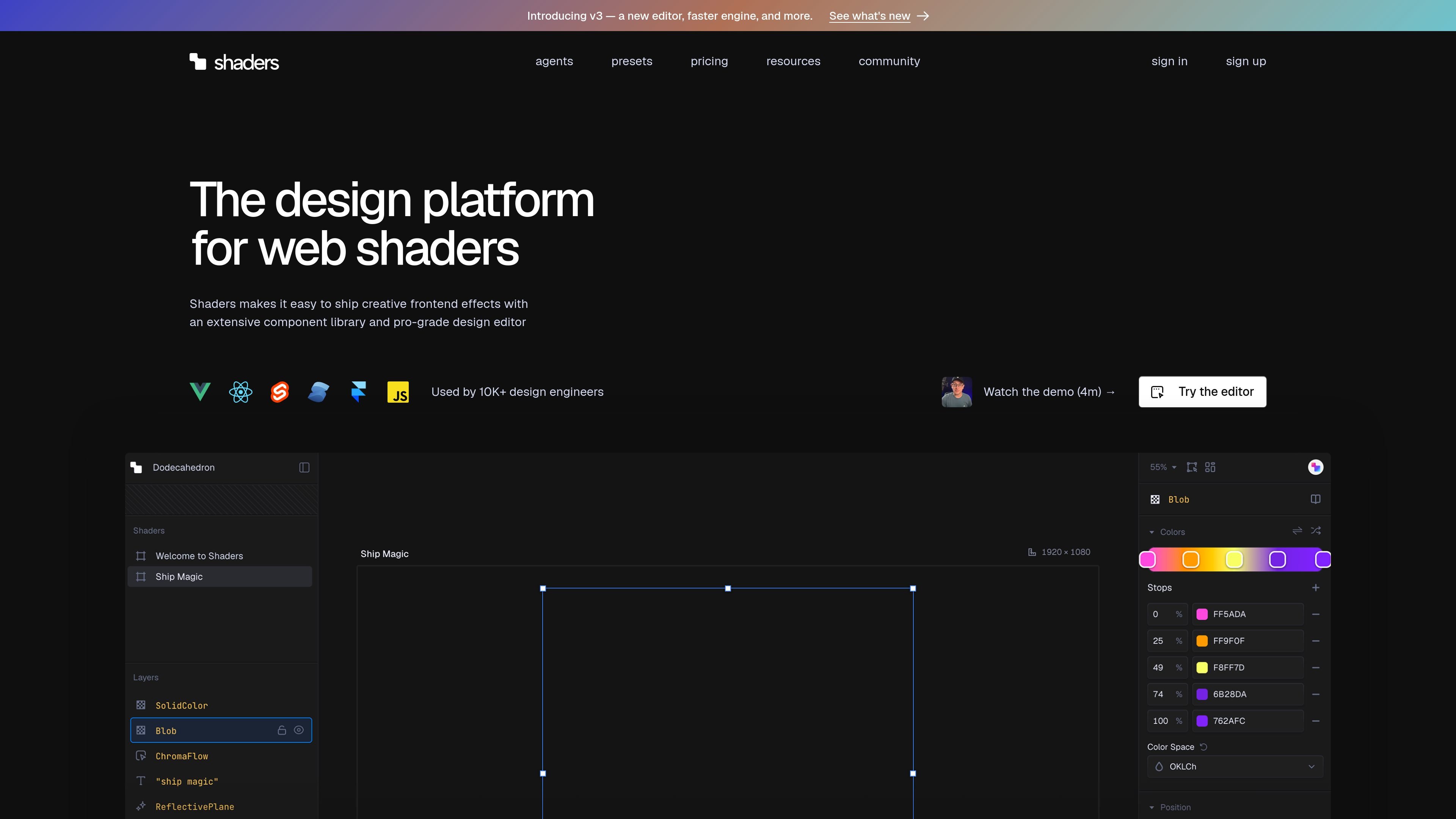
Shaders is a design platform for building creative WebGPU effects in modern frontend frameworks. It combines a visual editor, a large component library, and framework-targeted exports so teams can design interactive shaders without writing shader code from scratch.
The product is aimed at designers and frontend engineers who want to create production-ready visuals for landing pages, product showcases, design systems, logos, backgrounds, and other interface elements. The v3 release adds an infinite canvas, improved editing controls, and a new TypeGPU-based render engine designed for faster compilation and smaller production builds.
Work with an extensive library of base components and combine them on a canvas to build custom effects without writing shader code.
Import images, videos, and SVG assets, then turn them into interactive visuals using materials, filters, and 3D effects.
Shape interactivity through mouse movement, automatic animations, layer mapping, or reactive state from code.
Use the infinite canvas to place multiple shaders in one workspace, compare variations, and iterate on layouts side by side.
Export clean component code for Vue, React, Svelte, Solid, JavaScript, and Framer so shader work can fit into existing projects.
For Pro users, browse a large preset library and use Shaders MCP to let compatible agents discover, customize, and install shaders from prompts.
Build animated hero sections, landing-page backgrounds, and other first-impression visuals with an editor that supports multiple layers, presets, and interactive controls.
Compose shader-based interface elements for product pages, dashboards, or design systems and export them as framework components that fit the host app.
Adapt a logo or SVG into a reactive visual treatment using materials, filters, or 3D shape effects, then refine the result on the canvas.
Use MCP-compatible agents to search presets, install shaders, customize properties, and connect effects to application state with prompts.
Create several visual directions in one workspace, compare them side by side, and narrow the result before export.
Shaders is a design platform for creating interactive WebGPU shader effects. It provides a visual editor, a component library, and export options for frameworks such as Vue, React, Svelte, Solid, JavaScript, and Framer.
The source highlights support for Vue, React, Svelte, Solid, JavaScript, and Framer. The editor also offers code export for those framework targets, so shaders can fit into an existing frontend stack.
Pro includes unlimited code export and export of videos and images. The free plan allows you to explore the editor but only export watermarked previews.
Shaders is built around interactive visuals and real-time changes. The source says effects can respond to mouse movement, automatic animations, layer mapping, or reactive state from code.
The pricing page says MCP access requires a Pro subscription, and the agents page shows setup for MCP-compatible agents with a few command-line steps. It also notes support for agents such as Claude Code, Cursor, Codex, Antigravity, and Windsurf.

Refero MCP for AI agents connects an MCP-compatible agent to Refero’s curated library of web and iOS product interfaces and user flows. It helps agents research real design patterns before generating UI, with access included in the Refero Pro plan.

PixelDrive is a bulk image generation API for on-brand images from one template via browser editor, REST API, CSV batch, or MCP.

图像大厨imgcook 是一款设计转代码工具,可将设计稿转换为前端代码,支持 Sketch、Photoshop、VS Code 和 CLI 工作流。

Napkin AI turns text into editable visuals for presentations, documents, and shareable content. Text-first generation, collaboration, and export to PPT, PNG, SVG, or PDF.

appdesigns creates App Store and Google Play screenshots from app images. Add device frames, customize layouts, and export unlimited PNGs without watermarks or an account.

Beautiful.ai is an AI presentation platform for teams and enterprises. Create branded slide decks with Smart Slides, collaboration, and export options.