JobCubby icon

JobCubby

JobCubby is a web-based job search workspace for individual job seekers, with job discovery, application tracking, and AI help for cover letters, résumé tips, interview prep, and follow-up.

JobCubby

JobCubby helps job seekers manage applications, AI help, and follow-up in one system

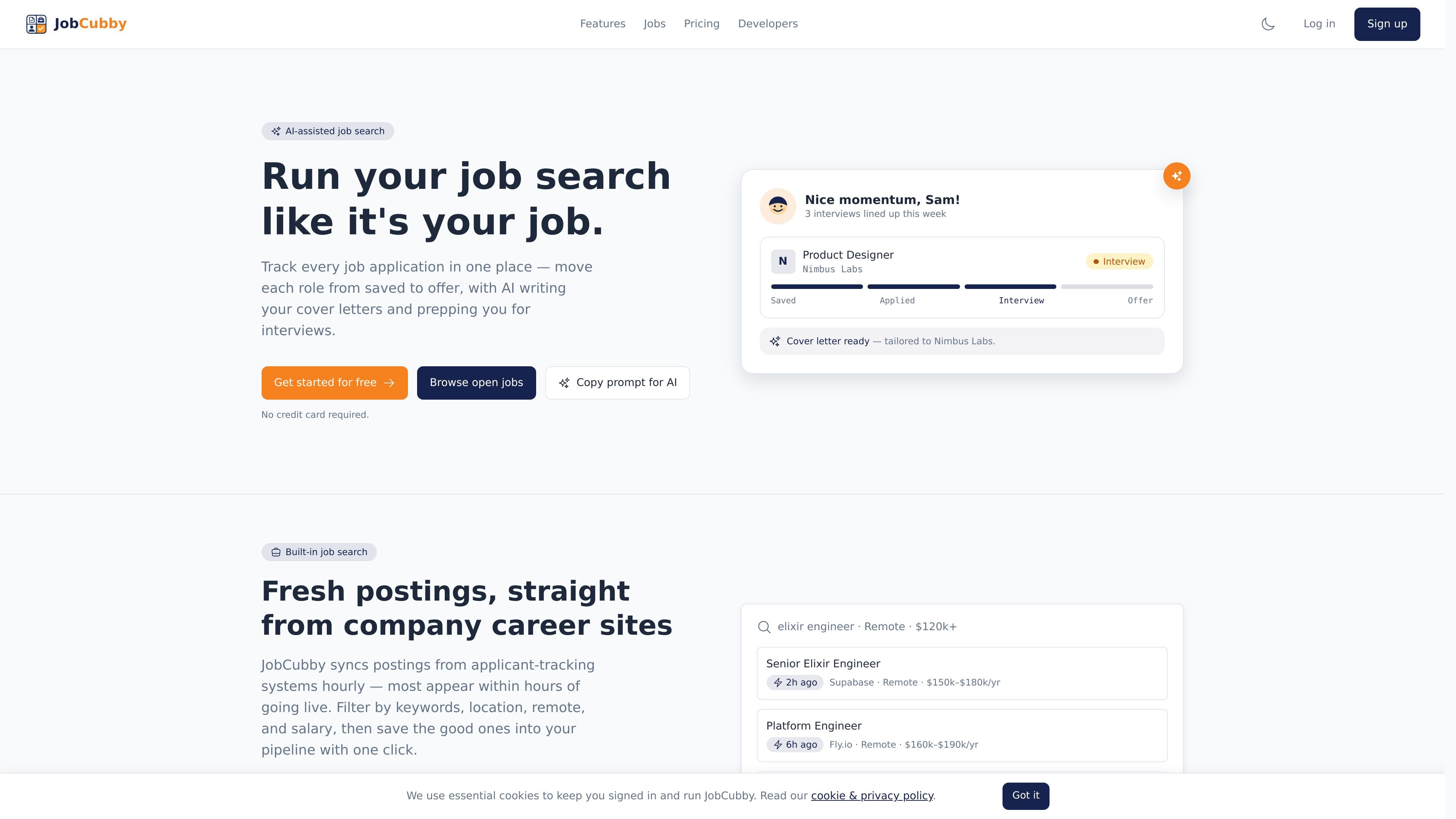
JobCubby is a job-search workspace that combines job discovery, application tracking, and AI assistance in one place. It is designed to help individual job seekers manage roles from saved to offer without copying the same information into spreadsheets or separate tools.

The product pulls fresh postings from company career sites, lets you filter and save roles, and can turn a job link into a tracked application with one click. It also adds AI-written cover letters, résumé tips, interview prep, and analytics so you can follow up and adjust your search over time.

JobCubby also exposes a Model Context Protocol endpoint for connected AI agents such as Claude and Cursor. Those agents can read and update parts of your job search with your consent, using browser-based OAuth instead of API keys.

Core features

Fresh job discovery

Browse JobCubby’s own job board or paste a job link from elsewhere. New postings are synced from company career sites, with filtering by keywords, location, remote, and salary, plus saved searches that can email alerts when matching roles appear.

Application tracking

Move roles through a pipeline from saved to offer in one board. The product also supports table and calendar views, so you can review applications in the format that best fits your workflow.

AI application support

JobCubby uses AI to help draft cover letters, sharpen résumés, prepare for interviews, generate company briefs, score job fit, and scrape job links into structured entries.

Match and funnel insights

See how a role fits your profile and résumé before you apply. JobCubby surfaces AI match scores, response-rate analytics, and funnel stats so you can identify what is working and who to follow up with.

MCP agent connections

Connect Claude, Cursor, or any MCP client to read and update applications, interviews, resumes, contacts, profiles, and preferences. Access is authorized in the browser, does not require API keys, and can be scoped or revoked at any time.

Plan-based extras

Paid plans add calendar and email integrations, custom share links, auto-apply packages with review gating, and higher AI limits. The Max plan also includes priority support, with team workspaces and shared pipelines marked as coming soon.

Common ways to use JobCubby

  • Managing an active job hunt

    Use JobCubby as your main search workspace when you want to browse fresh roles, save the strongest ones, and keep every application visible in a single pipeline instead of a spreadsheet.

  • Turning job links into applications

    When you find a role that looks promising, paste the link or save the posting and let JobCubby turn it into a tracked application, then use AI to draft a cover letter or prep interview notes.

  • Monitoring openings that match your preferences

    Set up saved searches for keywords, location, remote work, or salary and receive email alerts when new matches appear, so you can apply earlier to roles that fit your criteria.

  • Improving search strategy over time

    Review AI match scores, funnel stats, and response rates to understand which kinds of roles are getting traction and which applications need a follow-up.

  • Using an AI agent to assist with your search

    Connect an MCP-capable AI client if you want an agent to read your applications, log interviews, or update records on your behalf within the permissions you grant.

Pros and Cons

Pros

  • Combines job discovery, saved searches, and application tracking in one workflow.
  • Provides AI help for multiple job-search tasks, not just cover letters.
  • Supports calendar and email integrations on paid plans.
  • Offers MCP access for Claude, Cursor, and other compliant agents, with scoped permissions and audit logs.
  • Includes a free plan with application tracking and a limited monthly AI allowance.

Cons

  • Several features are plan-gated, including larger AI allowances, calendar and email integrations, and higher-volume saved searches.
  • Team workspaces, shared pipelines, and admin controls are listed as coming soon on the Max plan rather than available now.
  • The product focuses on job-search management; the source does not show support for broader recruiting or hiring-team workflows.

FAQ

Does JobCubby have a free plan?

Yes. JobCubby has a Free plan that supports up to 15 applications and 15 AI generations per month, with no credit card required.

How does billing and cancellation work?

JobCubby supports monthly or annual billing for paid plans. Pro and Max are subscriptions billed in advance and renew automatically until you cancel, and you can cancel anytime from the in-app Billing page.

Is JobCubby built for teams?

JobCubby is designed for individual job seekers. The source material does not describe shared workspaces or multi-user collaboration in the current product, though team workspaces are listed as coming soon on the Max plan.

What can JobCubby track?

JobCubby can track applications, saved searches, interviews, resumes, contacts, and job matches. Through its MCP endpoint, connected AI agents can read and update those records with your consent.

What kinds of AI help does it provide?

JobCubby uses AI for cover letters, résumé tips, interview prep, company briefs, job-fit scores, and job-link scraping. Each AI action counts against your monthly generation allowance.

Quick Facts

Category
Job Search / Productivity
Primary users
Individual job seekers
Platform
Web app
Integrations
MCP agents, calendar and email on paid plans
Pricing model
Free plan plus Pro and Max subscriptions
Website
jobcubby.com