
Owlish
Owlish is an AI customer support platform that answers from your documentation, cites sources, and escalates to human teammates when needed.
What is Owlish?
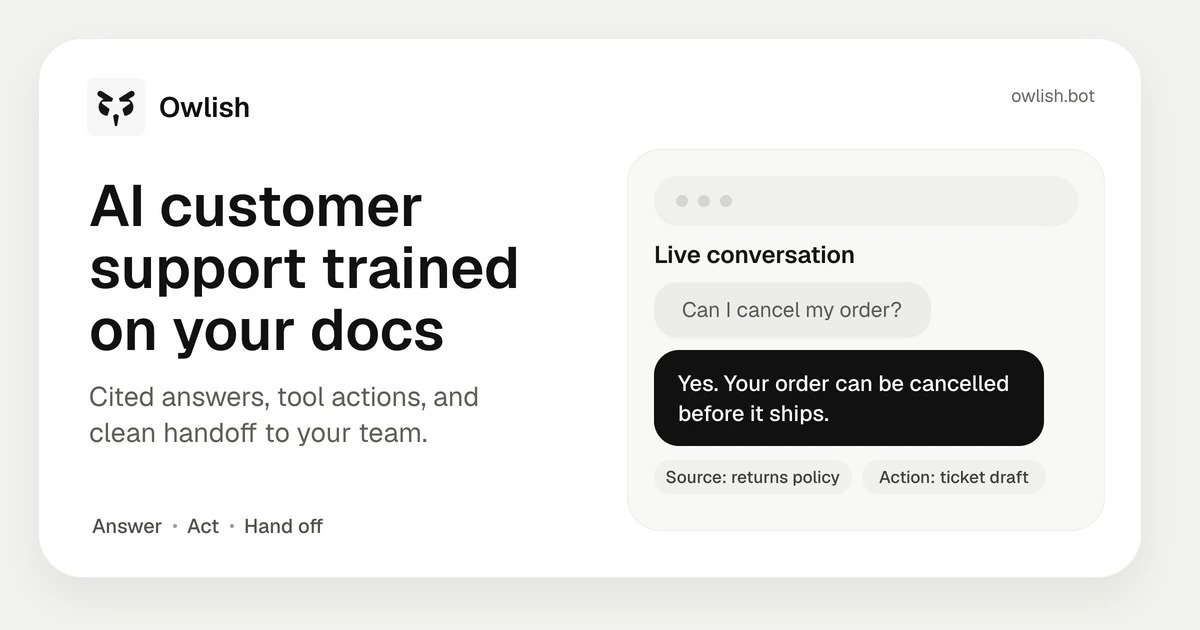
Owlish is an AI customer support platform that turns a company’s documentation and support knowledge into agents that can answer questions, perform actions, and hand conversations off to humans when needed. It is designed to work across a website widget, team chat tools, and other channels, with responses grounded in ingested sources and shown with citations.
The product is positioned as more than a simple chatbot builder: it includes the workflow around support resolution, such as shared inboxes, escalation, review, and analytics. Teams can connect their help center, upload files, add Q&A pairs, and deploy an agent that responds from those sources instead of relying on open-ended generation.
Key Features
- Grounded answers with citations: responses are based on the sources you provide, and each answer cites the passages it used so teams can verify where the information came from.
- Multi-channel deployment: supports a web widget and several collaboration/messaging channels, including Slack, Microsoft Teams, Google Chat, WhatsApp, Messenger, Telegram, and a public API; Instagram and email are listed as soon.
- Knowledge ingestion and sync: can crawl a website or help center, ingest PDFs, DOCX, Markdown, and CSV files, accept manual Q&A pairs, and run scheduled auto-sync to keep content current.
- Support workflow tools: includes shared inboxes, human handoff with full transcripts, whisper mode for operators, tagging, filtering, assignment, and the ability to save a reply as knowledge.
- Monitoring and improvement tools: offers CSAT and thumbs feedback, knowledge gap detection, prompt and model A/B testing, weekly insight digests, and analytics for escalation reasons and conversation review.
- Brand and role controls: lets teams adjust tone, custom avatar, persona, welcome/offline states, dark mode, brand themes, and workspace roles and permissions.
- Developer access: provides a public REST API, webhooks, and an MCP server for developers.
How to Use Owlish
A typical setup starts by pointing Owlish at a help center or website, uploading supporting files, or adding Q&A pairs. After that, you configure the agent’s tone, actions, and channels, then publish it to a site or team chat workspace.
Once live, the agent answers questions from the connected sources, cites the relevant passages, and escalates uncertain or delicate cases to a human teammate. Team members can review conversations, correct mistakes, and turn good responses into new knowledge so the agent improves over time.
Use Cases
- Customer support: deflect repetitive questions, resolve common issues faster, and hand off complex cases with full context instead of forcing customers to repeat themselves.
- Sales qualification: answer product questions, qualify inbound interest, and book meetings using the information available in the source knowledge base.
- IT help desk: handle internal requests in Slack or Teams, especially for routine questions that can be answered from internal documentation.
- Employee support: provide HR, onboarding, and policy information to employees without requiring them to search across multiple documents.
- Agency or multi-client support operations: create separate agents per team or client and manage them from the same console.
FAQ
- Does Owlish answer from the open web? No. The source says it answers from the content you ingest, and replies cite those sources.
- What happens if the answer is not in the knowledge base? Owlish can indicate that it does not know and route the conversation to a human instead of guessing.
- How long does setup take? The source says many teams can go from zero to a live agent in under ten minutes, with an example setup time of about eight minutes.
- Can it be customized to match a brand? Yes. The widget supports brand colors, fonts, avatars, dark mode, tone controls, and custom welcome or offline states.
- Does it support multiple languages? In normal use it can follow the language of the visitor’s message, but dedicated language controls are described as still on the roadmap.
Alternatives
- Chatbot builders: these are often focused on adding a chat interface to a site, while Owlish emphasizes the support workflow around answering, review, escalation, and knowledge updates.
- Help desk platforms with AI add-ons: these tools usually center on ticketing and case management first, with AI features layered on top; Owlish is oriented around AI-first resolution across chat and team channels.
- Support knowledge base tools: these systems organize help content well, but typically do not run live conversations or manage handoff and shared inbox workflows in the same way.
- Custom LLM agents built in-house: a custom build can be tailored to specific workflows, but it requires more engineering work to connect sources, channels, citations, handoff, and analytics.
Alternatives

Ajelix
Ajelix is an agentic AI chatbot for business that turns uploaded data into working Excel outputs, dashboards, and scripts in a persistent workspace.

Lasso
Lasso is an AI-first PIM for ecommerce teams that enriches product attributes and descriptions, processes supplier data, and monitors competitors via app or API.

Ably Chat
Ably Chat is a chat API and SDKs for building custom realtime chat apps, with reactions, presence, and message edit/delete.

Tavus
Tavus builds AI systems for real-time, face-to-face interactions that can see, hear, and respond, with APIs for video agents, twins & companions.

Falconer
Falconer is a self-updating knowledge platform for high-speed teams to write, share, and find reliable internal documentation and code context in one place.

HiringPartner.ai
HiringPartner.ai is an autonomous recruiting platform with AI agents that source, screen, call, and interview candidates 24/7, reducing time-to-hire from weeks to as little as 48 hours.