
Prompt-based creation
Pocket’s central workflow starts with a text prompt: you can make a gizmo by describing what you want, then refine it in the editor.

Pocket: Make Gizmos, a free Meta iPhone app, lets you create and share interactive gizmos from prompts, then browse, save, remix, and repost community creations.
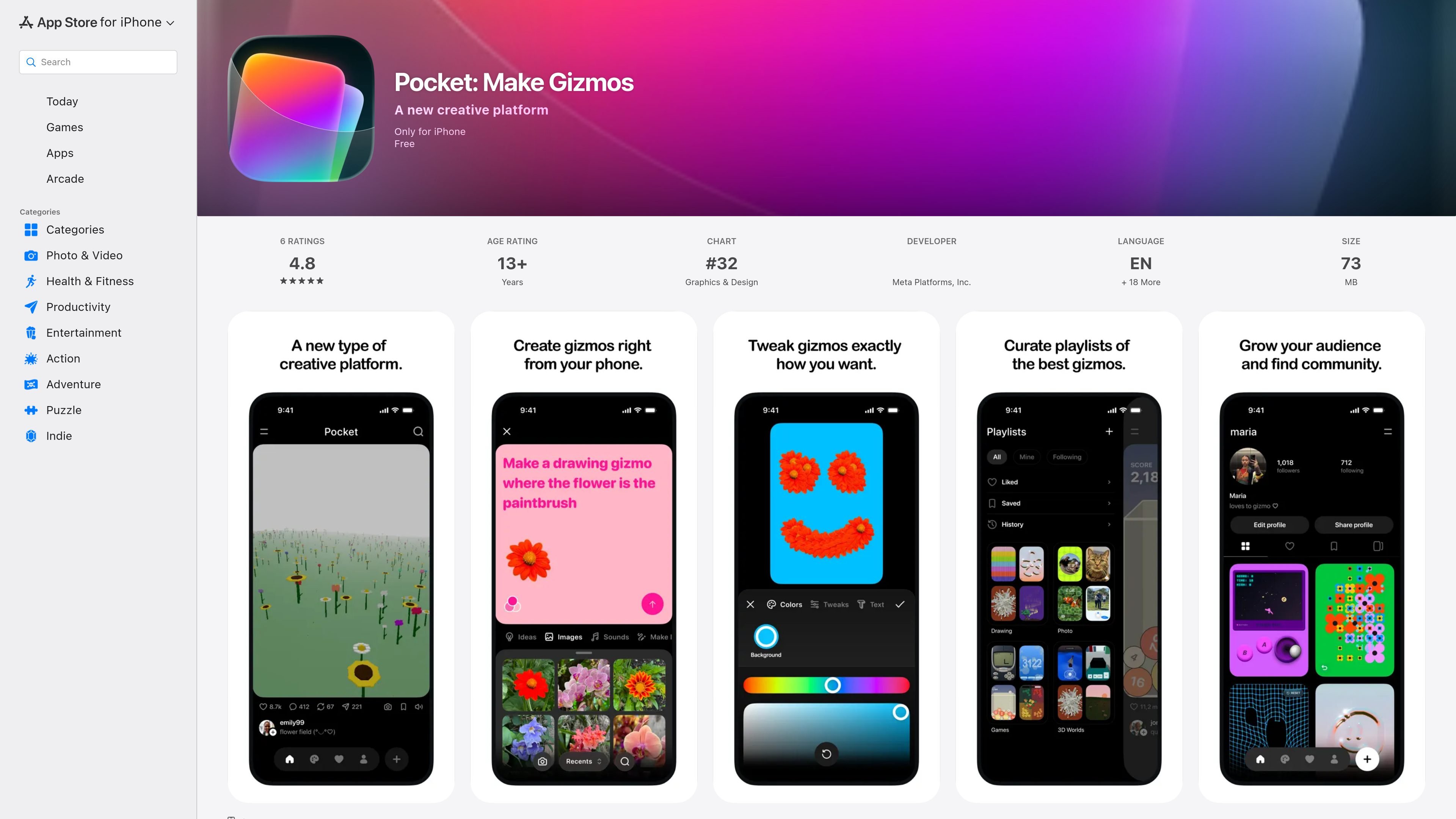
Pocket: Make Gizmos is an iPhone app from Meta Platforms, Inc. that describes itself as a creative platform for making and sharing gizmos. In the app, a gizmo is a small interactive experience that people can tap, touch, and explore.
The main workflow is simple: browse a feed of gizmos, create one by describing what you want, refine it in the editor, and share it on your profile. The app also supports remixing and reposting community creations, which makes it as much a social browsing space as a creation tool.
Pocket’s central workflow starts with a text prompt: you can make a gizmo by describing what you want, then refine it in the editor.
The app includes an editor for adjusting a gizmo after generation so you can fine-tune the result before publishing it.
Gizmos can respond to taps and touches, and they also react to the tilt of the phone, which makes them feel interactive rather than static.
Gizmos may use the camera or pull in photos from the camera roll, allowing creators to build around personal images.
The app supports sound effects and can include songs, so a gizmo can combine visual and audio elements.
Pocket includes community actions such as save, remix, repost, likes, comments, and playlists for browsing and organizing content.
A creator can start from a short description, then open the editor to adjust the result and add personal photos before posting it.
Someone browsing the app can scroll a feed of community gizmos, save favorites, and repost items they want to surface again.
Users who want more interactive content can make gizmos that respond to taps, phone tilt, sound, and camera-based input.
People looking for inspiration can explore playlists made by other users to find grouped themes such as puzzles, selfie cameras, and quizzes.
Pocket is only for iPhone, according to the App Store listing.
The listing shows the app is free to download. No deeper pricing, subscription, or in-app purchase details are provided on the source pages used here.
Pocket lets you make a gizmo by describing it, then open an editor to tweak and refine it before sharing it on your profile.
According to the product description, you can scroll a feed of gizmos, save, remix, and repost items you like, and explore community playlists.

roastme.gg is a pay-to-play AI roasting site where users submit their own X handle or website, choose how much to pay, and get a public roast ranked on a leaderboard by amount paid.

Speculos deploys Claude Code apps to shareable URLs, with private, org-wide or public visibility and team controls for domains, data and cloud deployments.

MidReal is an AI story generator for creating novels and stories from a single sentence. Now sunset; see Macaron.

FeelFish is a PC client for AI-assisted novel writing, helping writers plan characters and settings, draft and revise novels, and manage story context.

MakerLoft is a chat-first AI app builder for non-developers to create static sites or full-stack apps from a GitHub repository.

Rork is an AI mobile app builder that turns text into production-ready apps with AI and Expo (React Native), using chat creation, browser previews, and Apple publishing.