

Prava Pay
Prava Pay issues one-time cards for approved AI agent purchases, keeping real card data hidden and spending tightly controlled.
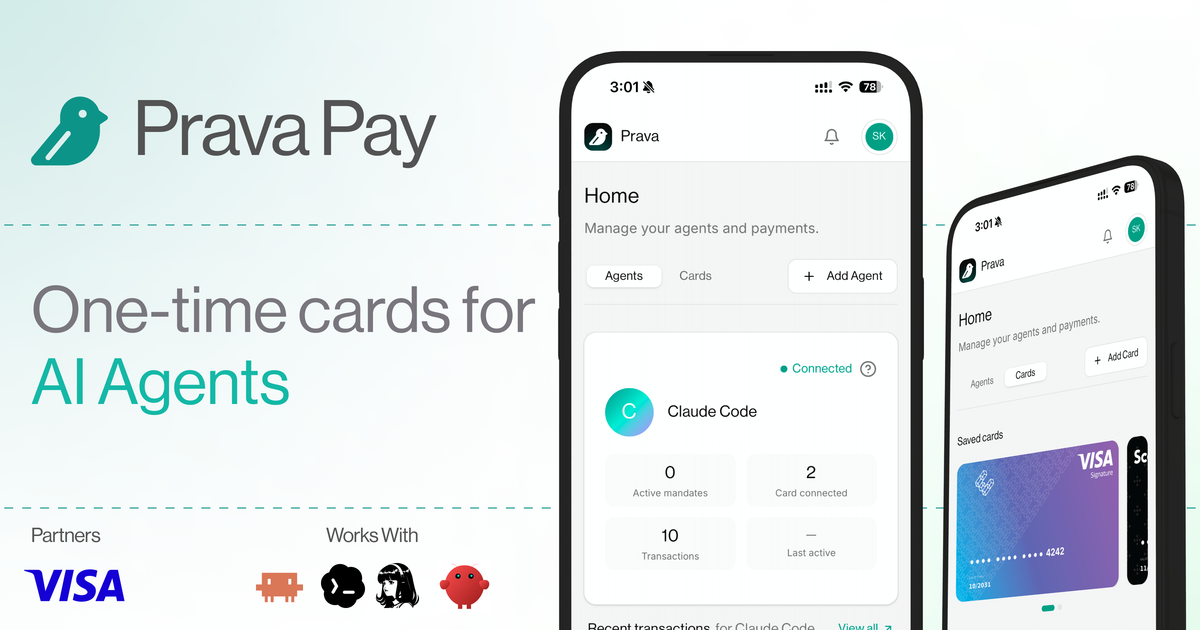
What is Prava Pay?
Prava Pay is a payments and trust layer for AI agents that lets a user authorize card-based purchases without exposing the underlying card data. The product is designed for AI apps and agent harnesses such as OpenClaw, Hermes, Claude Code, Codex, Cursor, and ChatGPT workflows, and it is built in partnership with the Visa card network.
The core idea is to give an AI agent a one-time, tokenized card for each approved transaction. That card is tied to a specific merchant, price, and product, and the user can set limits and approve spending with passkey authentication such as Face ID or Touch ID. Prava says it does not issue a standard reusable virtual card; instead, it issues a new card for each approved transaction.
Key Features
- One-time card issuance for approved transactions, so each payment is isolated to a single purchase rather than using the same card repeatedly.
- Merchant-, price-, and product-level locking, which constrains what the agent can buy and helps keep spending within the approved mandate.
- Passkey-based authorization using fingerprint or Face ID, allowing users to approve card setup without OTP flows.
- Agent management controls that let users add, monitor, and control multiple AI agents authorized to spend from the wallet.
- Built-in transaction and mandate handling, including limits the user sets and monitoring from one place.
- Support for browser-based checkout workflows in the Pro plan, along with browser infrastructure and a browser harness for agent-driven purchasing.
How to Use Prava Pay
A typical setup starts by installing the Prava plugin or wallet in an AI agent environment, then adding a card and creating a passkey for authorization. After that, the user approves the agent to spend under defined limits.
When the agent needs to buy something, Prava issues a new card for that approved transaction. The user can then monitor the transaction, manage the agent, and review spending from the dashboard.
Use Cases
- An AI assistant buying a specific software subscription or service on behalf of a user, with the purchase locked to the approved merchant and amount.
- A travel assistant making a booking after the user has approved the merchant, price, and product details in advance.
- A shopping or styling agent placing a single checkout order while keeping the user’s real card number hidden from the agent.
- A personal assistant app that needs controlled, delegated purchasing for recurring but separately approved transactions.
- A developer integrating agent payments into an AI app workflow using the wallet and API rather than handling raw card credentials directly.
FAQ
Does Prava Pay use a reusable virtual card? No. The source says Prava issues a new one-time card for each approved transaction rather than exposing or reusing the real card.
What does the user approve? The user saves a card once with passkey authentication and then authorizes the agent to make spending decisions within set limits and mandates.
Which agent tools or apps are mentioned as compatible? The page mentions OpenClaw, Hermes, Claude Code, Codex, Cursor, and ChatGPT in its product copy. The exact integration depth may vary by workflow.
Is Prava Pay available outside the US? The FAQ text says Prava is available for use in the US on Visa cards and merchants.
Does the page mention pricing? Yes. The pricing section lists a Free plan, a Pro plan at $20/month, and a Custom plan, but the product page should be checked directly for current details.
Alternatives
- Standard virtual card products: These also create card numbers for online spending, but they are generally broader payment tools rather than an agent-specific trust layer tied to per-transaction approval.
- Manual checkout with saved payment methods: This avoids new tooling, but it does not provide the same per-transaction delegation or merchant/price locking described by Prava.
- Browser automation with direct card entry: This can help agents complete checkout flows, but it keeps the payment process closer to the checkout surface and may not isolate each transaction the way Prava Pay does.
- Custom agent payment middleware: Teams can build their own approval and card-handling logic, but that approach requires more implementation and ongoing maintenance than using a dedicated product layer.
Alternatives

AakarDev AI
AakarDev AI is a powerful platform that simplifies the development of AI applications with seamless vector database integration, enabling rapid deployment and scalability.

Arduino VENTUNO Q
Arduino VENTUNO Q is an edge AI computer for robotics, combining AI inference hardware and a microcontroller for deterministic control. Arduino App Lab-ready.

Devin
Devin is an AI coding agent that helps software teams complete code migrations and large refactoring by running subtasks in parallel.

open-codex-computer-use
open-codex-computer-use is an open-source “Computer Use” MCP server that lets AI agents run desktop GUI actions on macOS, Linux, and Windows.

Lasso
Lasso is an AI-first PIM for ecommerce teams that enriches product attributes and descriptions, processes supplier data, and monitors competitors via app or API.

DailyPlay.ai
Turn passive visitors into loyal customers with DailyPlay.ai—create personalized, data-driven mini games built for your brand’s engagement goals.