
Broad component catalogue
The catalogue groups 111 live elements into 24 blocks, covering common controls and interface states rather than only static visual samples.

SHIUI is a flat ink UI kit inspired by Hinomaru Japanese posters, featuring paper, sumi and vermilion treatments with no shadows for editorial, catalogue and commerce interfaces.
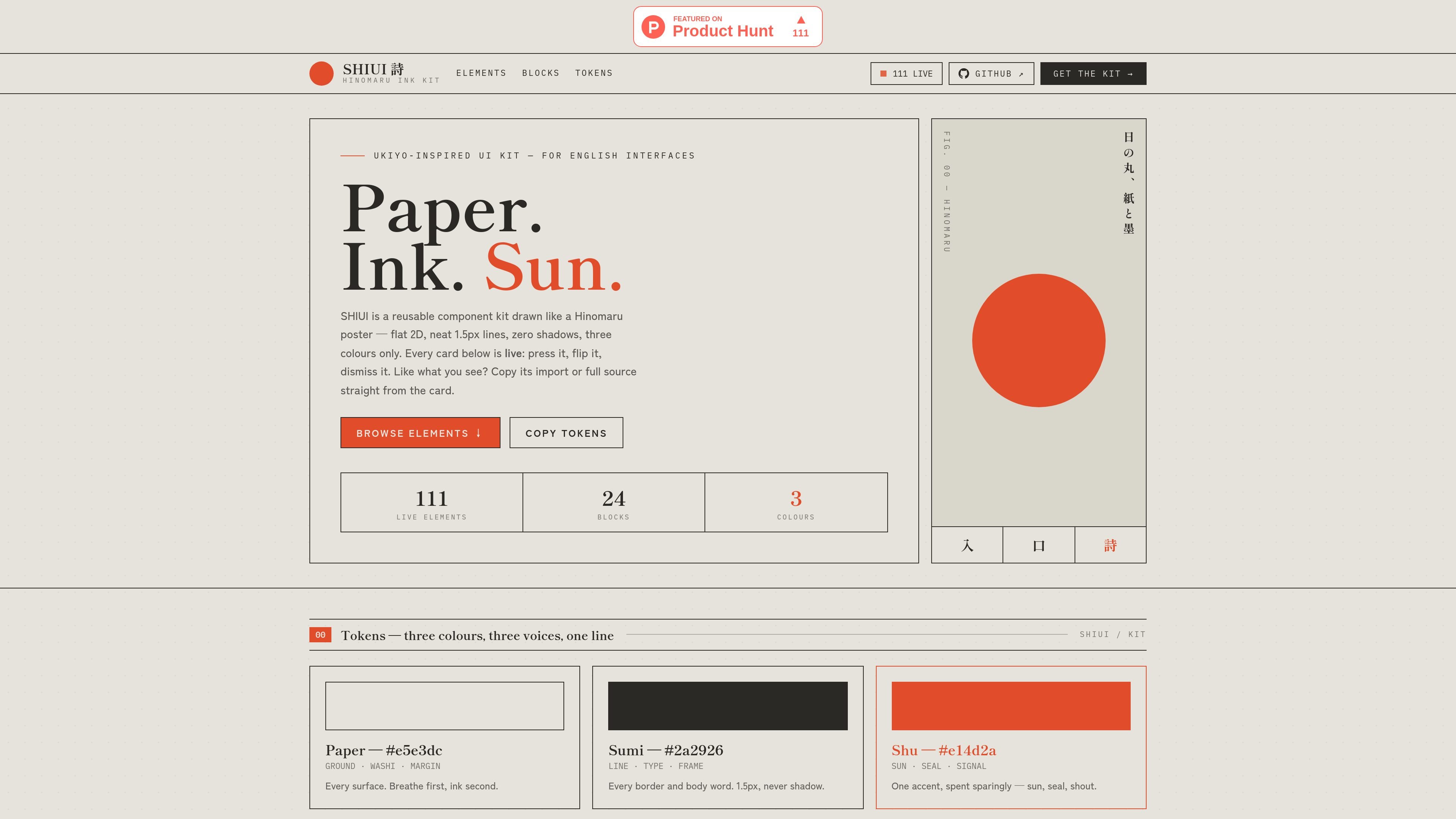
SHIUI is a flat ink UI kit for building interfaces with the visual character of Hinomaru Japanese posters. Its stated palette centers on paper, sumi, and vermilion, and its design direction explicitly uses zero shadows. The catalogue presents live examples rather than a purely static list, allowing readers to inspect interaction states in context.
The kit is organized around practical interface building blocks: actions, labels and seals, forms, navigation, feedback, and progress. It is suited to teams or individuals shaping an editorial, catalogue, archive, commerce, or process-oriented interface that needs a consistent print-inspired treatment. The available site content shows copy-import and source actions, but does not document a framework, installation method, package format, integrations, pricing, or licensing terms.
The catalogue groups 111 live elements into 24 blocks, covering common controls and interface states rather than only static visual samples.
Buttons include primary, secondary, outline, ghost, ink, destructive, loading, arrow, split, small, large, and icon variants, with documented use guidance for different action priorities.
The kit includes text inputs, textareas, selects, checkboxes, radio controls, toggles, switches, sliders, search, password, file, date, OTP, and quantity controls, along with labels, hints, and errors.
Tabs, breadcrumbs, pagination, steps, sidebars, menu lists, links, page dots, back-to-top controls, and section rails support catalogue, process, and multi-step navigation patterns.
Alerts, toasts, banners, progress bars, progress rings, and an enso spinner represent notices, completion, work in progress, and operational states; several examples are dismissible or interactive.
The visual system is built around flat paper, sumi, and vermilion treatments, with ink-focused borders and states instead of shadows. The examples include hover wipes, brush underlines, seals, numerals, and editorial labels.
Use the action variants, tags, seals, labels, and navigation rails to give a gallery, archive, or exhibition catalogue a consistent print-led interface language.
Combine product-oriented tags, price stamps, quantity controls, checkout-style large buttons, shipping fields, and progress steps for a small edition or print commerce flow.
Use the field controls, validation messages, OTP input, file upload, and date fields as a starting point for commissions, submissions, registration, or artwork intake workflows.
Apply tabs, breadcrumbs, pagination, sidebars, menu lists, and section rails when an information-rich site needs clear movement between collections, process pages, and reference sections.
Use alerts, toasts, banners, loading states, drying/progress indicators, and status pills to communicate operational updates in a studio, publishing, or production-oriented interface.
SHIUI is a flat ink UI kit inspired by Hinomaru Japanese posters. Its examples use paper, sumi, and vermilion as the primary visual language and avoid drop shadows.
The catalogue presents 111 live elements across 24 blocks. The documented examples include buttons, badges and seals, form controls, navigation, alerts, toasts, progress indicators, and other interface states.
The examples are interactive: buttons demonstrate hover behavior, controls expose selected or pressed states, and components such as sliders, toggles, password fields, and dismissible notices can be tried directly in the catalogue.
The site shows component examples and copy import/source actions, but the collected material does not specify a framework, package format, installation process, or integrations.
Pricing and licensing terms are not stated in the available product content. The site's pricing path currently returns a not-found page, so purchase or usage conditions should be confirmed separately.

Refero MCP for AI agents connects an MCP-compatible agent to Refero’s curated library of web and iOS product interfaces and user flows. It helps agents research real design patterns before generating UI, with access included in the Refero Pro plan.

Wowable is an AI website builder that turns Google Maps listings, social profiles and screenshots into an editable site you can preview and publish.

Pixso is a next-generation AI-native UI design tool that allows users to generate design drafts and code with a single click, serving as a domestic alternative to Figma.

Fronty is an AI-powered web app that converts screenshots and image files into HTML and CSS, with no-code editing and hosting to refine and publish your site.

Appllama is a web-based UI and UX inspiration library for top-earning iOS apps, with screens, flows, paywalls, and app performance data.

Quarkdown is an open-source Markdown typesetting system for papers, presentations, knowledge bases and static websites, with CLI live preview, HTML output and PDF export.