
Build from existing public content
Generate a website from a Google Maps listing, social profile, screenshot, or guided business details instead of writing copy from scratch.

Wowable is an AI website builder that turns Google Maps listings, social profiles and screenshots into an editable site you can preview and publish.
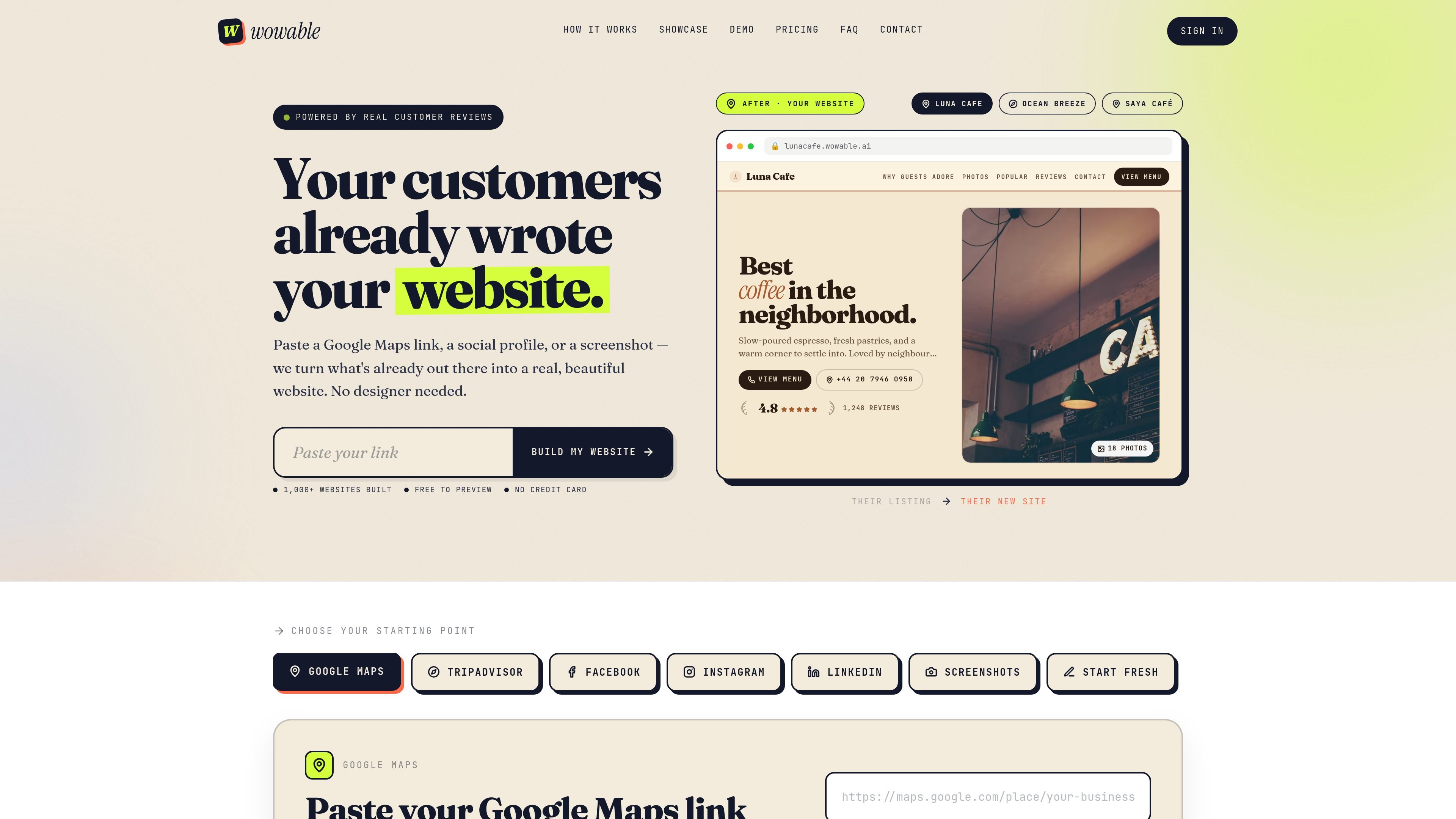
Wowable is an AI website builder that turns public business material into a polished website. It is designed for people who already have a Google Maps listing, TripAdvisor profile, social profile, screenshots, or other public information and want a fast way to turn that into a site they can preview, edit, and publish.
The product’s core workflow is straightforward: paste a link, upload screenshots, or answer a few guided questions, and Wowable reads the available public details to generate a site with copy, photos, and a starting structure. The homepage emphasizes that the result is editable, while the pricing page shows a free preview tier plus paid options for ownership, custom domains, and growth tools.
Generate a website from a Google Maps listing, social profile, screenshot, or guided business details instead of writing copy from scratch.
Pull in reviews, photos, business information, and other public details to create the first version of the site.
Start with a free preview, then move to publishing plans when you want a live site and custom domain.
Edit text in the free plan, with fuller editing tools available on paid plans for swapping photos and reshaping sections.
Publish on a wowable.ai subdomain first, then connect a custom domain on eligible plans.
Use paid growth features such as visitor analytics, CTA tracking, lead capture, AI SEO tools, and Google Maps optimization.
Turn a Google Maps listing into a basic website for a café, salon, clinic, shop, or similar local business without writing the copy from scratch.
Convert a social profile or screenshots into a simple site when you already have photos, bios, and public details but no dedicated website.
Preview a site quickly before committing to a paid plan, useful when you want to validate the content and layout first.
Publish a site with a custom domain and fuller editing tools when you want a more complete online presence than a draft preview.
Use Boost when you want visitor analytics, CTA tracking, lead capture, and SEO tools to support follow-up and growth.
Wowable is an AI website builder that turns public material you already have — such as reviews, photos, profiles, screenshots, or guided answers — into a website you can preview, edit, and publish.
According to the site, you can start from a Google Maps link, TripAdvisor, Facebook, Instagram, LinkedIn, screenshots, or guided business details. The homepage also shows a Google Maps flow, and the FAQ page mentions screenshots and your own answers.
The homepage says the process is to paste a link, upload screenshots, or answer a few questions. Wowable then reads public details, shapes the content, and returns an editable site.
Yes. The pricing page includes a free plan for generating a preview, plus paid options for publishing and growth features. The FAQ page also indicates that you can edit a website after it is generated.
Yes. The pricing page says both Lifetime and Boost support custom domains, and the FAQ says you can plug in your own domain after starting on a wowable.ai subdomain.

Prompty Town turns a link into a building in a small internet city. Buy a tile, add a prompt, and publish it alongside other buildings.

Make Real is a Next.js app that turns hand-drawn wireframes into HTML prototypes with the tldraw SDK and AI models, with canvas sketching and embedded preview.

beehiiv is a newsletter platform for creators, publishers, and brands to build, grow, and monetize email newsletters and websites in one place.

findloc.ai publishes local AI reports and checks business sites for AI visibility signals, helping owners, marketers, and agencies see which businesses AI assistants recommend.

Refero MCP for AI agents connects an MCP-compatible agent to Refero’s curated library of web and iOS product interfaces and user flows. It helps agents research real design patterns before generating UI, with access included in the Refero Pro plan.

NanoCorp is a web-based autonomous AI company platform that turns one prompt into a running business, with a free tier, Founder plan, and tools for building, payments, outreach, ads, and reporting.