
Colors and tokens
Expose brand palettes, semantic tokens, gradients, and usage rules to agents as exact values rather than approximations.

SlideSpeak Onbrand gives AI agents live access to approved brand assets and slide layouts so decks and collateral start on brand. Built for Claude Code, Codex, Cursor, and other MCP clients.
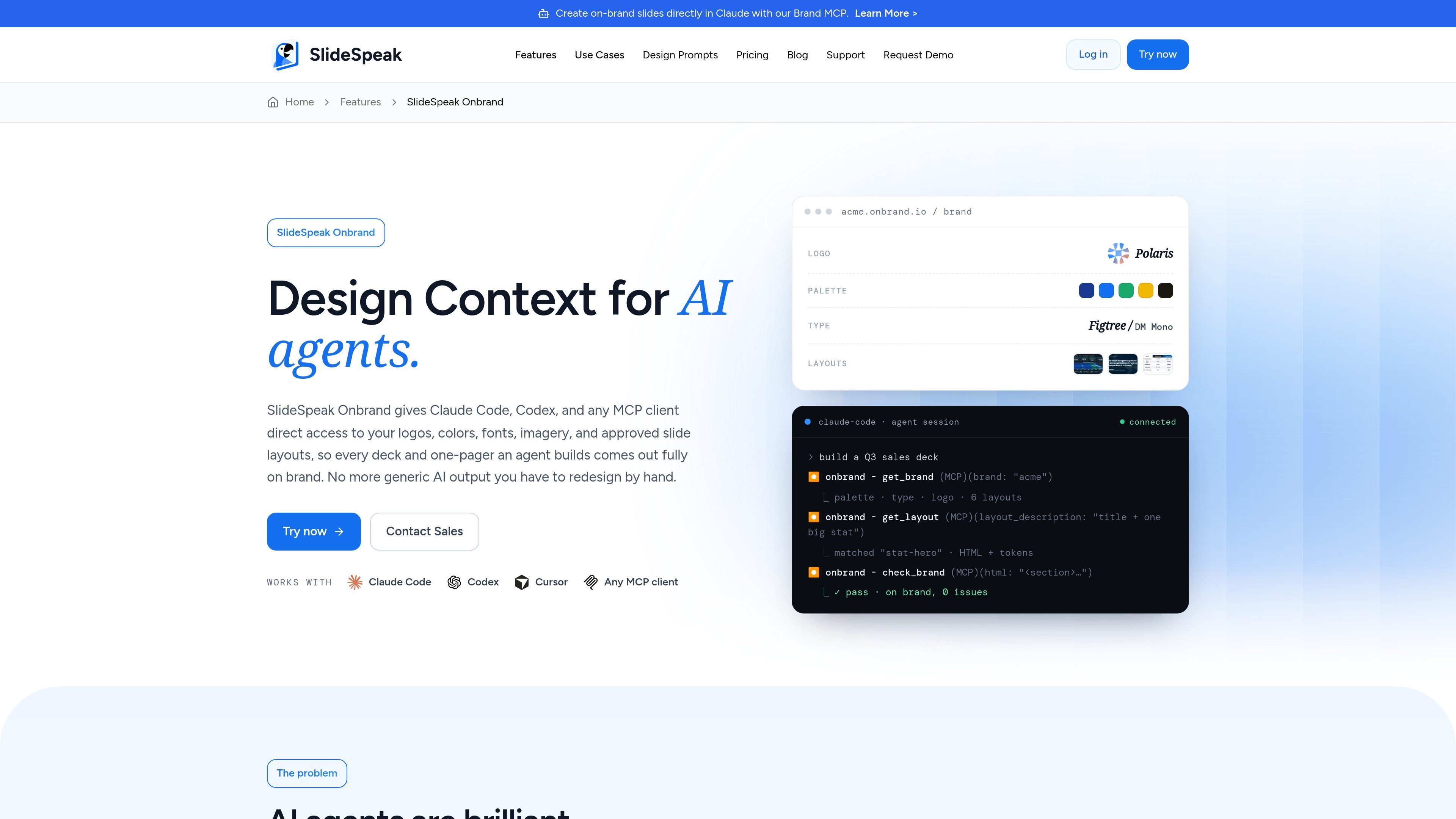
SlideSpeak Onbrand is a brand-context layer for AI agents that need to create presentations and related collateral without guessing at visual identity. It gives Claude Code, Codex, Cursor, and other MCP clients access to a live brand library containing logos, colors, fonts, imagery, and approved slide layouts.
The workflow is built around a single source of truth: upload brand assets once, connect an MCP client, and let agents build from the real brand instead of approximating it. The page positions the product for decks, one-pagers, and marketing material, with governance features for teams and enterprise use.
Expose brand palettes, semantic tokens, gradients, and usage rules to agents as exact values rather than approximations.
Provide primary, mono, and mark variants with placement and clear-space guidance so agents use the correct logo treatment.
Share licensed fonts, type scales, weights, and pairings so generated slides follow the brand’s typography system.
Make approved photography, illustration style, and art direction available to agents for on-brand visual selection.
Deliver named slide layouts as production HTML/CSS, including title, agenda, stat, comparison, quote, and other approved structures.
Connect through an MCP server so compatible clients can fetch typed brand context from one governed endpoint.
Use Onbrand when an agent needs to draft a sales or strategy deck and you want the output to start from approved colors, fonts, logos, and layouts instead of a generic theme.
Use it for one-pagers and other short marketing assets where the same visual rules need to carry across slides, sections, and reusable layouts.
Use it across departments or markets when multiple people and agents are creating files, but the brand owner needs one governed library and version history.
Use it for enterprise workflows that need scoped access, audit visibility, SSO, and SCIM while keeping agents read-only by default.
Use it when you already rely on Claude Code, Codex, Cursor, or another MCP-compatible client and want those tools to read brand context directly.
Yes. The page says Onbrand connects through an MCP endpoint, so Claude Code, Codex, Cursor, and other MCP clients can read the brand context it exposes.
The setup flow shown on the page is to add brand assets into one library, then connect an MCP client to that endpoint so agents can pull logos, colors, fonts, imagery, and layouts.
Onbrand is positioned around brand context for AI agents: it lets them pull approved assets and layouts live from the brand library instead of guessing visual choices.
The source shows it can be used for decks, one-pagers, and marketing material, and it supports team and enterprise use with governance, roles, and versioning.
The page describes it as read-only and scoped to what each agent is allowed to see, with SSO and SCIM mentioned for larger organizations.

ByteAsk is a terminal-first AI coding agent for C and C++ that edits repos and verifies changes with compilers, debuggers, sanitizers, and tests.

Epherem scans web apps built with Lovable, Bolt, v0, Replit, Cursor, and Claude Code for security flaws in source code and dependencies, without running the app.

CreateOS Sandbox is an isolated compute environment for running code and agent workloads in Firecracker micro-VMs with private networking and SDK, CLI, or MCP control.

GitBot is a local browser workspace for reusable coding bots powered by Claude Code, Codex, or OpenCode, with persistent threads and configurable permissions.

hob is an independent workspace for coding agents, with local control over sessions, terminals, history, routing, and follow-up work.

Ably Chat is a chat API platform for custom realtime chat apps, with rooms, typing indicators, presence, reactions, message updates and usage-based pricing.