
Train from labeled examples
Upload previously categorized text rows or labeled image folders so the model learns the categories and decisions your team already uses.

StayCharted trains private text and image classification models from your team’s examples to categorize records, route requests, map data, and flag uncertain predictions for review.
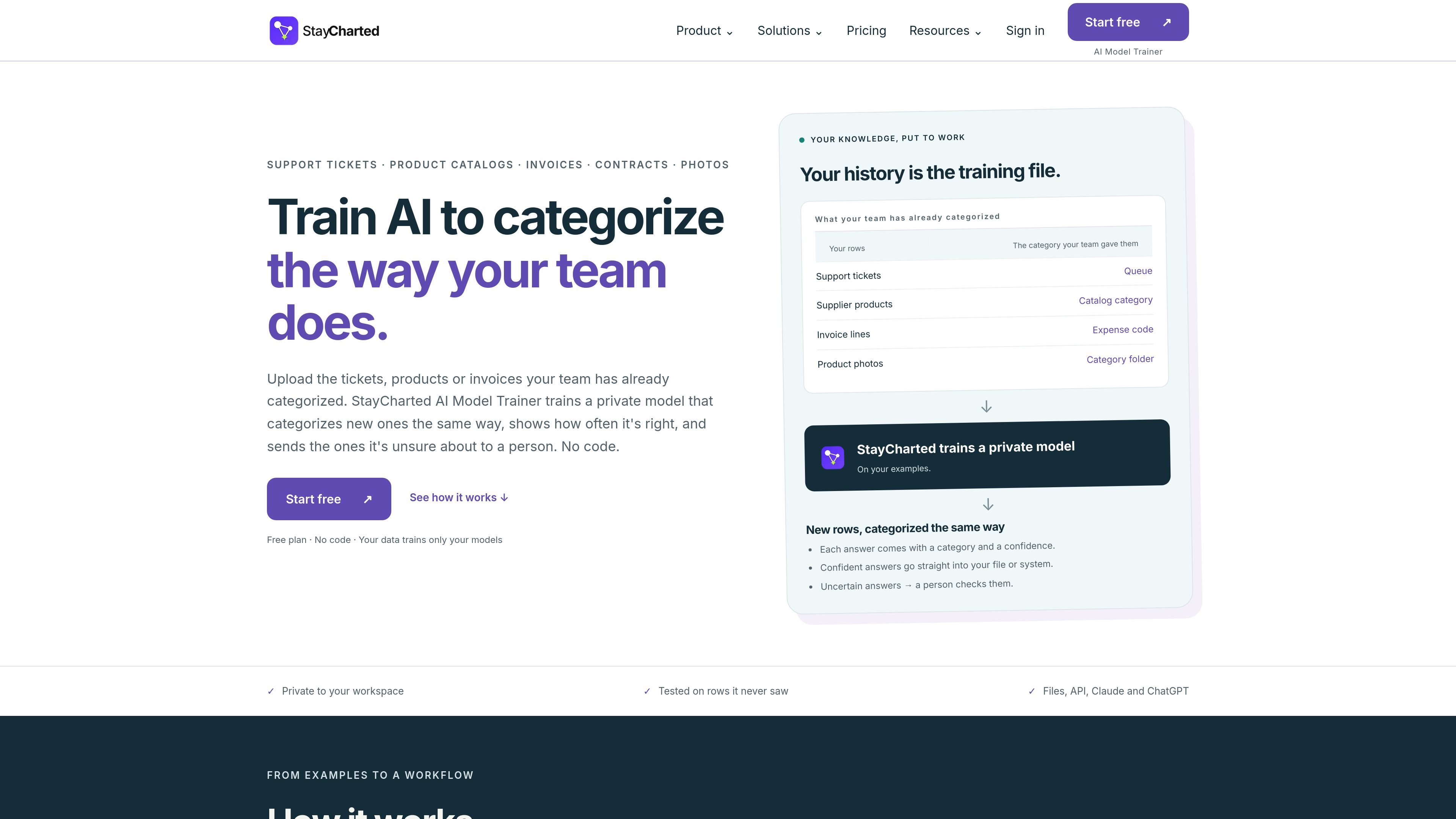
StayCharted is a business-specific classification and data-mapping platform that trains models on examples your team has already categorized. It supports recurring decisions involving support tickets, product catalogs, invoices, contracts, supplier information, requests, documents, and images.
Teams can use the resulting models to categorize new records, route work, standardize labels, map incoming values to internal categories, or flag possible matches. Predictions include confidence information, allowing straightforward results to continue through a file or system while less certain results go to human review.
Upload previously categorized text rows or labeled image folders so the model learns the categories and decisions your team already uses.
Choose among word-based Classifier Models, pre-trained AI Classifier Models that recognize meaning, and Dedicated AI Models trained on your examples for more complex text distinctions.
Fill CSV or Excel files, call models through the API on Essentials and higher plans, or use text models from Claude and ChatGPT. Image models accept ZIP uploads or sheets of picture links.
Every result includes a confidence value. Results below a chosen threshold enter a Review Queue, where reviewers can confirm or correct them before later training.
Before text training, the product identifies several types of personal information and secrets and lets users mask, exclude, or retain affected values. Masking is applied to new text read by models trained on masked examples.
Test models on rows or pictures held out from training, view accuracy and category confusion, and estimate how many results may require human review.
Use previously categorized tickets to suggest the appropriate queue or team for incoming customer requests, while sending ambiguous requests to review.
Apply an existing catalog taxonomy to new product descriptions or photos, helping retail, e-commerce, and inventory teams categorize incoming items consistently.
Learn from approved expense or invoice examples to suggest consistent expense codes and labels for new financial records.
Standardize supplier terminology, translate source codes or descriptions into internal categories, and support record matching using approved examples.
Classify contract clauses, business documents, CRM inquiries, inspection photos, or damage images into organization-specific categories before a person completes the workflow.
Upload a spreadsheet containing text and the category assigned to each row, or upload labeled pictures in category folders. StayCharted checks examples for duplicate rows, overlapping categories, too few examples, and detectable sensitive values before training. Unlabeled rows can also be grouped so a team can name the categories.
Each prediction includes a category and confidence score. Predictions below the confidence level you choose are sent to a Review Queue, where a person can confirm or correct them. Corrections can be used by the next model version.
Text models can be used by filling CSV or Excel files, through the API on Essentials and higher plans, or from Claude and ChatGPT. Image models can categorize new pictures through ZIP files or sheets of picture links, and can also be used from a customer’s own apps.
Text examples are checked for recognizable email addresses, phone and payment card numbers, IBANs, US Social Security numbers, IP addresses, passwords, API keys, and credentials in links. You can mask detected values, exclude affected rows, or keep them. Names, street addresses, and free-text medical details are not currently detected by these checks and must be removed manually.
A Free workspace is available. Paid workspaces are priced monthly per workspace: Essentials is listed at $49 per month and Business at $99 per month, while Enterprise has custom pricing. The Vision add-on is available for Essentials and Business, with pricing listed separately by plan.

Mindcase is a web data API and console for extracting structured data from websites and major platforms, with prompt or API access and prepaid per-record billing.

Mailercloud Email Verifier checks email addresses in bulk, one by one, or via API to reduce bounces and improve deliverability.

NewsCatcher Platform is a web app for creating custom news datasets and tracking stories from web search results, with citation-backed records for analysis and AI workflows.

Happenstance is an AI-powered network search tool to find people, mutual connections, and warm introductions across connected accounts, with API, MCP, Slack, and team integrations.

Veerexa’s YouTube Comments Exporter extracts YouTube comments in-browser and lets you analyze or export them as CSV or JSON without server-side processing.

AnySearch provides AI search infrastructure for agents, with structured results via MCP, Skill, or REST API for current, machine-readable workflows.