
Comment extraction table
Pull comments from a YouTube video into a structured table, then review the extracted rows alongside comment metadata such as author, timestamp, likes, and reply status.

Veerexa’s YouTube Comments Exporter extracts YouTube comments in-browser and lets you analyze or export them as CSV or JSON without server-side processing.
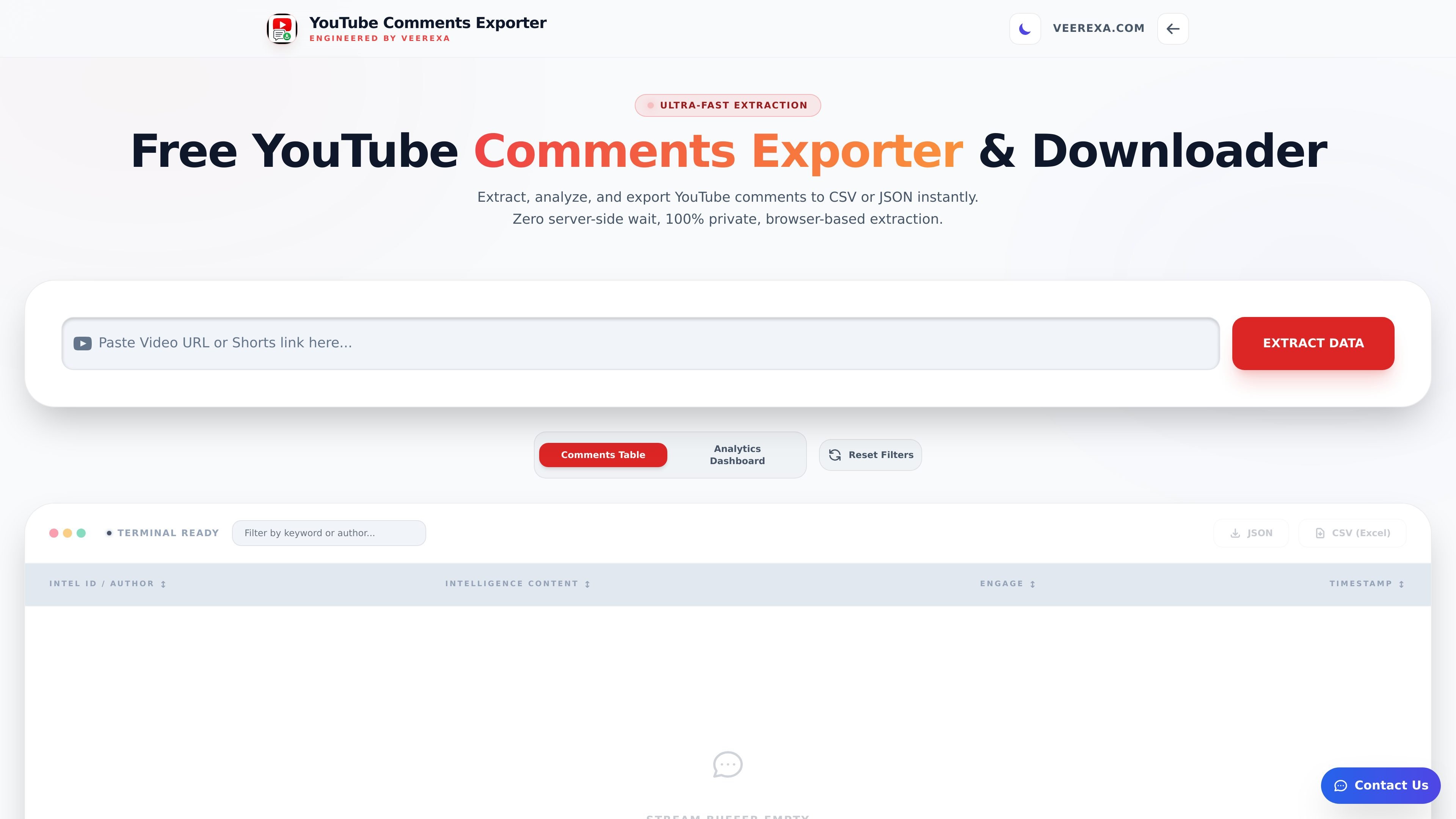
YouTube Comments Exporter is a browser-based tool from Veerexa for extracting comments from a YouTube video, analyzing them, and exporting the results. The page describes it as an “Ultra-Fast Extraction” utility that works directly in the browser and supports CSV and JSON output.
The interface shown on the page includes a comment table, analytics dashboard, keyword and emoji summaries, threaded conversation views, and filtering controls. It is designed for users who need to inspect a video's comment activity without waiting for server-side processing.
Pull comments from a YouTube video into a structured table, then review the extracted rows alongside comment metadata such as author, timestamp, likes, and reply status.
Export the captured comments in CSV or JSON format for offline analysis or downstream processing.
Inspect summary counts and comment statistics such as total records, comments, replies, unique authors, likes, and average likes per comment.
Analyze comment patterns with views for timeline, replies versus top-level comments, top authors, keywords, and emojis.
Filter the extracted dataset by date range, likes range, and comment type, including top-level comments, replies, and comments with replies.
Review conversational threads in a tree-style view to follow reply chains within the comment set.
Export a video's comments into a structured dataset for sorting, filtering, and offline review.
Inspect engagement patterns such as replies, likes, and the most active authors to understand how viewers are responding to a video.
Study repeated keywords, emoji usage, and conversational threads to identify recurring themes in the comment section.
Filter comments by date or comment type when you need a narrower view for moderation or follow-up work.
The source page indicates that the tool extracts YouTube comments directly in the browser and can export the results to CSV or JSON. It does not provide a detailed setup guide beyond entering a valid YouTube identifier.
The page presents the product as browser-based and emphasizes privacy, suggesting that comment extraction happens locally rather than through a server-side processing queue.
CSV and JSON are both shown as available export formats on the page.
The page does not provide pricing details. A separate pricing URL returns a 404, so plan information is not available from the provided sources.

Hype is a web tool for finding trending YouTube topics by category, time range, and scoring mode. Spot emerging ideas and review source videos.

PromptScout tracks how ChatGPT, Gemini, Google AI Overviews, and Perplexity mention your brand or competitors, with source analysis and website audits.

SaveMRR is a Stripe retention tool for SaaS teams to scan churn and MRR leaks, then automate recovery with dunning, cancel-save offers, win-back emails, and onboarding nudges.

Sleek Analytics is a privacy-friendly web analytics tool with real-time visitor tracking, Core Web Vitals, and revenue attribution.

Struere turns spreadsheet data into structured operational software with dashboards, alerts, and automations for teams replacing manual spreadsheet workflows.

ClayHog is an AI search visibility platform for tracking brand presence in ChatGPT, Gemini, Perplexity, Claude, and Google AI Overviews from one dashboard.