
People-first unified inbox
View messages from different accounts in one chronological stream, with conversations organized around people rather than separate subject-line threads.

Talanoa is a local-first desktop email client for macOS, Windows, and Linux, combining inboxes, Kanban tasks, calendar tools, and on-device AI.
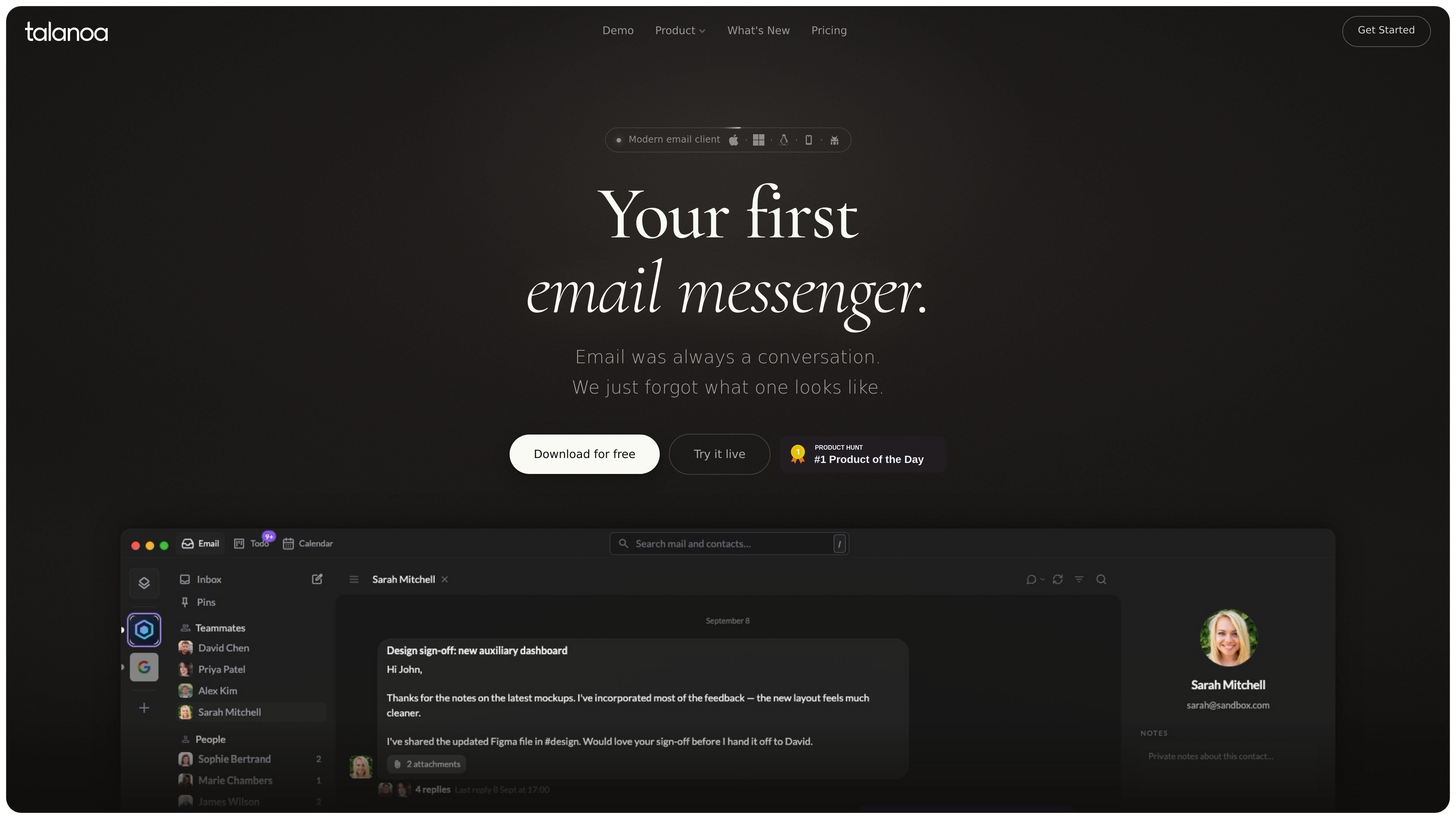
Talanoa is a desktop email client for macOS, Windows, and Linux that combines a people-first inbox with task and calendar workflows. It supports Gmail, Outlook, iCloud, Yahoo, and other IMAP-compatible mailboxes, bringing multiple accounts into one chronological inbox.
The product is designed to turn email into actionable work without requiring separate tools. Messages can remain linked to Kanban tasks, calendar availability can be shared from the composer, and on-device AI can summarize conversations or prepare drafts, events, and tasks for user review. Talanoa says mailbox data remains local to the device and is not sent to external servers for processing.
View messages from different accounts in one chronological stream, with conversations organized around people rather than separate subject-line threads.
Turn an email into a task linked to its original thread, then move it through To do, In progress, and Done on a Kanban board. Tasks can include due dates, labels, and notes.
See the day’s schedule next to the inbox, access upcoming meetings, and use a one-tap join option for the next call.
Insert conflict-free availability slots or a booking link directly into a composed email. Confirmed bookings sync back to both calendars.
Use on-device AI to summarize conversations, identify decisions and next steps, draft replies, translate messages, and create tasks, events, or email drafts for review.
Keep email data on the device with no cloud sync, external processing, or behavior tracking, according to Talanoa’s security and privacy pages.
Connect personal and work mailboxes from supported providers and scan one chronological stream instead of switching between separate inboxes.
Convert a request, review, follow-up, or deliverable into a task while preserving a link to the originating conversation. Move it across the Kanban board as work progresses.
Check upcoming meetings beside the inbox and insert available, conflict-free times into a reply or new message without opening a separate scheduling service.
Catch up on long threads with AI-generated summaries that surface decisions, next steps, and responsible participants, with source conversations shown alongside answers.
Use on-device assistance to draft replies, translate text, or prepare an event or task, then review the result before sending or creating it.
Talanoa is available as a desktop app for macOS, Windows, and Linux. Download the app for your operating system and connect an email account.
Gmail, Outlook, Yahoo, iCloud, and other IMAP-compatible providers are supported. The pricing page says these providers can be connected to Talanoa.
Talanoa has a free plan with one email account, up to two blocks or unsubscribes per month, and up to five Kanban tasks. Pro adds unlimited email accounts, blocks and unsubscribes, and Kanban tasks; the iOS and Android app is currently in beta and included with Pro.
Talanoa says email data is stored locally on the device, with no cloud sync, external email processing, tracking, or third-party AI reading the inbox. Its security page also states that the product completed an external CASA Tier 2 assessment with TAC Security.
Yes. Talanoa includes a calendar beside the inbox, where users can view their schedule, join upcoming meetings, and insert conflict-free availability slots into messages. It also includes a Kanban board for turning email threads into tasks and tracking them through To do, In progress, and Done.

Liam is an AI copilot for inbox management, email replies, prioritizing messages, and scheduling meetings. Free for individuals; custom pricing for teams and enterprise.

Biji is a versatile platform designed to enhance productivity through innovative tools and features.

Gemma AI is a phone call reminder app that calls you with scheduled reminders instead of push notifications, with Google Calendar sync and natural voice interaction.

Starlie is a native Mac client for Jira Cloud and self-hosted Jira, with JQL search, sprint boards, issue context, and key updates.

ClawTick is an AI agent automation platform for scheduling jobs from the CLI, dashboard, or REST API. Built for developers and teams using LangChain, CrewAI, webhooks, or custom workflows with monitoring, alerts, and logs.

SonOf connects to your repo and PM tool, audits your codebase, and turns approved work into shipped tickets with senior engineering review.