
Excel-native and standalone workflows
Use Shortcut directly in Excel as a native plugin, or work in the web app and desktop app when that is more convenient.

Shortcut is an AI spreadsheet automation product for Excel, financial modeling, and related workbook tasks. It turns natural-language instructions into formula-driven spreadsheet edits and is available across web, desktop, Excel, Google Sheets, and Windows CLI workflows.
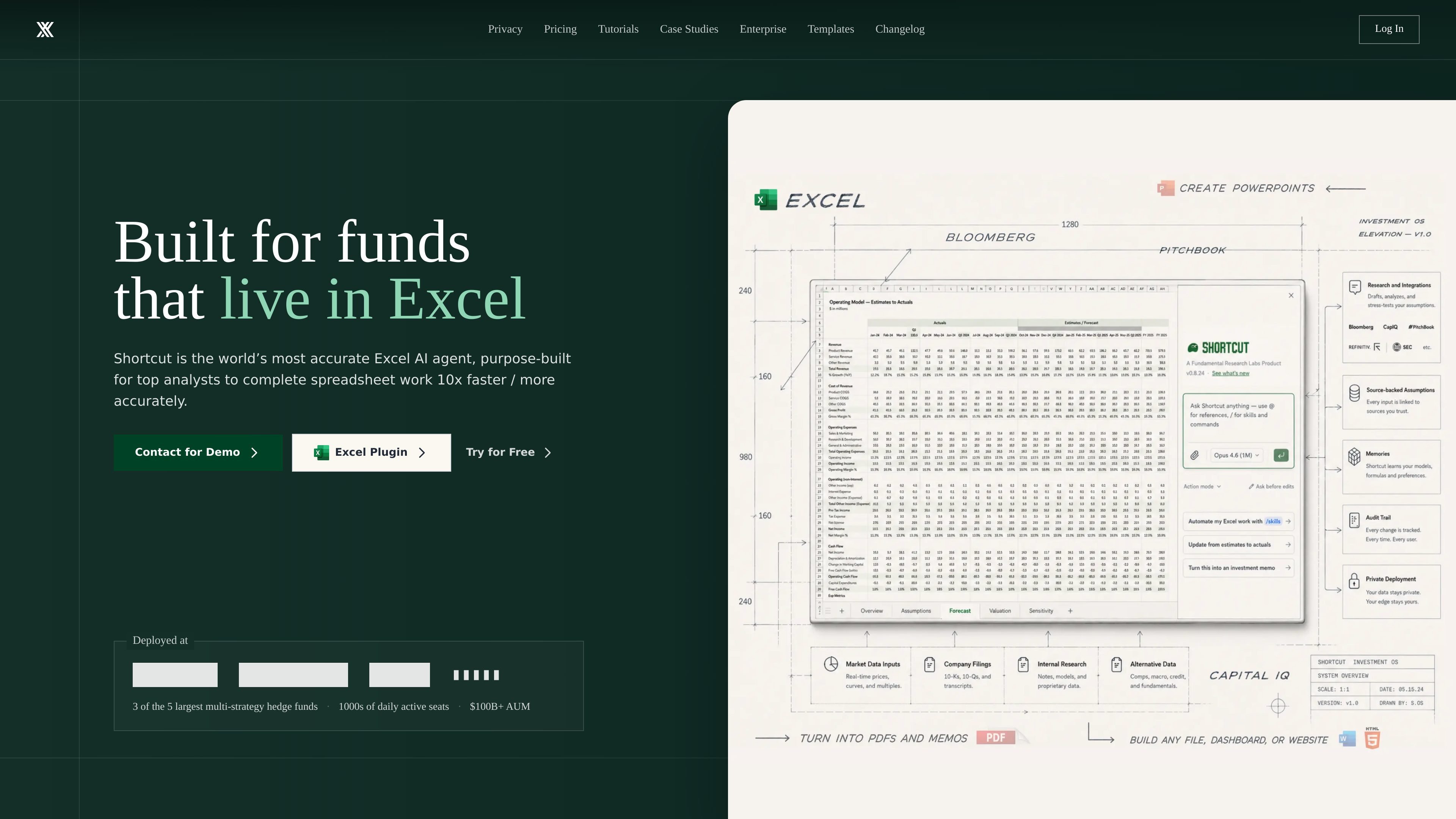
Shortcut is an AI spreadsheet automation product focused on Excel work. It is presented as a superhuman Excel agent that helps users complete spreadsheet tasks faster by turning natural-language instructions into edits, formulas, and finished models.
The site positions the product around financial modeling and spreadsheet-heavy workflows such as LBOs, DCFs, and 3-statement models, while also emphasizing auditability, Excel compatibility, and security. Shortcut is available as a web app, desktop app, Excel plugin, Google Sheets plugin, and a Windows-only CLI for terminal-first Excel workflows.
Use Shortcut directly in Excel as a native plugin, or work in the web app and desktop app when that is more convenient.
Turn natural-language instructions into spreadsheet edits, including model-building and other complex workbook work.
The product says it keeps edits formula-driven, so calculations update when inputs change instead of relying on hard-coded values.
Shortcut shows changed cells and lets users revert, restore, or undo changes in the action sequence for traceability.
The source says it can open and export Excel files with formatting, formulas, and features preserved, and that the Excel plugin aims for full parity.
Teams and enterprise plans add pooled credits, shared resources, analytics, SSO, MFA, role-based access control, and enterprise security options.
Build or update LBOs, DCFs, and 3-statement models by giving Shortcut spreadsheet instructions in natural language and letting it produce formula-driven edits.
Use Shortcut as an Excel-native assistant for repetitive spreadsheet edits, formatting changes, and workbook updates without overwriting existing data.
Adopt shared prompts, templates, credit pools, and analytics when a finance or operations team wants a centralized way to work in spreadsheets together.
Run terminal-first Excel workflows on Windows when a power user wants to build and edit multiple models from the command line and drive a real desktop Excel instance.
Use the enterprise plan when a larger organization needs BYOK, SSO, custom integrations, and dedicated support for a controlled rollout.
Shortcut offers a web app, desktop app, Excel plugin, and Google Sheets plugin on the Free plan, with paid plans adding more credits and features such as platform API access on Pro and team controls on Teams.
The source says Shortcut is designed for spreadsheet work in Excel, including financial models and other spreadsheet editing tasks. It is also positioned for teams that want shared resources, usage analytics, and centralized management.
The source describes Shortcut as outputting formula-driven edits that update dynamically with your data, showing changed cells and allowing revert, restore, and undo for changes in the action sequence.
Teams plans are self-service for organizations under 15 seats. The enterprise page says larger deployments can contact sales for custom pricing, dedicated support, custom integrations, and white-glove onboarding.
The source emphasizes Excel parity and notes that the web app maintains 95% feature parity with Excel, while the Excel Native plugin is described as reaching 100% parity. It also says the product can open and export Excel files without loss of fidelity.

LobeHub is an agent collaboration platform for work and productivity. It supports multi-agent workflows, persistent memory, and cloud-based model usage across web, desktop, mobile, and CLI surfaces.

Lasso is an ecommerce product data platform for enriching catalog records, processing supplier files, generating product content, and monitoring competitors. It combines a web app with a REST API, SDK, and MCP server for teams and developers.

Tavus is an AI video platform for building real-time, face-to-face agents, digital twins, and AI companions. It combines APIs, custom replicas, and multilingual conversational workflows for developers and teams.

HiringPartner.ai is an autonomous AI recruiting platform for sourcing, screening, and interviewing candidates 24/7. It supports ATS-connected workflows, bulk resume uploads, and reviewable interview outputs for hiring teams.

AakarDev AI helps teams manage AI provider access, project-level setups, logs, and analytics from one dashboard. It supports BYOK workflows and lists providers including OpenAI, Google Gemini, Anthropic, Groq, Mistral AI, and Perplexity AI.

AgentMail is an email inbox API for AI agents to create, send, receive, and search messages via REST APIs and SDKs. Built for threaded workflows, verification, support, scheduling, and approvals.