
One-line website install
Add the widget with a single script tag. There is no package to install and no build step, and the script is loaded deferred.

UserWants is a website bug report and feedback widget for submitting issues without sign-up, with screenshots, browser context, steps and console errors for AI coding tools via MCP.
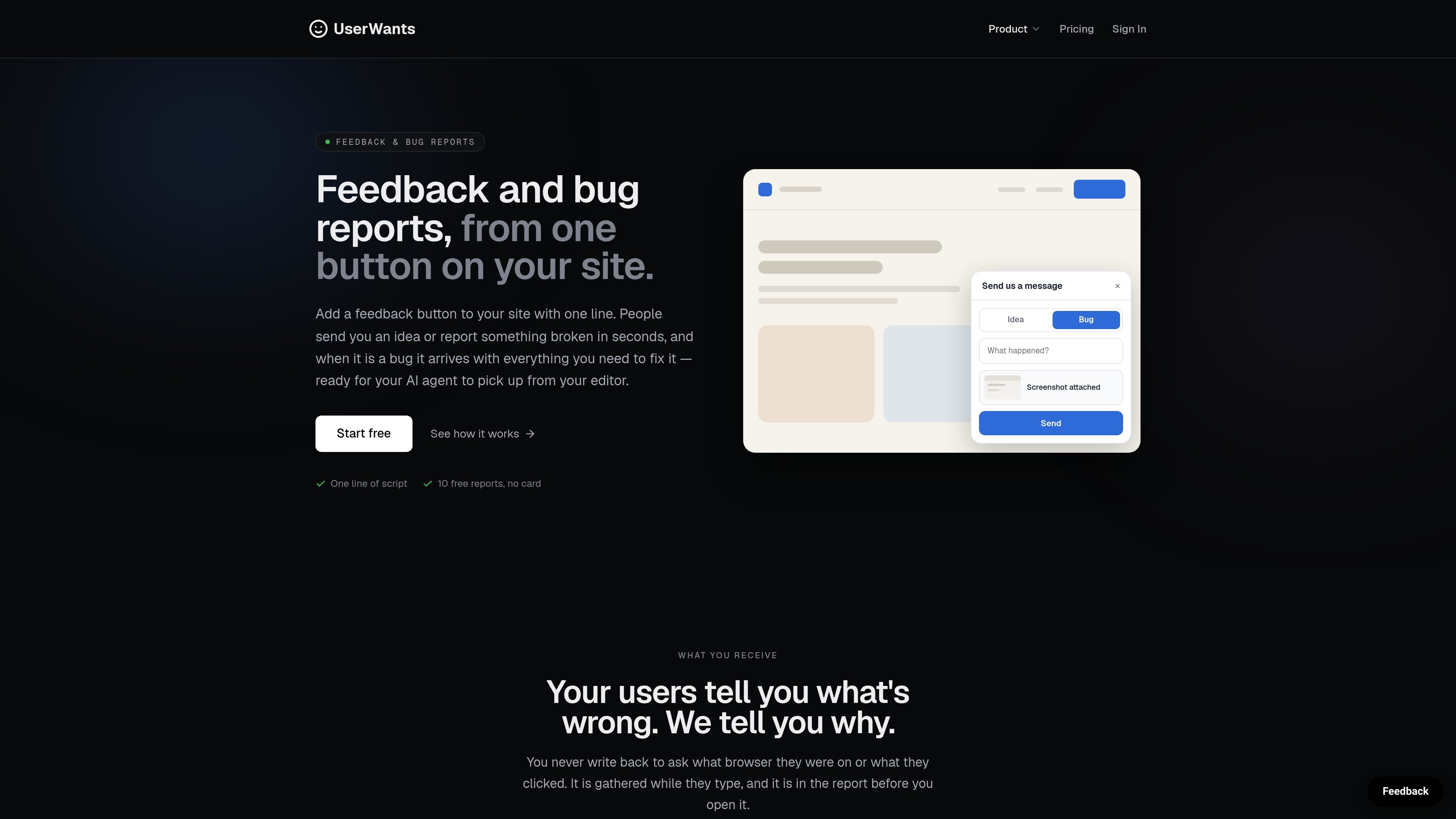
UserWants is a bug report and feedback widget for websites. It lets visitors send an idea or report a problem from a single on-site button, without creating an account, and packages the submission with the context needed to investigate it.
For bug reports, the product focuses on automatic evidence collection: screenshot support, browser details, console errors, page context and recent steps. That makes each report more useful for a developer, and the same report structure is also exposed through an MCP server so an AI coding agent can read and triage it inside tools such as Claude Code or Cursor.
Add the widget with a single script tag. There is no package to install and no build step, and the script is loaded deferred.
Bug reports can include browser and operating system, viewport, screen size, device pixel ratio, language, time zone, color scheme and page load time when technical details are enabled.
Up to 10 uncaught JavaScript errors and unhandled promise rejections can be attached, each with a stack frame, so reports include the failure context developers need.
The widget records the last 50 user actions such as clicks, form submissions and navigations, which helps reconstruct how the bug happened.
Reports can include an optional screenshot attached by the reporter, and the docs state that form contents are never captured; only field touches are recorded.
An MCP server exposes bug reports to coding tools, with actions such as listing reports, fetching one report in full, and updating report status.
Collect a structured bug report from a site visitor who can describe the issue once and submit a screenshot, browser context and recent steps without creating an account.
Give product or support teams a place to collect ideas and feature requests alongside bugs, using the same on-site entry point.
Let an AI coding assistant inspect real reports in the editor, including the stack trace and reproduction steps, so it can help diagnose or fix issues faster.
Use the allowed-domains setting and per-project widget setup when the same widget needs to run across localhost, staging and production origins.
Replace manual follow-up questions such as browser version, screenshots and repro steps with automatically captured context from the report itself.
No. The site says users can send feedback or bug reports without signing up, and the widget is presented as a one-line install for your site.
For bug reports, the widget can collect the title, description, reporter identity, page URL and referrer, plus technical details if you enable them. Those technical details include browser and operating system, viewport and screen size, device pixel ratio, language, time zone, color scheme, page load time, up to 10 JavaScript errors or rejected promises, the last 50 actions, and an optional screenshot.
The docs say it works by adding a single script tag to your site. You can also set allowed domains in the dashboard, and by default it only works on localhost until domains are added.
The MCP server lets an AI coding tool read a real bug report, including description, browser context, errors, steps and screenshot, directly in the editor. It uses OAuth rather than a manually managed token.
The widget sends email when a new report arrives, and the MCP server can move reports through pending, planned, in progress, completed and rejected. The docs also note that status changes do not email the reporter unless the call explicitly asks for it.

runevr is a connected workspace for creative teams, bringing boards, media review, chat, recordings, drive, calls, and AI agents into one room-based environment.

Goldfish is an AI memory app for macOS that helps you reply, write, summarize, and continue with context already on your Mac. It stores memory locally and writes in your tone.

Lasso is an ecommerce product data platform for enriching catalog records, processing supplier files, generating product content, and tracking competitors. It includes a web app, REST API, SDK, and MCP server.

ArtDeck is a visual reference board app for iPhone, iPad, and Mac. Collect mixed references on one canvas and study them with ToolBox lenses. Offline, optional iCloud sync, one-time purchase.

Biji is a versatile platform designed to enhance productivity through innovative tools and features.

Struere turns spreadsheet data into structured operational software with dashboards, alerts, and automations for teams replacing manual spreadsheet workflows.