

Avec
Avec is a free AI email app for Gmail inbox triage—prioritizing important messages, swiping to manage them, and drafting replies from key points or voice.
What is Avec?
Avec is a free AI email app focused on handling a Gmail inbox quickly. Its core purpose is to help you triage incoming messages, surface what matters, and draft email replies with less manual typing.
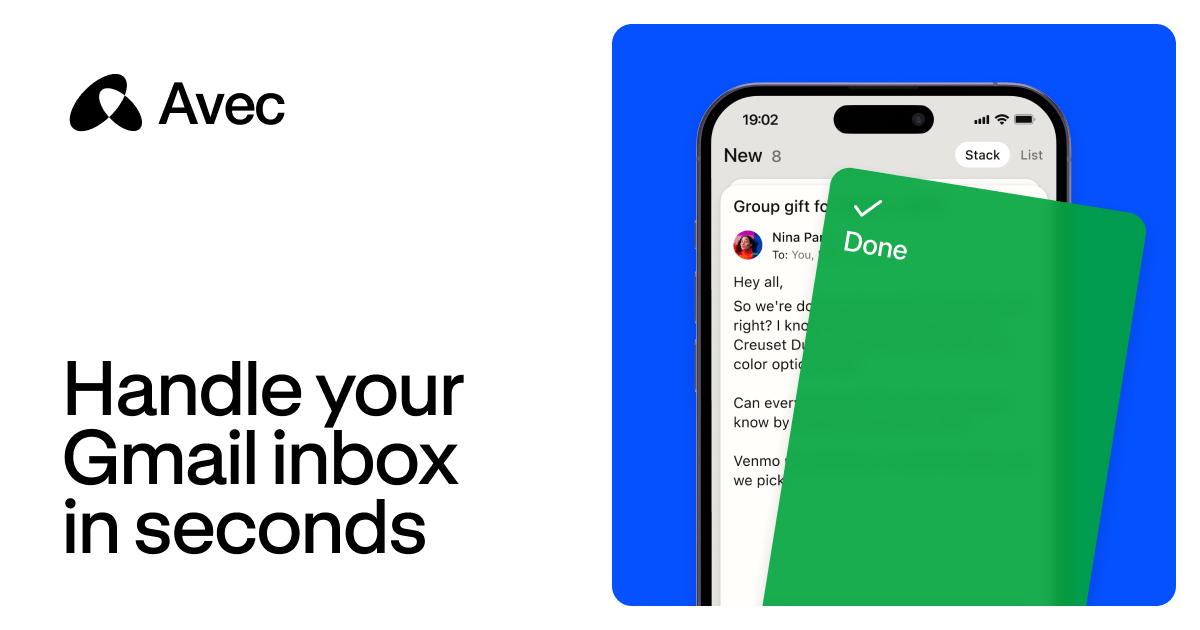
Instead of treating every email the same, Avec emphasizes important emails and uses swipe actions to mark messages done or save them for later. It also supports drafting emails from voice or key points, then lets you review and adjust before sending.
Key Features
- Inbox prioritization (Gmail-focused): Shows important emails one by one, aiming to reduce the need to scan long threads.
- Swipe-based actions: Lets you swipe to mark emails as done or save them for later.
- AI-assisted email drafting: Generates draft messages based on a few key points you provide, with the ability to review and tweak the draft.
- Voice compose: Supports sending key points via voice so Avec can draft the email for you.
- Smart notifications: Provides notifications that summarize what’s happening and what you need to do next, without requiring you to open the inbox.
- Search for specific info: Helps you find information quickly instead of sifting through threads.
How to Use Avec
- Download and open Avec on iOS (the site lists an iOS download).
- Connect and use your Gmail inbox inside the app so emails can be prioritized and displayed.
- Go through your prioritized emails one by one, using swipe actions to mark items done or save them for later.
- Draft replies when needed: use voice compose or provide a few key points, then review and edit the generated email before sending.
- Use smart notifications and in-app search to keep up with time-sensitive items without repeatedly opening your inbox.
Use Cases
- Fast triage of meeting and event updates: When you receive emails about schedule changes (e.g., practice moved to a different field), you can quickly review and decide what to do next.
- Coordinating group plans and decisions: For messages that ask for votes or deadlines, you can draft a clear response based on a few key points and send it without writing from scratch.
- Business or contract coordination: If an email proposes changing availability or meeting format, Avec can help you draft a reply that covers logistics and next steps.
- Handling storage or account-related notifications: When you receive alerts about storage nearing limits or file sync issues, you can triage and respond or take action accordingly.
- Finding information across messages: Instead of reading long threads, you can search for specific items like tax documents or confirmations.
FAQ
-
Does Avec work with Gmail? Yes. The product is described as handling your Gmail inbox and prioritizing emails from Gmail.
-
Is Avec available on mobile? The site indicates iOS availability (download on iOS).
-
How does email drafting work? You provide a few key points (including via voice), and Avec drafts an email. You can then review, tweak, and send it.
-
Can I dismiss or save emails quickly? Yes. The app supports swipe actions to mark emails done or save for later.
-
Does Avec replace opening the inbox for everything? It provides smart notifications intended to keep you informed and tell you what to do next, reducing the need to open your inbox for every message.
Alternatives
- Standard Gmail inbox + built-in search and filters: Keeps workflows inside Gmail without AI drafting; better if you prefer manual control but may take longer for triage.
- Email clients with AI writing assist (general category): Apps that provide drafting help for replies; typically focus on composing rather than prioritizing the inbox one-by-one.
- Inbox management or task-first email tools (category): Tools that emphasize triage, snoozing, and moving messages into actions; may not include voice-to-draft functionality.
- Notification-first productivity apps: Approaches that surface key email events via notifications and dashboards; can reduce inbox switching but may require more manual drafting.
Alternatives

Lasso
Lasso is an AI-first PIM for ecommerce teams that enriches product attributes and descriptions, processes supplier data, and monitors competitors via app or API.

LIAM
LIAM is an AI copilot that drafts email replies, organizes your inbox with auto-labels and prioritization, and schedules meetings from your calendar.

Struere
Struere is an AI-native operational system that replaces spreadsheet workflows with structured software—dashboards, alerts, and automations.

Gemma AI
Gemma AI is a smart application that calls you directly with personalized, intelligent voice reminders to ensure you never miss important tasks, appointments, or deadlines.

garden-md
Turn meeting transcripts into a structured, linked company wiki with local markdown and an HTML browser view. Sync from supported sources.

Falconer
Falconer is a self-updating knowledge platform for high-speed teams to write, share, and find reliable internal documentation and code context in one place.