
Speech-to-Subtitle
Automatically recognizes speech in video or audio using speech recognition technology and generates subtitle timelines with timecodes, reducing manual transcription and segmentation work.

场辞 is an AI video subtitle tool that uses speech recognition to auto-generate subtitles, with proofreading, export, and subtitled video burning.
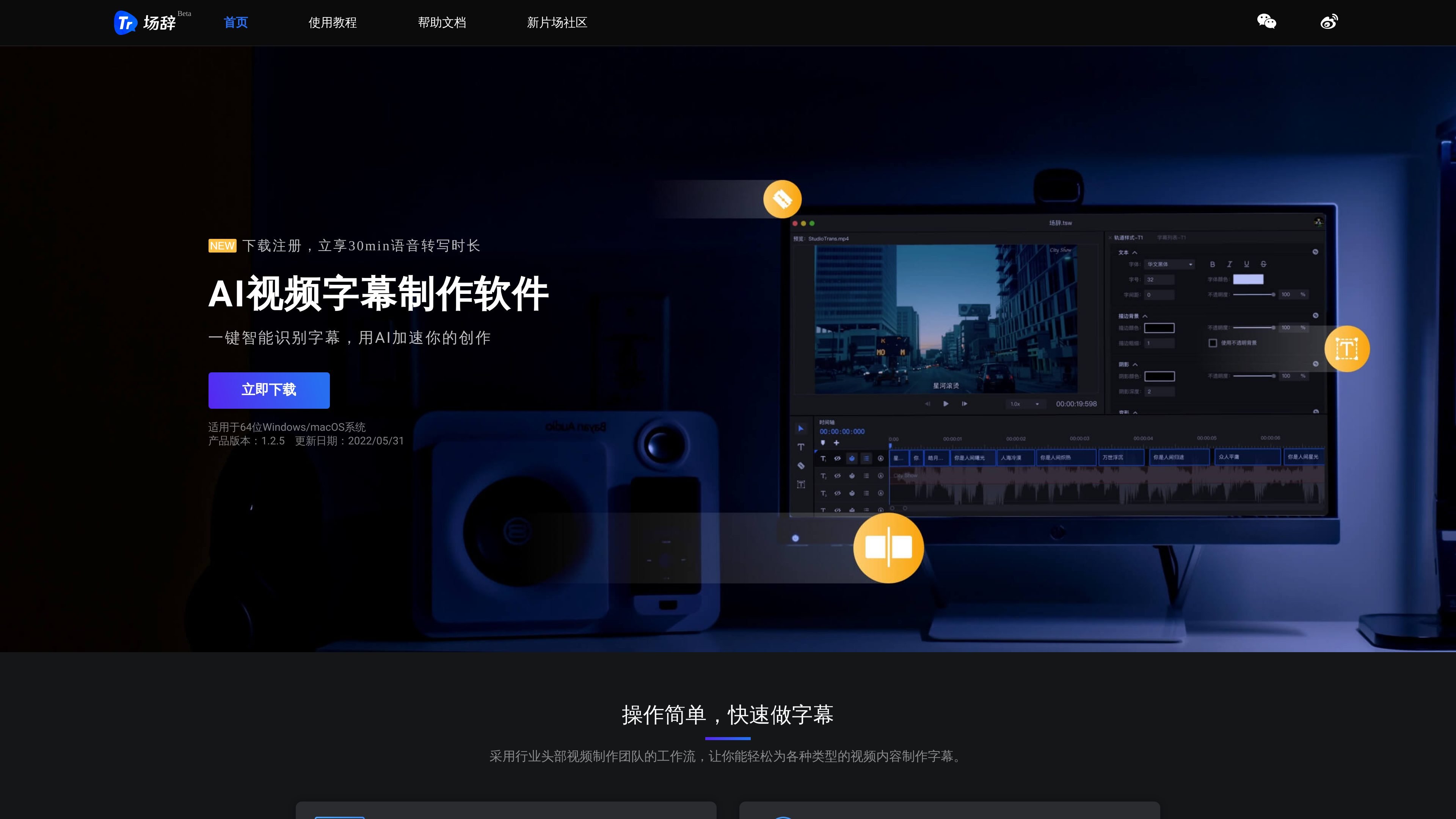
场辞 is a speech-recognition-based video subtitle creation tool, mainly used to automatically convert speech in video or audio into subtitles, and to complete the full subtitle production workflow with timeline editing, quick proofreading, and export/burn-in. The official site positions it as a subtitle tool for a variety of video content scenarios, emphasizing the combination of automatic recognition and efficient editing.
The public pages state that 场辞 supports importing many common audio/video and subtitle file types, provides a multi-track timeline, real-time preview, subtitle style adjustments, find and replace, and more, and can export SRT, ASS, TXT, or standard MP4. The documentation also includes shortcuts, timecode adjustment, and black-bar handling help, indicating that it is designed for creators and post-production workflows that frequently make and revise subtitles.
Automatically recognizes speech in video or audio using speech recognition technology and generates subtitle timelines with timecodes, reducing manual transcription and segmentation work.
Supports importing MP4, OGG/OGV, WEBM, MP3, WAV, OGG, AAC, AMR, WMA, and SRT, ASS, TXT files, making it easy to work with existing footage and subtitle drafts.
Provides a visual timeline, multi-track creation, real-time preview, and drag-to-scale-and-rotate subtitle editing, suitable for fine-tuning subtitle style and position.
Offers quick proofreading tools such as subtitle lists, text editing, find and replace, merge, split, and line breaks to help correct recognition results quickly.
Supports exporting SRT, ASS, TXT, and standard MP4, as well as one-click burning of subtitled videos and burn-in parameter settings, making it easy to connect editing and publishing workflows.
Suitable for creators who need to quickly turn long videos or course recordings into subtitles, first using automatic recognition and then making a few corrections on the timeline to reduce the time spent transcribing line by line.
Suitable for short videos, vlogs, and program post-production, where you can preview subtitle effects on the timeline, adjust styles, and export SRT before continuing compositing in editing software.
Suitable for online education or course teams handling subtitles for recorded lessons, using automatic recognition, shortcuts, and find-and-replace tools to batch-correct terminology and text.
Suitable for projects that already have subtitle drafts or subtitle files, allowing direct import of SRT, ASS, or TXT for adjustment, styling, and re-export.
Suitable for workflows that need to output final videos with subtitles, allowing you to burn the finished subtitles directly into a standard MP4 and set burn-in parameters as needed.
场辞 supports importing video, audio, and subtitle files as source material, then generating subtitles and exporting them in common formats. The help documentation lists the import formats as MP4, OGG/OGV, WEBM, MP3, WAV, OGG, AAC, AMR, WMA, SRT, ASS, and TXT; export supports standard MP4, SRT, ASS, and TXT.
You can create subtitle blocks on the timeline, use keyboard shortcuts to create them by tapping, or edit timecodes and text in the subtitle list. The documentation also provides quick actions such as merge, split, line break, and find and replace, which suit subtitle workflows that need frequent proofreading.
场辞 provides one-click subtitle file export and one-click burning of subtitled videos, with support for burn-in parameter settings. The documentation also says that when exporting standard MP4, it uses H.264 video encoding and AAC audio encoding.
The agreement states that the 场辞 client can be used on a computer, with specific devices and versions subject to the platform's provisions; the service is also limited to use within mainland China.
The agreement mentions that using advanced features may require payment of software usage fees, but the public pages do not provide specific pricing, plans, or trial information.

Pewbeam is a church presentation app that listens to sermons, detects Bible verse references in real time, and displays the matching passage on screen for smoother live services.

SubtitleGenerator is a browser-based AI subtitle tool for generating, reviewing, styling, and exporting subtitles from local video files.

CAMB.AI Streams dubs live audio in real time for YouTube, Twitch, X and other platforms, using existing live workflows and no post-production.

Tavus is an AI video platform for real-time face-to-face agents, digital twins, and AI companions, with APIs and multilingual workflows for developers.

SpeakoFlow is a free, open-source desktop voice-to-text app for Windows, macOS, and Linux. Dictate into any app, use Flow, cleanup, translation, and a screen-aware assistant.

Sanota turns spoken memories and interviews into clear written stories for personal storytelling, family history and shared memories, with guided prompts and subscriptions.