
Local pull-request diff review
Reviews pull-request diffs against the complete local checkout, with changed-file tracking, multi-file navigation, and observations displayed beside the relevant code.

CodeCrab is a native desktop app for local GitHub pull-request reviews, inline AI findings, repository-specific skills, and keeping code and review execution on your machine.
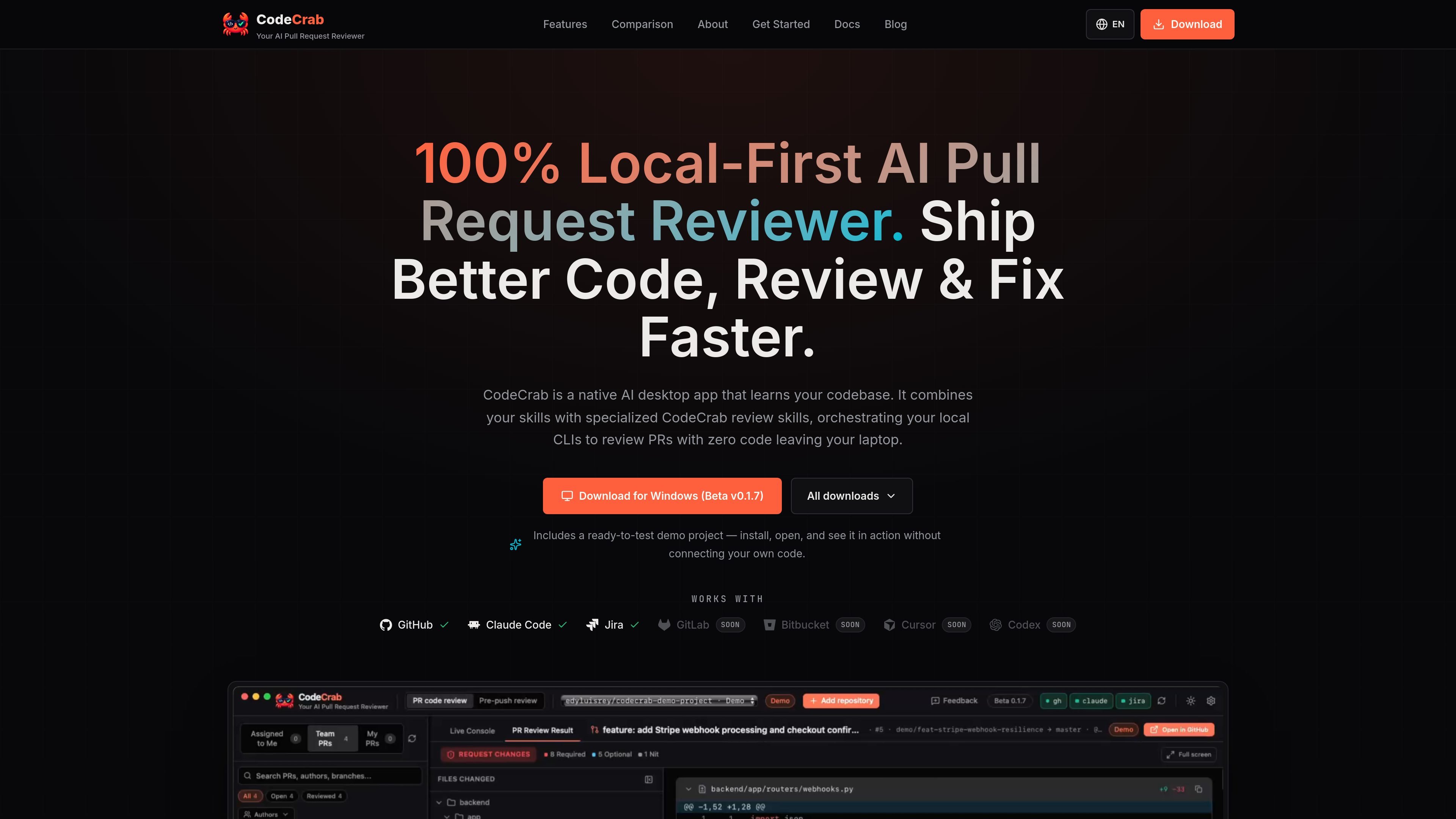
CodeCrab is a native desktop application for reviewing GitHub pull requests against a local repository checkout. It loads the diff locally, shows changed files and inline AI observations, and uses the repository's code, rules, and selected review skills to investigate potential correctness, security, and regression issues.
The product is designed for engineers who want local execution and control over the review process. It runs on the user's machine, does not upload source code to a vendor cloud, uses existing local AI tooling such as Claude Code, and remains read-only today: users decide which findings to act on, comment on, or fix.
Reviews pull-request diffs against the complete local checkout, with changed-file tracking, multi-file navigation, and observations displayed beside the relevant code.
Builds a repository-specific review profile from project rules and patterns, rather than applying only a generic checklist.
Supports local skills and specialized review skills for areas including security, test completeness, and correctness; users can choose which skills to run.
Shows a live execution console and lets engineers investigate findings, ask follow-up questions, and inspect the reasoning in context.
Uses existing local tools and subscriptions, including Claude Code and the site's mentioned Cursor workflow, while allowing users to choose their AI models and control review spending.
Runs native tests such as cargo test, pytest, or npm test before changes are applied, while keeping the workflow read-only by default.
Review a teammate's pull request with the full checkout in context, navigate changed files, investigate inline findings, and decide which issues warrant action before merge.
Run a review on local changes before they become a pull request, using repository rules and a pre-push skill to catch issues earlier in the development cycle.
Investigate vague or unfamiliar review comments by tracing callers, tests, neighboring modules, and the surrounding GitHub conversation, then produce an editable fix prompt for a local AI tool.
Apply a deeper, targeted review skill to sensitive changes such as authentication work, while using lighter criteria for routine changes.
CodeCrab runs as a native desktop application and performs reviews against the local checkout. The source describes a GitHub workflow using your existing local gh login, but it does not provide complete setup instructions.
The product is described as running 100% on the user's machine, with source code not uploaded to a vendor cloud. It uses local tools and subscriptions such as Claude Code, and the site also mentions Cursor.
CodeCrab is read-only today: it does not commit, push, or publish a public GitHub review comment without the user's action. The product describes automatic fixing as a future opt-in workflow rather than a current capability.
It can use a repository profile, local review skills, and specialized skills for areas such as security, test completeness, and correctness. Users can choose which skills to include for a review.
The site describes CodeCrab as a free public beta. The pricing page currently returns a page-not-found response, so no paid plans, prices, or usage limits are established by the available evidence.

ByteAsk is a terminal-first AI coding agent for C and C++ that edits repos and verifies changes with compilers, debuggers, sanitizers, and tests.

GitBot is a local browser workspace for reusable coding bots powered by Claude Code, Codex, or OpenCode, with persistent threads and configurable permissions.

Manta AI is an autonomous web app testing tool that maps app behavior, catches regressions, and generates tests from a URL, no scripts or selectors needed.

Ghost is a terminal-based AI assistant for chatting, code generation, and CLI tasks. Includes free models, supports Linux, macOS, Windows, and is open source.

Vi3ecode is a maintained development environment for AI coding agents, keeping project context, terminal, Git, memory, flows and review connected.

Lucid Train is a local-first AI coding harness that turns repo code into architecture diagrams for coding agents. Desktop app and Rust CLI, local models or API keys.