
Single composer for multi-platform publishing
Write the post once and keep the title, link, body, and attached media in a single composer while choosing which providers should receive it.
Crossposter is an open-source local social publishing dashboard that helps you compose once, attach media, check platform limits, and publish to connected accounts from localhost. It is built for users who want to keep drafts, sessions, and publish history on their own machine or self-hosted server.
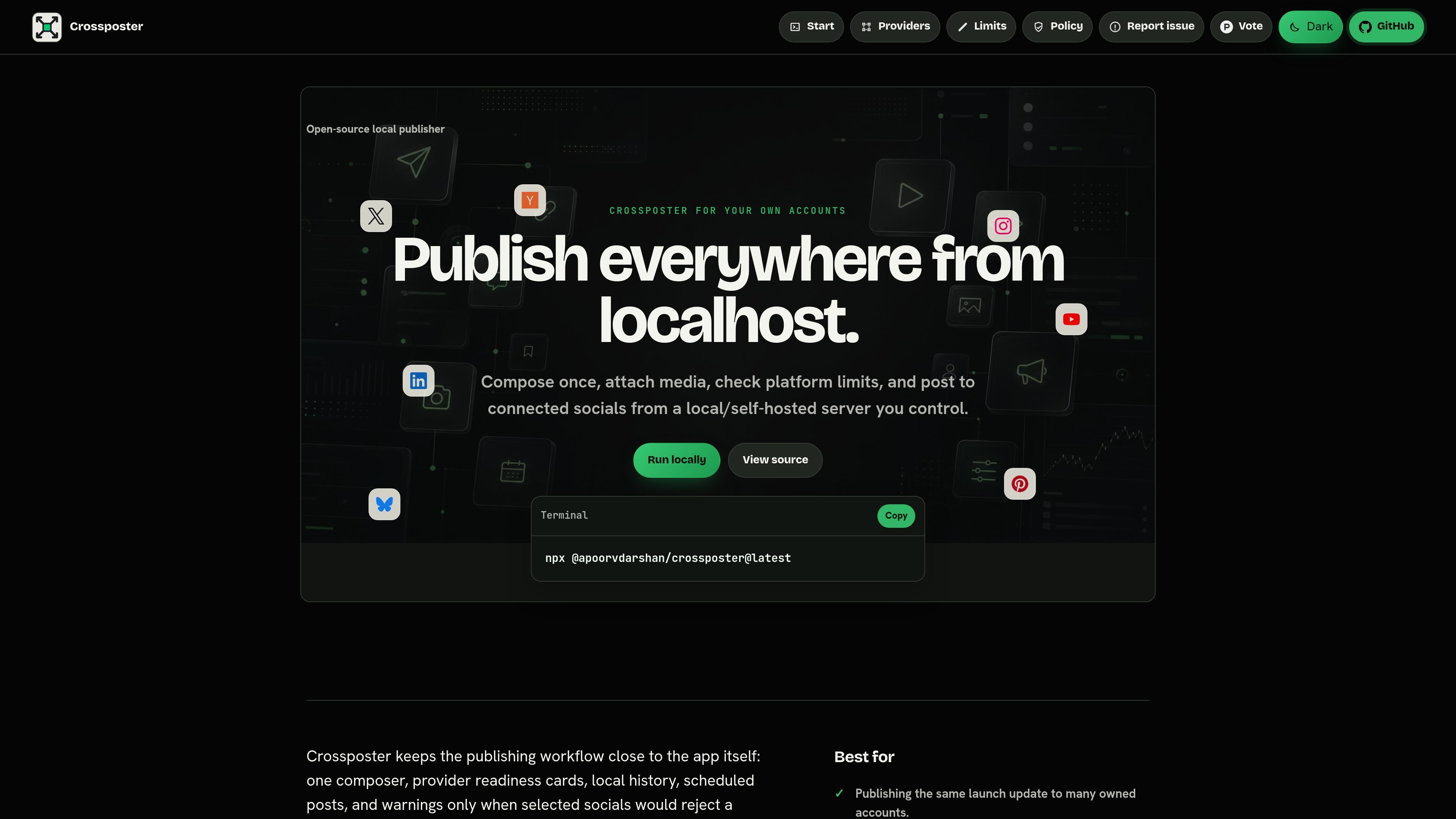
Crossposter is an open-source local social publishing dashboard for posting to your own connected accounts from localhost or a self-hosted server. It is designed for users who want to compose once, attach media, verify platform limits, and send the same draft to multiple social targets without moving the workflow out of a local environment.
The app centers on one composer, provider readiness cards, scheduled posts, and local publish history. The homepage also shows provider-specific limit checks and media tools, including image compression, video conversion to MP4, and crop support for Dribbble, so drafts can be prepared before publishing rather than after a platform rejects them.
Write the post once and keep the title, link, body, and attached media in a single composer while choosing which providers should receive it.
See provider readiness cards and warnings before sending. Crossposter checks known text and media limits so you can adjust a draft before a platform rejects it.
Attach media from your local environment and use built-in tools to compress images, convert supported video to MP4, and crop images for Dribbble's required shot sizes.
Run Crossposter from localhost or as a self-hosted server you control. The app keeps config, uploads, sessions, drafts, and publish history in the same local folder.
Schedule posts from the same dashboard and keep successful links plus provider failures in local publish history for later review.
Save multiple provider profiles in `poster.config.local.json` and select the accounts, pages, boards, channels, or profiles you want for each publish.
Prepare a launch post once, attach the needed media, and send it to several owned accounts after Crossposter checks whether the draft fits each platform's limits.
Keep credentials and drafts on your machine while using a local dashboard to manage scheduled posts and publish history without moving the workflow to a hosted service.
Trim images, convert supported video to MP4, and crop Dribbble shots before publishing so the draft is ready for the destination platform's requirements.
Select from saved provider profiles in the dashboard when you manage different accounts, pages, boards, channels, or profiles and want to choose targets per post.
Use the local scheduler and history to queue repeat posts, then review which provider sends succeeded or failed after publishing.
Crossposter runs as a local dashboard on your own machine or self-hosted server. The homepage says the dashboard runs at `http://localhost:2004`, and the app keeps config, uploads, sessions, drafts, and publish history in the folder where you start it.
The homepage lists support for X / Twitter, LinkedIn, Bluesky, Mastodon, Instagram, YouTube, Dev.to, Pinterest, Peerlist, Hacker News, Nostr, and Dribbble, with different posting types and limit checks for each.
Crossposter includes one composer, provider readiness cards, limit checks, image compression, MP4 conversion, Dribbble cropping, local history, and scheduled posts. It also saves provider profiles in `poster.config.local.json` so you can choose accounts per publish.
The pricing page currently returns a 404, so no pricing or plan structure is available from the source content.
Crossposter can be used only with accounts you own or manage. The site also notes that unofficial provider flows can break, trigger challenges, hit rate limits, or cause account restrictions.
SocialEcho is an all-in-one social media AI workspace for publishing, engagement, listening, analytics, and automation across major networks. It is built for creators, brand teams, agencies, and businesses that want to manage multiple accounts from one system.

Liam is an AI copilot for managing inboxes, writing replies, prioritizing email, and scheduling meetings. It is offered free for individuals, with custom pricing for teams and enterprise.

Gemma AI is a phone call reminder app that calls you with scheduled reminders instead of push notifications. It helps people who want a more direct way to stay on schedule, with Google Calendar sync and conversational call interactions.

ClawTick is an AI agent automation platform for scheduling jobs from the CLI, dashboard, or REST API. It is aimed at developers and teams running LangChain, CrewAI, webhook, or custom agent workflows that need monitoring, alerts, and logs.

SelectPrism is an agentic AI hiring platform for high-volume recruiting teams. Automates screening, scheduling, first-round interviews, and structured evaluation.

Fountain is a frontline workforce platform for hiring, onboarding, sourcing, and scheduling at high-volume employers. It combines Frontline OS with partner integrations and AI-assisted workflows to help teams move candidates and workers through frontline operations.