
Photo-based upload
Take a photo of a drawing or select one from the camera roll, then send it through the transform flow.

Fridge2Frame turns a child’s drawing into a photorealistic image in about 10 seconds—ideal for parents to save, share, print, or gift.
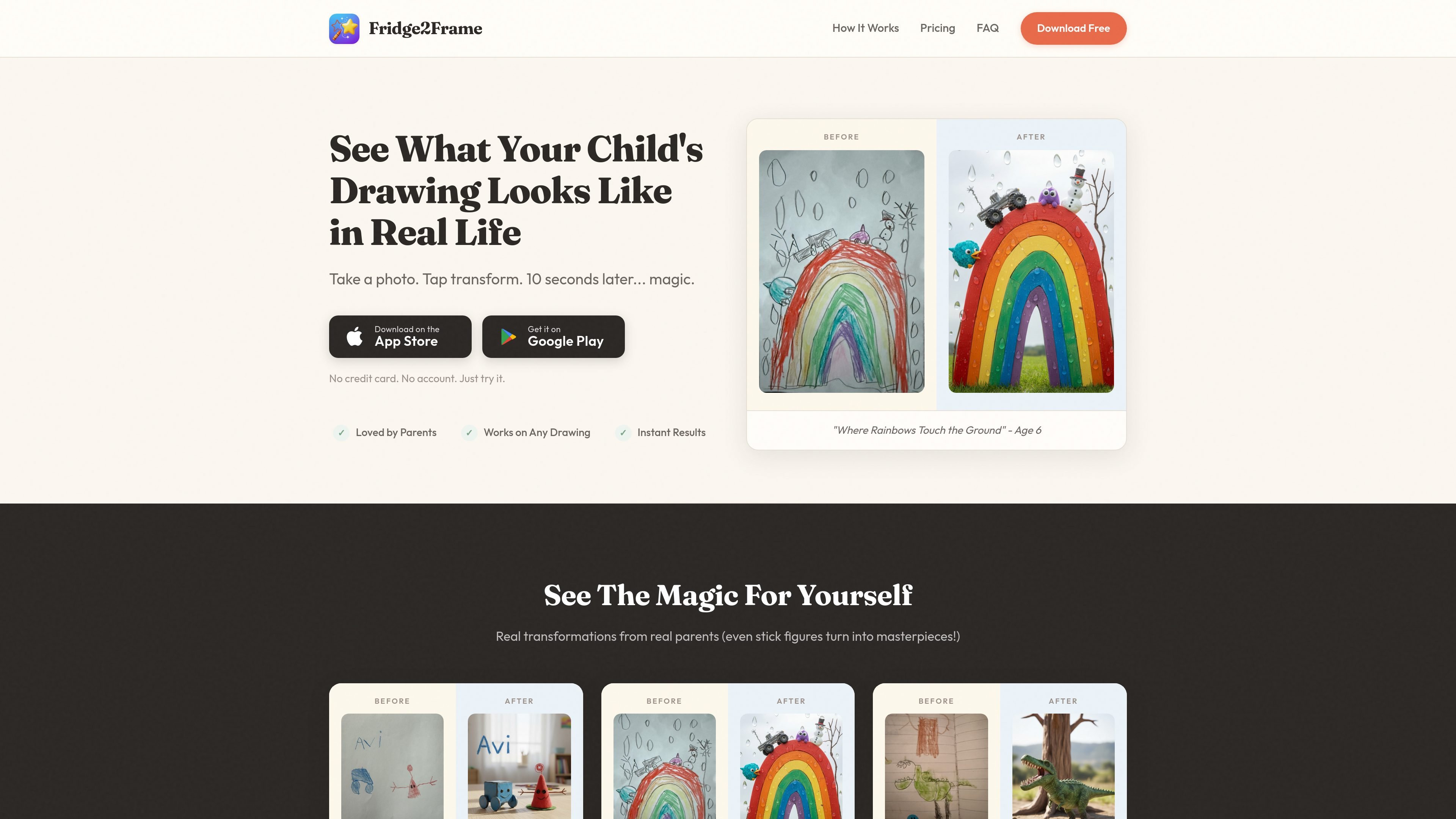
Fridge2Frame is a mobile app that turns a child’s drawing into a photorealistic image. The core workflow is simple: take a photo of the drawing, tap transform, and see the result in about 10 seconds.
The product is positioned for parents who want to save, share, or print children’s artwork in a more realistic format. The site says it works on everything from stick figures to detailed drawings, and that it preserves the original quirks of the artwork rather than smoothing them out.
Take a photo of a drawing or select one from the camera roll, then send it through the transform flow.
The app says it can generate a transformed result in about 10 seconds from upload to finished image.
The product states that it handles stick figures, scribbles, and more detailed drawings, while keeping the original quirks visible.
Results are described as high-resolution and print-ready for framing, photo books, canvas prints, or gifts.
Completed transformations are backed up in cloud storage, and the site says users can share them socially or download them.
A referral program is mentioned on the site, with both people receiving free transformation credits.
Parents can turn a child’s drawing into a more realistic image to show the child what their idea might look like in the real world.
Families can save transformed artwork as high-resolution files for framing, photo books, canvas prints, or gifts.
Users can share the transformed image with family or on social platforms after generating it in the app.
Parents who want to preserve the original look of a child’s work can use the app to keep quirks like uneven shapes or extra details visible in the result.
The app lets you take a photo of a child’s drawing, then generates a transformed image in about 10 seconds.
Yes. The source says it works on detailed drawings as well as stick figures and scribbles.
Yes. The site says transformations are high-resolution and print-ready, suitable for framing, photo books, canvas prints, or gifts.
The pricing page says the app includes free transformations to try, and paid credits or subscriptions are available for continued use.
Yes. The site says subscriptions can be canceled anytime from an Apple ID or Google Play account settings.

Vectorizer.AI turns raster images into editable SVG, PDF, EPS and DXF in your browser, with developer tools for automated workflows.

An All-In-One AI Platform that combines tools for image, video, voice, writing, and chat to enhance creativity and collaboration.

PixelDrive is a bulk image generation API for on-brand images from one template via browser editor, REST API, CSV batch, or MCP.

Snapmark is a VS Code extension for annotating clipboard screenshots before pasting them into AI chats. Blur sensitive details, add numbered callouts, and auto-resize large images.

Arduino VENTUNO Q is an edge AI computer for AI and robotics, combining AI inference and deterministic control on one board with Arduino App Lab support.

PicCopilot is an AI content platform for e-commerce that turns product photos into marketing visuals, model shots, videos, and social content with free and paid plans.