
Spreadsheet-based leads board
Connect an existing Google Sheet and use a visual board to move customers between stages such as New, Contacted, and Won. Board changes are written back to the same spreadsheet rows and columns.

Gsheet CRM turns Google Sheets into a leads board with stages, reminders, reports, team permissions, linked tabs, and lightweight automations—without moving records.
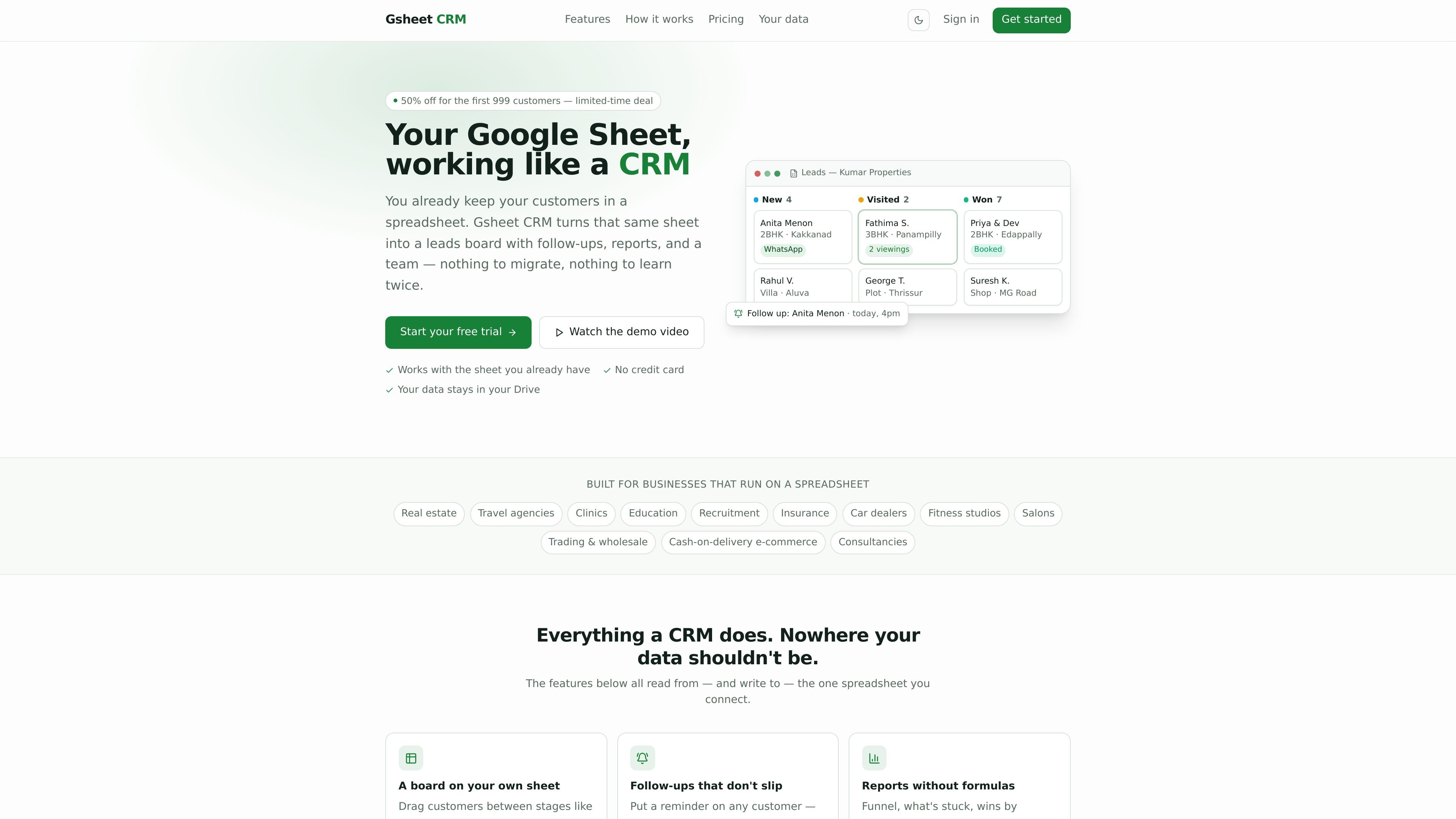
Gsheet CRM turns a Google Sheet containing customer records into a CRM-style leads board. It is designed for businesses that already manage customer information in spreadsheets and want stages, reminders, reporting, and team workflows without migrating that data to a separate system.
The product connects to one spreadsheet in the user's Google Drive and uses that sheet as the working data source: board updates are written to the same rows and columns, while reports and follow-ups are built around the connected records. New users can choose a business-specific setup, and existing spreadsheet users can paste their rows into a prepared sheet.
Connect an existing Google Sheet and use a visual board to move customers between stages such as New, Contacted, and Won. Board changes are written back to the same spreadsheet rows and columns.
Assign reminders to customers and review overdue, today, and this-week follow-ups in one place.
View funnel performance, stalled leads, monthly wins, and lead ownership using reports computed from the connected sheet without building formulas.
Invite teammates with roles and teams, then limit visibility to all leads, a team’s leads, or an individual’s leads. Managers can see all leads.
Keep related information such as properties, courses, or packages in separate tabs and link it to leads. The site says viewings and payments can roll up to the customer card.
Create sentence-based rules that set a follow-up, add a note, or assign a new lead to the person with the fewest open leads when a lead is created or changes stage.
Track property inquiries through stages, attach related properties from another tab, schedule viewings, and surface viewing or payment information on the customer card.
Manage inquiries and bookings using a spreadsheet-based pipeline, with reminders for prospects who need a response or follow-up.
Give recruiters or admissions teams a shared view of prospects while controlling whether staff see all leads, their team's records, or only their own.
Organize customer follow-ups for clinics, salons, fitness studios, and consultancies without changing the spreadsheet where customer records are already kept.
Use stage-change rules to add notes, set reminders, or distribute new leads among team members handling open opportunities.
Sign in with Google, choose a business setup, and Gsheet CRM creates a working sheet in your Google Drive with stages, dropdowns, and an example lead. You can then add leads, move cards, and set follow-ups. The site says setup takes about three minutes.
No. The site says there is a free trial and that no credit card is required to start.
The board, follow-ups, reports, and automations read from and write to the connected spreadsheet. Changes made in the board land in the same rows and columns in the sheet.
You can invite people with roles and teams and control whether each person sees all leads, their team's leads, or only their own. Managers always see all leads, according to the site.
The site says the Startup plan supports one linked table and Growth supports five, while Growth also adds API access and webhooks. The pricing page itself currently returns a not-found page, so current billing details should be confirmed on the product site.

Podium is an AI lead generation and lead management platform for local businesses. Centralize conversations, follow-up, reviews, payments, and booking with a 24/7 AI Employee add-on.

Wysera is an AI business platform with PostWyse for content and OpsWyse for CRM and revenue workflows, powered by shared Wyse AI and approval-first automation.

Volanea is an email platform for transactional email, campaigns, and lifecycle automation, with sending, tracking, and deliverability monitoring in one contact graph.

Ninjō AI is an AI sales agent platform for creators and agencies that qualifies leads, handles sales conversations, and supports multi-channel follow-up.

Knock is customer engagement infrastructure for product, marketing, and transactional messaging teams—activate your data and ship cross-channel workflows with developer tooling.

Habitu is a customer loyalty platform for retailers using Apple Wallet and Google Wallet, with no app to install. Automate stamps or points and re-engage customers with an AI coach.