
Searchable icon catalog
Search across more than 51,000 icons with filters for library, category, style, limit, and offset, making it easier to narrow down a specific icon set or visual treatment.

Iconstack is a free SVG icon search and download service with 50,000+ icons, a public API and MCP server, and no account required.
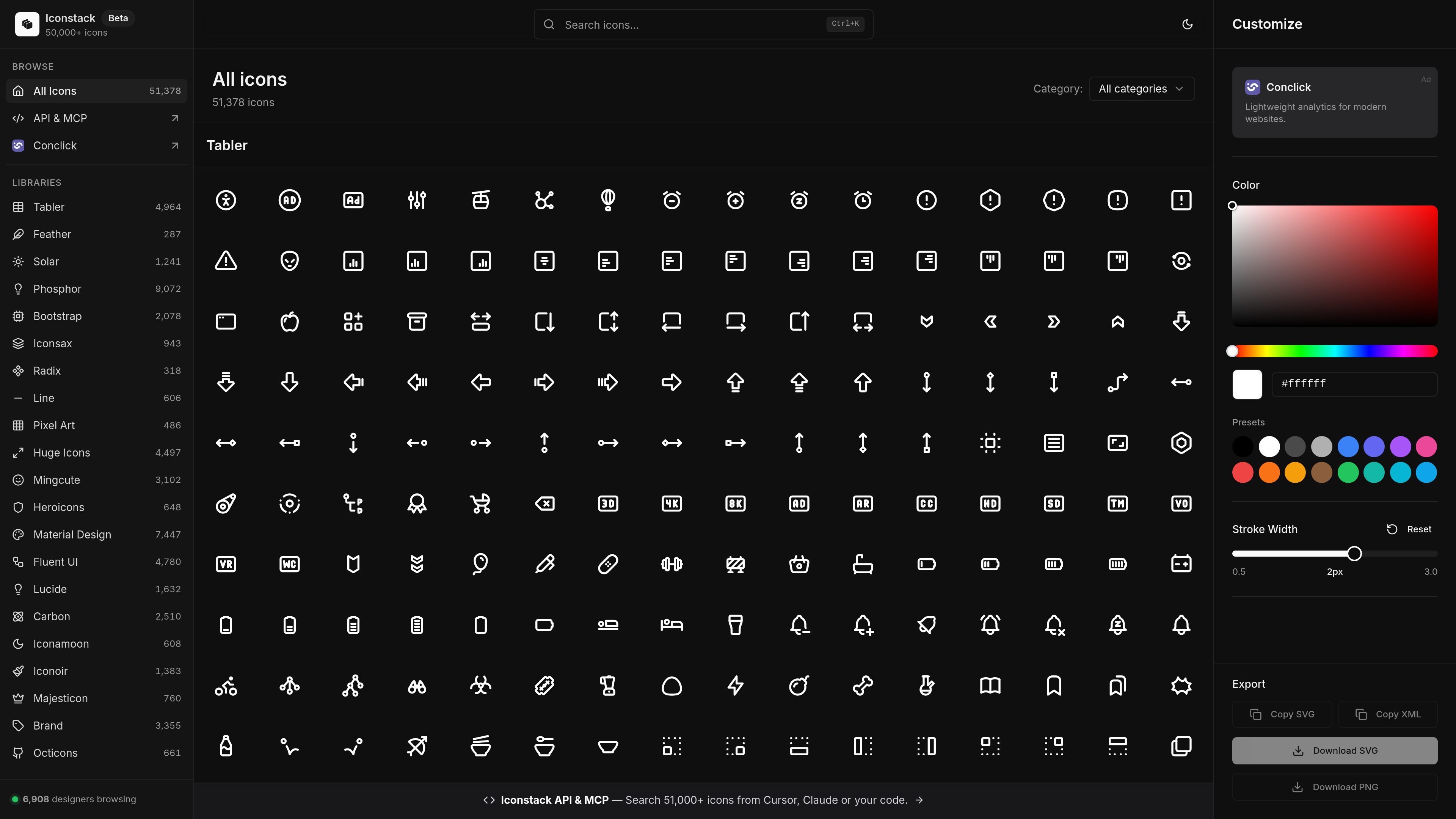
Iconstack is a free SVG icon search and download service built around a catalog of more than 50,000 icons from multiple open icon libraries. It combines a browser interface for browsing and customizing icons with a public API and MCP server for developer workflows.
The site is positioned for both visual exploration and programmatic use: users can search by query, filter by library or style, change color and stroke width, and download or copy icons in common formats. The API page also shows direct support for Cursor, Claude Desktop, and Windsurf through the hosted MCP endpoint.
Search across more than 51,000 icons with filters for library, category, style, limit, and offset, making it easier to narrow down a specific icon set or visual treatment.
Browse a large collection drawn from libraries such as Material Design, Tabler, Phosphor, Lucide, Remix, Bootstrap, Feather, and others listed on the homepage.
Adjust icon color and stroke width before export, which helps when matching an icon to an existing interface or design system.
Export or copy icons as SVG, PNG, or XML from the web interface, and fetch raw SVG or JSON responses from the API.
Use the hosted API or MCP server from tools such as Cursor, Claude Desktop, and Windsurf to search and paste icons into code without a separate local setup.
Work with a no-auth, CORS-enabled endpoint that the API page describes as free forever, with no API key required for the public search endpoint.
Find an icon by name or concept, then narrow results by library, category, or style to get the exact asset you need.
Adjust color or stroke width in the web UI before exporting so the icon better fits an app, website, or design system.
Use the API or MCP server from an AI editor or coding client to locate an icon and insert its SVG directly into source code.
Fetch JSON search results or raw SVG from endpoints when you need icons in a script, build pipeline, or internal tool.
Iconstack provides a hosted icon search experience and an API/MCP endpoint for developers and AI tools. The homepage also presents the product as a browser-based icon library with search, customization, and export options.
The public pricing route currently returns a 404-style page, so the source does not confirm a paid plan or detailed pricing structure. The homepage and API page describe the icon library and API as free to use.
The homepage shows download and export options for SVG, PNG, and XML, while the API page documents JSON search results and raw SVG retrieval through specific endpoints.
The API page says the hosted MCP server can be used from Cursor, Claude Desktop, and Windsurf through the mcp-remote proxy, and the homepage also mentions Cursor and Claude.
The API page describes a public JSON API with search parameters such as query, library, category, style, limit, and offset, which is useful for programmatic icon lookup and embedding in code.

PixelDrive is a bulk image generation API for on-brand images from one template via browser editor, REST API, CSV batch, or MCP.

Napkin AI turns text into editable visuals for presentations, documents, and shareable content. Text-first generation, collaboration, and export to PPT, PNG, SVG, or PDF.

Refero MCP for AI agents connects an MCP-compatible agent to Refero’s curated library of web and iOS product interfaces and user flows. It helps agents research real design patterns before generating UI, with access included in the Refero Pro plan.

Frames helps you create launch posters and social media marketing graphics fast with premium device frames and templates for Instagram, Twitter, and Product Hunt. Free to start.

GPTIMG2 AI is a web-based image generator built on OpenAI’s GPT Image 2 model, with prompt-driven creation, reference edits, readable text, and higher-res outputs.

TapNow is a web-based AI visual creation platform for businesses, creators, and teams with image and video generation, editing, planning, and collaboration tools.