
Four ways to add documents
Use the camera, photo library, Files picker or another app's share sheet to send a photo, screenshot, PDF or document to Invited.

Invited turns dates in bills, cheques, invitations and PDFs into reminders on iPhone and Android, with review before saving and no account required.
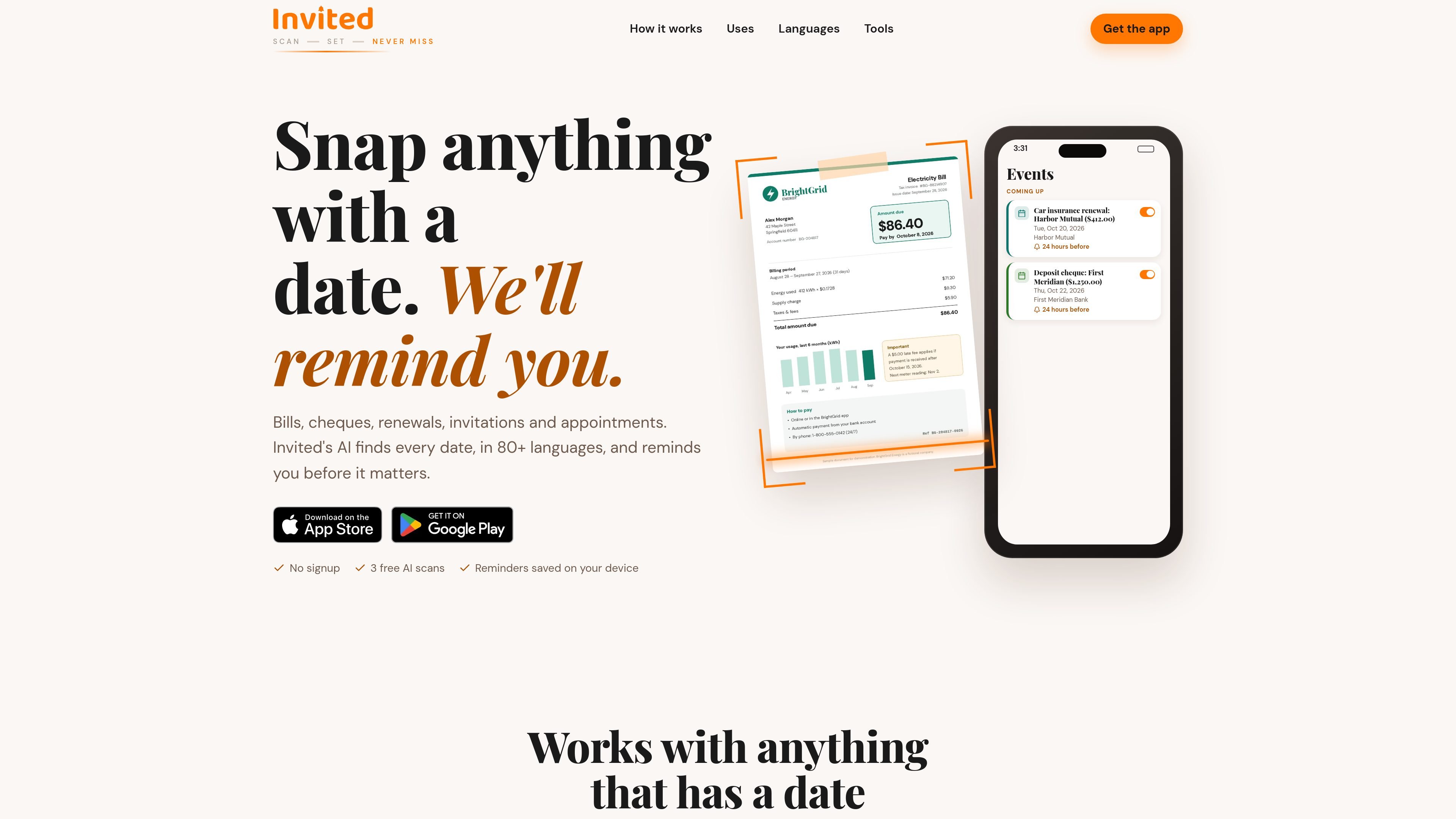
Invited is a document-to-reminder app for iPhone and Android. It reads dates from bills, cheques, invitations, renewals, appointments, tickets, warranties and other documents, then turns the dates into reminders before they occur.
The workflow is designed to reduce manual entry: add a photo, screenshot, PDF or shared document, review the dates and related details that the AI finds, and save the reminders you want. Invited can identify several dates in one document, supports more than 80 languages and understands nine calendar systems. It does not require an account, and saved reminders remain on the device.
Use the camera, photo library, Files picker or another app's share sheet to send a photo, screenshot, PDF or document to Invited.
The AI identifies dates, times, places and amounts in documents written in more than 80 languages and interpreted across nine calendar systems.
A single source can produce several reminders, including multiple functions on an invitation or both a payment deadline and late-fee date on a bill.
Review detected details before saving, remove unwanted entries, correct errors, add a reminder manually, or save all extracted events.
Choose a default notification lead time of 1 hour, 6 hours, 12 hours, 24 hours or 2 days, then change the timing for individual reminders.
Open a saved reminder to edit its details, change the reminder time, share it or delete it. Reminders are stored on the device.
Scan an electricity or utility bill to capture the payment deadline and, where listed, a separate late-fee date. Review the amounts and dates before saving.
Capture an invitation containing several functions and create a separate reminder for each ceremony, party or conference session rather than entering them one by one.
Import an insurance renewal, subscription notice, warranty card or license document to keep its renewal, charge or expiry date in a reminder list.
Use a photo, PDF or shared ticket to retain travel dates, departure times, places and other detected details before a flight or appointment.
Scan a cheque or related document to set a reminder for depositing it before its usable period ends, then adjust or add details manually if needed.
No. Invited does not require an account or email signup. Open the app and scan a document, or create a reminder manually.
You can use the camera, choose a photo or screenshot from your library, select a PDF or document from Files, or share a document to Invited from another app.
Invited provides three free AI scans. After those are used, you can continue creating unlimited reminders by hand for free. Invited Pro provides unlimited AI scans and more; its current price is shown in the App Store and Google Play.
The AI identifies dates, times, places and amounts, and you review the results before saving them. A single document can produce multiple reminders, such as a bill's due date and late-fee date or each event listed on an invitation.
Reminders are saved on your device. The document you scan is sent securely to an AI service for reading, and the product warns that AI can make mistakes with dates, times and payment locations, so results should be checked before saving.

Parse is Cohere’s document parsing model for enterprise documents, tables, and images. It converts unstructured content into structured, AI-ready data for search and agent workflows.

nolainocr is an AI OCR tool that extracts structured data from PDF invoices, receipts, forms, contracts, and bank statements into Excel, Google Sheets, JSON, or CSV.

Letra is a macOS Sonoma 14+ menu bar OCR tool that copies text from screens, videos, PDFs, images and screen shares, with on-device OCR and QR decoding.
司马阅 is an AI document agent platform for enterprises, turning scattered document knowledge into structured capabilities for Q&A, search, writing, and review.

Capso is a native macOS screenshot and screen recording app for capturing, annotating, recording, and extracting text from screen content. Free forever, open source, and an alternative to CleanShot X.

KlutterAI is an AI expense tracker for iOS and Android to capture receipts, organize spending, track budgets, surface recurring charges, and export reports.