
Photo-to-content generation
Turn uploaded product photos into videos or images without starting from scratch. The home page and create page both emphasize photo-based generation as the main workflow.

Magic is a web-based AI tool for creating product videos and images from uploaded photos, built for e-commerce brands, creators, and marketers.
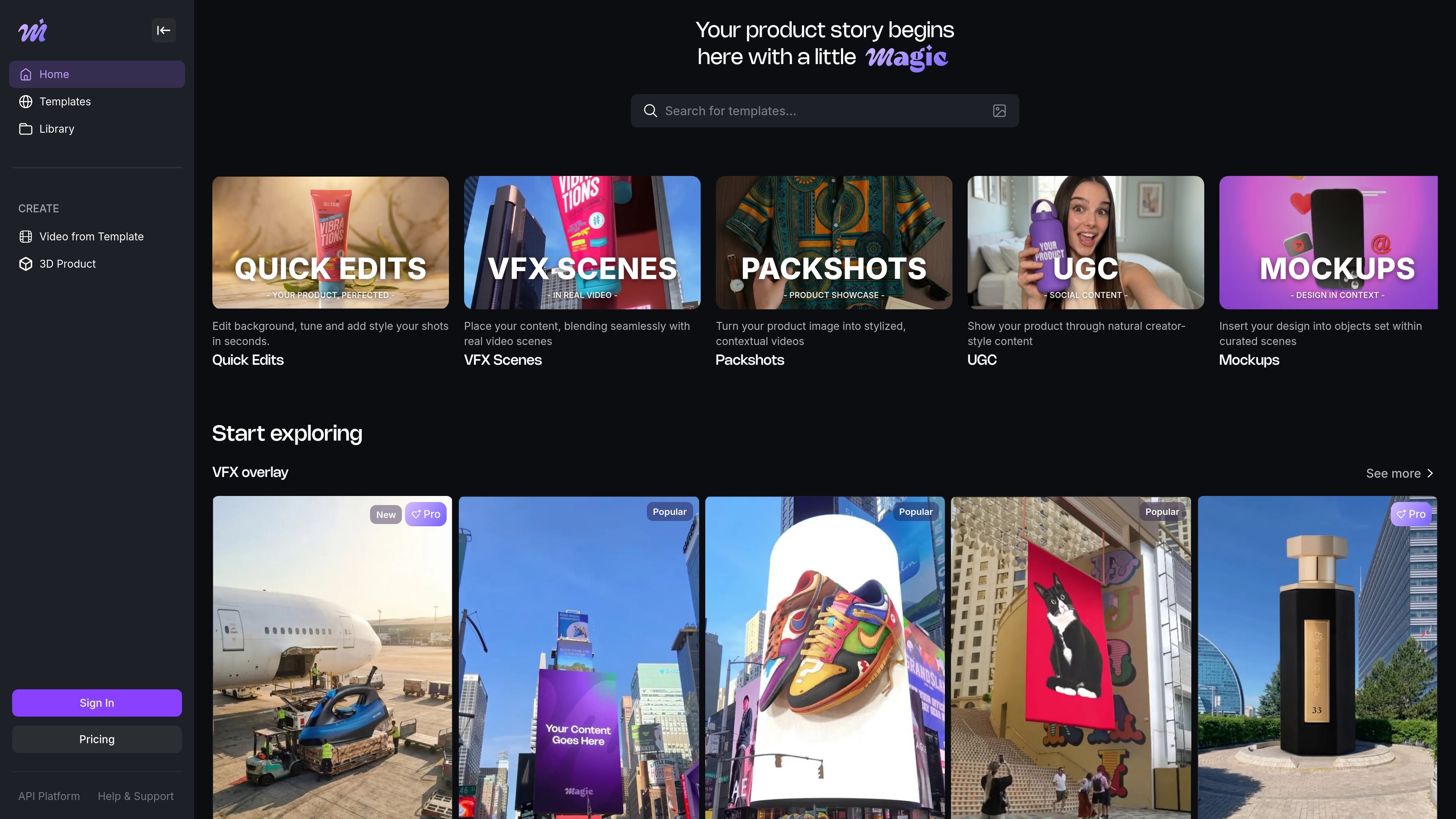
Magic is a web-based AI tool for creating product videos and product images from uploaded photos. The homepage positions it as a way to make professional-looking marketing assets without filming, while the create page shows a workflow centered on templates, photo uploads, and generation.
The product is aimed at e-commerce brands, creators, and marketers who need content for ads, social posts, and marketplace listings. The site also surfaces an image-to-3D path and a library/account area, and its pricing page shows free, Pro, and Business plans with higher-tier features for heavier usage.
Turn uploaded product photos into videos or images without starting from scratch. The home page and create page both emphasize photo-based generation as the main workflow.
Pick from template categories such as VFX overlay, Packshot, Mockup, UGC videos, Quick edits, and Drone show. The templates page also exposes themed options like Background Remover, Studio White, and 3D text animated.
Create assets intended for social and commerce channels, including Instagram Reels, TikTok videos, Amazon listings, and Facebook ads. The site positions the output for product marketing rather than general-purpose editing.
Use the image-to-3D workflow shown on the create page to transform product imagery into 3D-style content. The site surfaces this as a separate creation path alongside templates.
Work from an account-backed library and sign-in flow. The library page shows login with Google or email, which suggests saved work is tied to user accounts.
Choose between free and paid plans with different credit allotments and output limits. The pricing page shows 720p watermarked output on Free and Full HD, no watermark, and download/share on paid plans.
An e-commerce operator can upload product photos and generate short marketing videos or images for store pages, promotions, and campaigns without arranging a shoot.
A social media manager can use the template gallery to create content for Instagram Reels or TikTok, starting from a format that fits the channel instead of building every asset manually.
A marketplace seller can use the product-focused workflows to prepare imagery for Amazon listings and similar product pages, where polished presentation matters more than live-action filming.
A brand team can explore VFX overlay, packshot, mockup, UGC, and quick-edit templates to match different creative directions or product categories.
A higher-volume team can use Business plan features such as API access, concurrent renders, and custom templates to manage more content production at once.
Magic is a web-based AI product video and image creation tool. You start from uploaded product photos or a template, then generate assets for marketing use cases such as social posts, ads, and marketplace listings.
The source pages show a photo-to-video workflow, a template-based workflow, and an image-to-3D option. On the create page, users can choose a template, upload a file, and generate content.
The pricing page lists a free plan with 30 one-time credits, a Pro plan at $28 per month, and a Business plan at $149 per month. Paid plans include features such as Full HD resolution, watermark removal, and download/share options, depending on the plan.
The source pages indicate Magic is used for product videos, product images, and social media or ad content. The templates page specifically mentions Instagram Reels, TikTok videos, and Amazon listings.
The library page shows account sign-in, which suggests account-based usage. The pricing page also mentions Business features such as concurrent renders and dedicated support, indicating team-oriented capabilities on higher plans.

VIDEOAI.ME is an AI video generator for spokesperson videos, ads, explainers, and social content from a script without filming.

Topview AI is a web-based AI video creation platform for social ads, ecommerce creatives, avatar videos, and short drama workflows.

DANCING CATS App turns cat photos into dancing kitty clips. Simple, focused, and easy to use for playful pet-image edits.

Official HeyGen API docs for AI avatar videos, video translation, lipsync, and interactive video-agent sessions via API, MCP, and CLI workflows.

艺映AI is a free AI video creation tool for text-to-video, image-to-video, and video-to-video creation for short social and promo clips.

PicCopilot is an AI content platform for e-commerce that turns product photos into marketing visuals, model shots, videos, and social content with free and paid plans.