
Two generation modes
The product offers two AI engines: Fast for speed and efficiency, and Advanced for more precise and creative output.

MagickPen is an AI writing tool for drafts, templates, and polished text from a topic prompt, with customizable roles, languages, tones, and formats across Web, Chrome, Windows, and Mac.
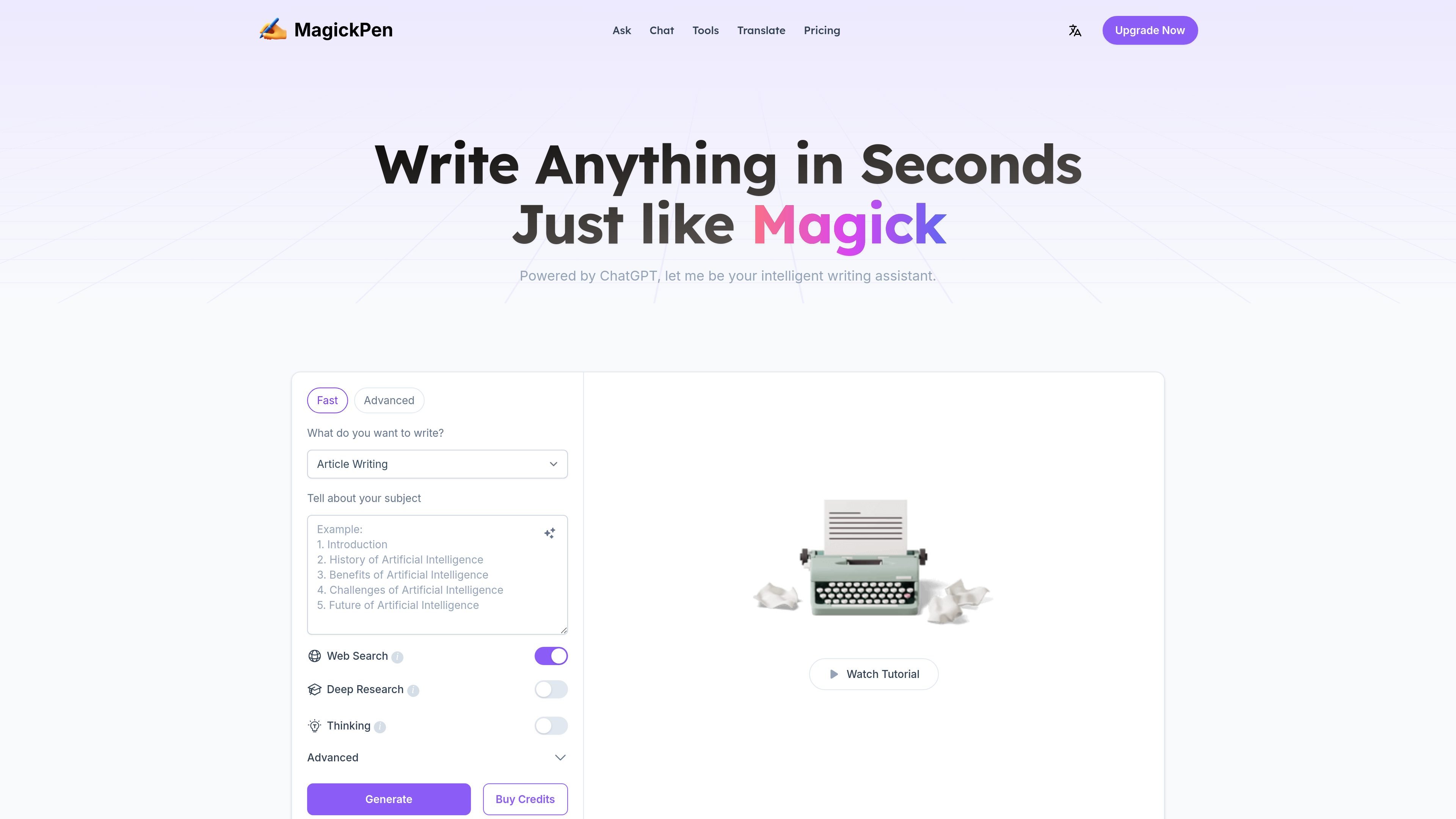
MagickPen is an AI writing tool built around a guided prompt workflow: you describe what you want to write, choose supporting settings, and generate text in seconds. The site positions it as a general-purpose assistant for writing tasks such as articles, papers, reports, stories, ads, jokes, translation, grammar checking, and code repair.
The product emphasizes configurable output. Users can choose a role, language, tone, length, format, and publish target, and can switch between a Fast engine for speed and an Advanced engine for more precise or creative results. The site also highlights a library of 90+ templates and availability across Web, Chrome, Windows, and Mac.
The product offers two AI engines: Fast for speed and efficiency, and Advanced for more precise and creative output.
Users can combine roles, languages, publish targets, tones, lengths, and formats to shape the result before generating text.
The interface supports a subject prompt workflow: enter a topic, choose options, and generate content in seconds.
The site offers 90+ templates covering writing, education, lifestyle, and creativity use cases, with examples such as article writing, article outline writing, article polishing, article continued, title generation, and summarization.
MagickPen says it works across Web, Chrome, Windows, and Mac, so the same writing workflow can be used on multiple platforms.
Pricing and feature pages mention free trial access without login, support for web search on paid plans, and continuous generation.
Use MagickPen to turn a rough topic into a first draft when you need structured output quickly. The role, tone, length, and format controls make it useful for creating a draft that matches a specific assignment or audience.
Use the template library for tasks like outlines, title generation, polishing, continuation, and summarization when you already have text and need help shaping it. These templates support more targeted editing than a blank-page workflow.
Use the role and language controls when you need content adapted to a different speaker, audience, or language. The site explicitly lists many roles and multilingual language options, which makes it suitable for localized or persona-based writing.
Use the product for lightweight writing support beyond long-form drafting, such as ads, jokes, translation, grammar checks, and code repair. The site presents these as supported output types rather than separate products.
Use the paid plans when you need features such as web search, continuous generation, or higher word limits per generation. The pricing page positions these options for heavier writing workflows.
MagickPen is an AI-powered writing tool that can generate articles, papers, reports, stories, ads, and jokes. The source also says it includes translation, grammar check, and code repair functions.
Yes. The site says MagickPen offers 10 trial credits per day for free accounts without requiring login.
Free accounts are limited to 500 words per generation. The pricing page says paid accounts can generate up to 3,000 words per use and include access to exclusive customer service.
You can buy credits from the Buy Credits button near Generate or choose a plan on the Pricing page. The site lists payment methods including credit card, PayPal, Apple Pay, Google Pay, Alipay, and WeChat Pay.
The site says students or teachers with an edu email can request a 40% education discount by emailing support.

ProWritingAid is a writing assistant for storytellers with grammar checking, style editing, paraphrasing, and story analysis in popular writing apps.

Dictro is a private AI dictation app for Mac that turns speech into polished text in any editable app. Runs locally on Apple Silicon Mac by default, with optional Fast Mode.

PaperBetterAI is an intelligent writing tool that generates academic papers and various writing materials in both Chinese and English using advanced AI technology.

心流AI助手 for real-time Q&A, long-form summaries and writing support, covering everyday knowledge, life info and academic paper topics.

Goldfish is an AI memory app for macOS that helps you reply, write, summarize, and continue with context already on your Mac. It stores memory locally and writes in your tone.

An All-In-One AI Platform that combines tools for image, video, voice, writing, and chat to enhance creativity and collaboration.