
Voice typing across apps
Speak into any active text field and press Fn again to finish; MosMos converts the recording into text and inserts it without requiring manually dictated punctuation.

MosMos is a voice-to-text tool for macOS 15+ that adapts speech to chats, email, documents, code and terminal workflows, with meeting transcripts, takeaways and to-dos.
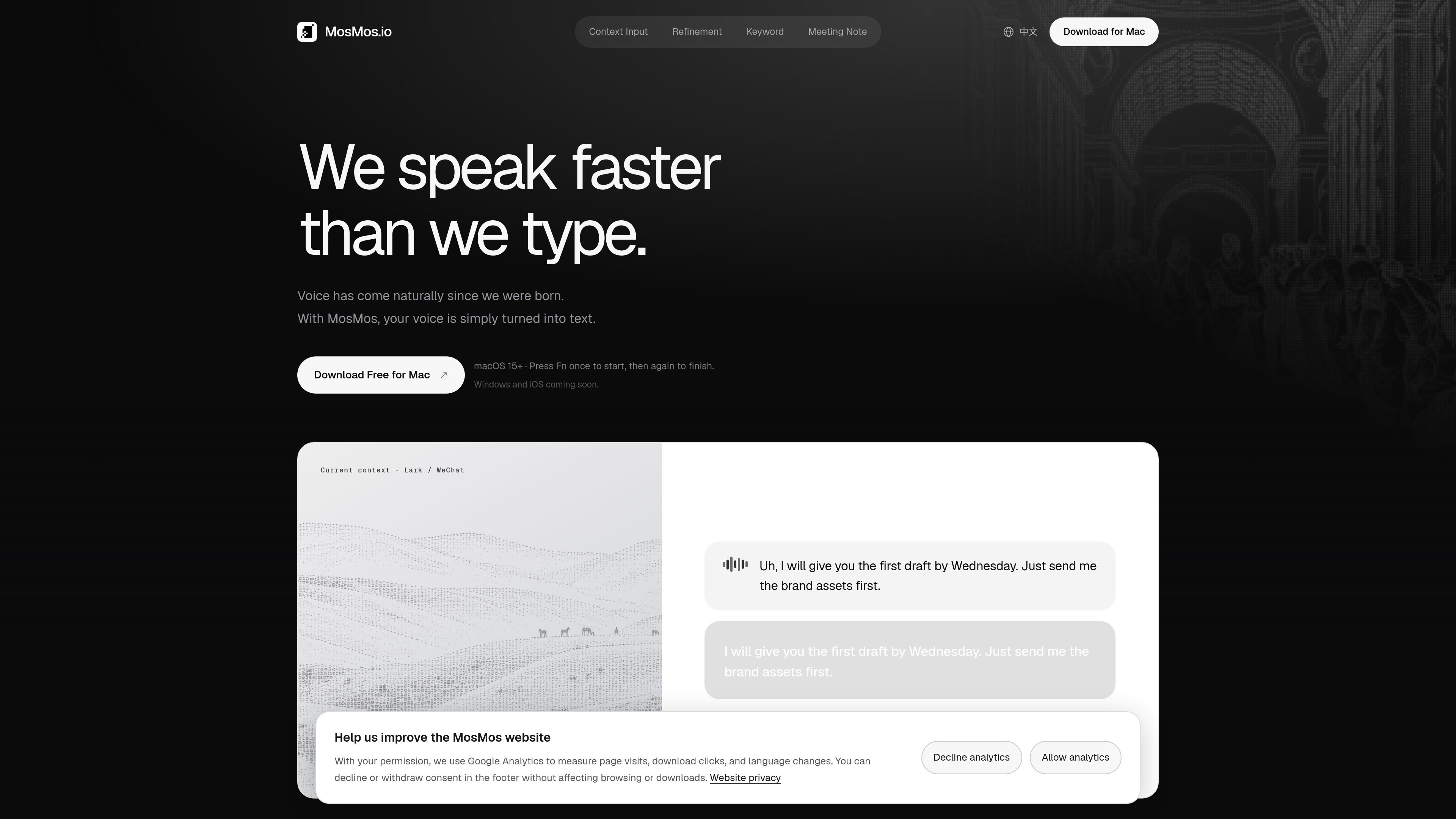
MosMos is a voice-to-text productivity tool for turning natural speech into text in active text fields. It is designed for chats, emails, documents, and terminal workflows, allowing users to speak rather than compose every sentence by keyboard.
The product combines transcription with context-aware writing styles and selectable refinement. It can preserve spoken wording, improve grammar and flow, or create a shorter draft, while custom keywords help protect names and specialized terms. A separate meeting mode records continuously, identifies speakers, and organizes the result into a transcript, key takeaways, and to-do items.
Speak into any active text field and press Fn again to finish; MosMos converts the recording into text and inserts it without requiring manually dictated punctuation.
MosMos adapts writing style to the current scenario, with examples on the site including Lark, WeChat, email, documents, code, and terminal workflows.
Select Basic to preserve the original wording, Standard to improve grammar and flow, or Advanced to produce a concise draft.
Add English proper nouns, homophones, and names to a custom vocabulary so they are recognized and preserved during refinement.
Use Fn + Shift to continuously record a meeting, identify speakers, preserve the transcript, and generate key takeaways and to-do items afterward.
The workflow uses keyboard shortcuts: Fn starts and ends voice typing, while Fn + Shift starts meeting recording.
Speak a message directly into a chat or collaboration tool, then let MosMos adjust the wording to suit the selected context before insertion.
Draft emails and documents verbally when keyboard composition is slower, choosing whether to retain the spoken phrasing or produce a more polished version.
Use the voice workflow in coding and terminal contexts where context-specific writing style can help turn spoken instructions or notes into text without leaving the active app.
Record a meeting with Fn + Shift and use the resulting speaker-separated transcript, key takeaways, and to-do items as a follow-up record.
Add recurring names, product terms, or easily confused words to the custom vocabulary when accurate recognition matters during refinement.
MosMos is used by clicking into a text field, pressing Fn once to start speaking, and pressing Fn again to finish. It then applies the selected context and refinement settings before inserting the text.
The site lists macOS 15+ as available. Windows and iOS are shown as coming soon.
You can choose among Basic, Standard, and Advanced refinement. Basic keeps the wording as spoken, Standard improves grammar and flow, and Advanced rewrites it as a concise draft.
MosMos can use the current context, including examples such as Lark, WeChat, email, documents, code and terminal, to adapt its writing style. The site does not provide a complete integration list.
Pressing Fn + Shift starts meeting recording. MosMos transcribes continuously, identifies speakers, and produces a meeting summary and to-do items when the meeting ends.

SpeakoFlow is a free, open-source desktop voice-to-text app for Windows, macOS, and Linux. Dictate into any app, use Flow, cleanup, translation, and a screen-aware assistant.

QuickQuill is a local-first macOS dictation and transcription app to record meetings, summarize audio, and export notes without the cloud.

Zen Whisper is a local-first dictation and transcription app for Apple Silicon Macs on macOS 14+. Dictate into most Mac text fields and transcribe media or supported public links across 110 languages.

Speech to Text Converter is a browser-based transcription tool for live dictation and uploaded audio or video files. Free for short tasks, Pro offers unlimited transcription, AI summaries, translation, speaker ID, and advanced exports.

CAKIE is a Mac app for recording your screen and voice for an AI agent, with transcripts, screenshot highlights, and easy prompt copying.

Sanota turns spoken memories and interviews into clear written stories for personal storytelling, family history and shared memories, with guided prompts and subscriptions.