
Music and synced lyrics
Keep playback controls, album artwork, and synced lyrics visible in the notch for supported tracks in Spotify and Apple Music. Automation permission is required for playback controls.

NotchPit is a native macOS utility for Apple Silicon Macs with music controls, synced lyrics, prayer times, calendar events, and 50 extensions in the Mac notch.
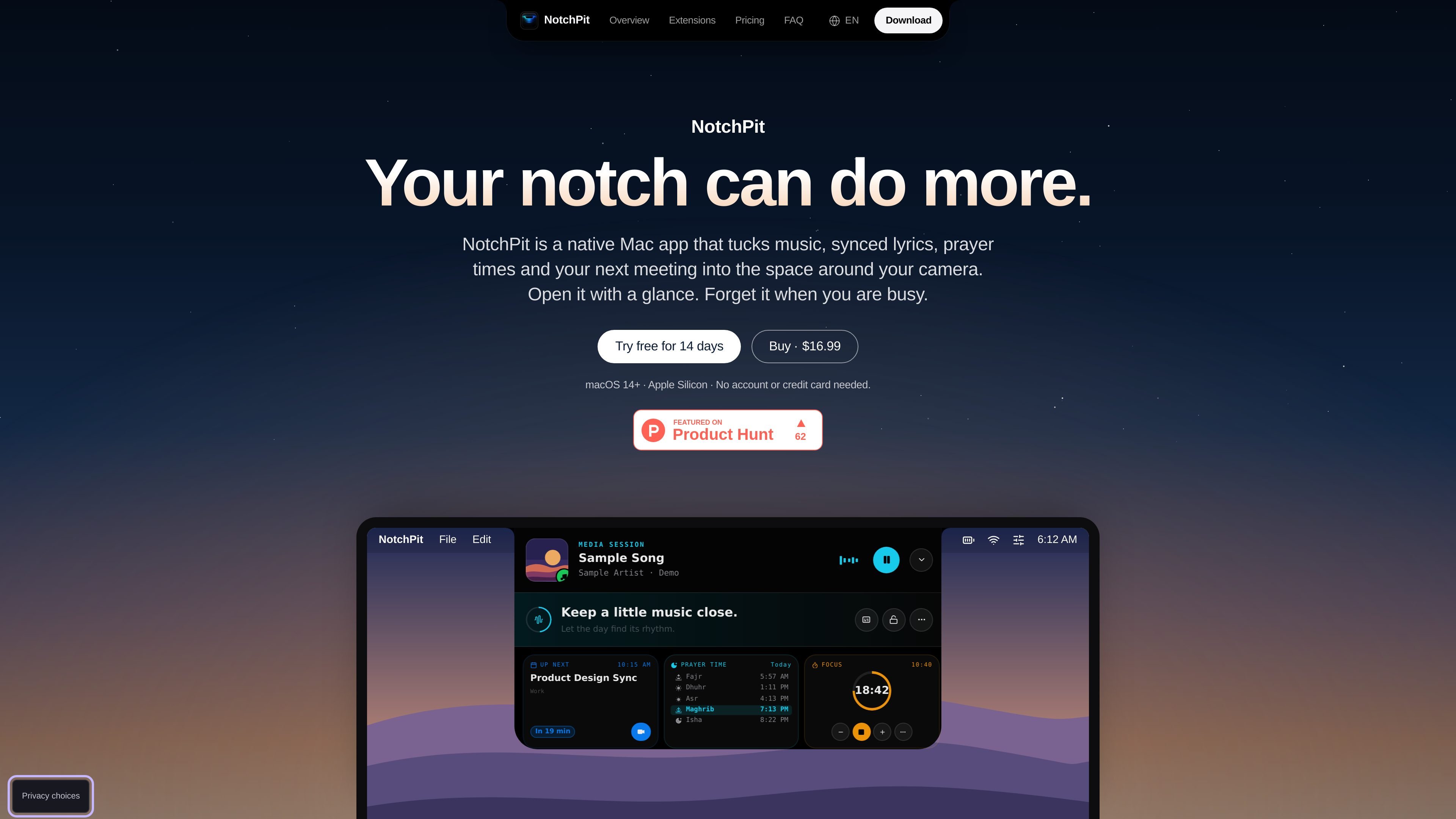
NotchPit is a native macOS utility that places music controls, synced lyrics, prayer times, calendar events, and other small tools in the space around a Mac's camera notch. It is designed for glanceable information and quick actions without opening a separate window.
The app includes 50 extensions, which users can enable, hide, and reorder. Alongside media and prayer features, the collection includes local notes and reminders, focus timing, clipboard history, system information, OCR, file handling, translation, and other utilities. NotchPit requires macOS 14 or later on Apple Silicon.
Keep playback controls, album artwork, and synced lyrics visible in the notch for supported tracks in Spotify and Apple Music. Automation permission is required for playback controls.
View the day's prayer timetable with the next prayer highlighted. Sources vary by location: solat.my/JAKIM for Malaysia, MUIS for Singapore, and AlAdhan elsewhere.
Enable alerts for selected prayers, play a chosen recording, and automatically pause playing music during the alert. Built-in recordings and custom audio files are supported.
Show the next Calendar event and its meeting link in the notch, with optional calendar access.
Use a collection of extensions including a focus timer, local reminders, clipboard history, Qibla, system monitoring, OCR, quick launch, notes, file shelf, translation, and developer utilities.
Place the music player and today's prayer times on the lock screen, with controls such as skipping tracks, changing volume or output, and setting album art as wallpaper without unlocking.
Keep artwork, playback controls, and available lyrics visible while working, without opening a full music window.
Check the day's timetable and receive an optional adhan alert at selected prayer times. The alert can pause music and use a built-in or custom recording.
See the next calendar event and its meeting link in the notch, then use the link when it is time to join.
Use a focus timer, local reminders, clipboard history, quick notes, OCR, or file shelf for short tasks that benefit from staying close to the current workflow.
Use Qibla, Quran, Kamus, system monitoring, developer utilities, sports information, or other optional extensions only when needed, while hiding the rest.
NotchPit requires macOS 14 or later and an Apple Silicon Mac. Download the DMG, drag the app into Applications, then right-click it and choose Open the first time because it is distributed outside the App Store.
All extensions are unlocked during the 14-day trial. A one-time license is required to keep using them after the trial ends; there is no subscription.
Music playback controls support Spotify and Apple Music, but Automation permission is required. Lyrics are shown when they are available for the track. Calendar access is optional, while notes and tasks remain on the Mac.
Prayer schedules use solat.my/JAKIM in Malaysia, MUIS in Singapore, and AlAdhan elsewhere. Fetching schedules requires internet access. The app must be running with Prayer enabled for adhan alerts, although a downloaded recording can play offline.
You can request a full refund within 14 days of purchase by emailing the contact address from the order email and including the license key plus the toyyibPay bill code or Polar order number. The license is deactivated when the refund is issued.

Goldfish is an AI memory app for macOS that helps you reply, write, summarize, and continue with context already on your Mac. It stores memory locally and writes in your tone.

ArtDeck is a visual reference board app for iPhone, iPad, and Mac. Collect mixed references on one canvas and study them with ToolBox lenses. Offline, optional iCloud sync, one-time purchase.

Biji is a versatile platform designed to enhance productivity through innovative tools and features.

Malyatko is a baby tracker for feeding, sleep, growth, teething, and milestones. Use it on iPhone, Apple Watch, and widgets offline, with iCloud sharing.

Redline is a budgeting tool for Claude Code that paces sessions by time, tokens, cost, or plan percentage, helping them end with a usable result.

Claude Overlay is a Windows desktop overlay for Claude Code that reads your screen, so you can ask questions, inspect content, and request edits without leaving the app. Uses your existing Claude subscription via Claude CLI.