

Noty.ai
Noty.ai is an AI meeting assistant that transcribes meetings, generates summaries, and creates action-oriented to-dos with deadlines and assignees.
What is Noty?
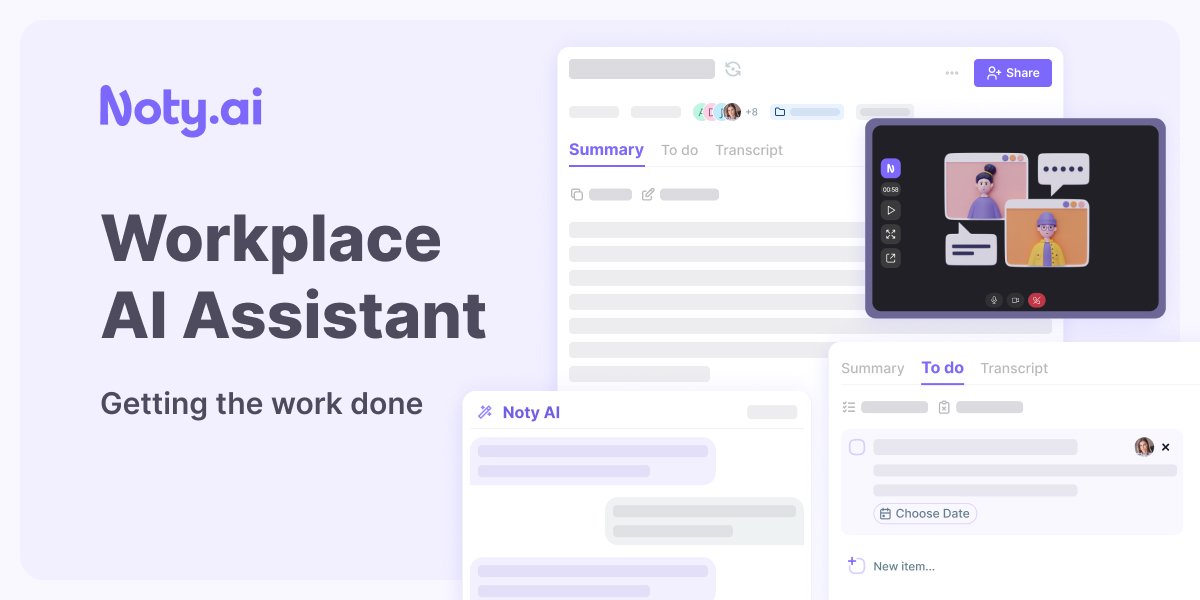
Noty.ai is an AI meeting assistant that turns live meetings into structured outputs—automatic transcriptions, meeting summaries, and work-related to-dos. Its core purpose is to capture what was discussed and convert it into actionable next steps so teams don’t lose tasks, deadlines, or key decisions.
Noty records real-time transcription during a meeting, then produces a post-meeting summary and extracts tasks such as deadlines and assignees. The workflow is designed to move information from discussion to execution by sending tasks into the user’s workspace and enabling follow-up on the transcript.
Key Features
- Live transcription during meetings: Noty records and displays real-time transcriptions so you can reference important moments and reduce the risk of missing details.
- Deadline, task, and assignment detection: Noty detects key tasks, deadlines, and who they’re assigned to during the meeting, converting them into to-do items.
- Post-meeting summaries: After the meeting, Noty generates a summary with key details that’s ready to share.
- Transcript review and collaboration: You can review and edit the transcript, leave comments, or chat with Noty to find information you need.
- Task approval and sending to assignees: Users can review, approve, and send generated tasks via email so assignees can start promptly.
- Task organization and progress tracking: Noty helps track task progress and confirm deadlines to support accountability and follow-through.
How to Use Noty
- Start a meeting with Noty so it can capture and display real-time transcription.
- Use the live transcript during the session to highlight key moments or add clarifications.
- After the meeting, review Noty’s generated summary and the captured transcript.
- Approve tasks extracted from the meeting (including deadlines and assignees), then send them to assignees via email.
Use Cases
- Project team follow-through: After weekly planning or status meetings, generate task lists from discussions, ensure deadlines are identified, and confirm owners so work doesn’t stall.
- Reducing post-meeting admin: Use the post-meeting summary and transcript to handle follow-up work faster, especially when you need to share what happened with others.
- Clarifying decisions and details: Search within the transcript and use Noty to find specific information discussed during the meeting, then leave comments during review.
- Accountability for recurring meetings: Track action items and task progress across meetings to help teams stay on schedule.
- One-on-one or cross-functional alignment: Turn discussions into actionable to-dos by capturing tasks and their assignees, then sending them immediately after the meeting.
FAQ
-
How many languages does Noty.ai support? The provided page includes a question about languages but does not list supported languages. Check Noty’s FAQ for the current language support details.
-
How accurate is Noty meeting transcription? The provided content shows a transcription accuracy question but does not provide a specific accuracy metric. Refer to the FAQ section for the latest details.
-
Who can use Noty? The page includes a “Who can use Noty?” FAQ item, but no eligibility details are shown in the provided text.
-
What integrations are available? An FAQ item asks about integrations, but the provided content does not specify which integrations are supported.
-
Does Noty have storage or email limitations? The page includes a question about storage or email limitations, but no limits are provided in the supplied content.
Alternatives
- General-purpose meeting transcription tools: Tools focused primarily on transcription and summaries can capture what was said, but may not extract tasks with deadlines and assignees or send them as action items.
- Task management platforms with meeting plugins: Dedicated task tools can help organize to-dos and track progress, but may require manual conversion from meeting notes rather than automatically generating tasks from live discussion.
- Team note-taking and collaboration tools: Shared notes and comment threads can support review and alignment, but may not automatically detect tasks and assignments during meetings.
- Workflow automation for action items: Automation tools can route information from meetings into task workflows, but often depend on how meeting data is captured and may not include the same transcript-to-task extraction described for Noty.
Alternatives

Tactiq
Tactiq is an AI meeting assistant that provides live transcription, AI summaries, action items, and custom AI prompts for Google Meet, Zoom, and Teams.

Scripta
Scripta is a privacy-first AI notetaker that records, transcribes, and summarizes your meetings directly on your device, without requiring bot access.

Wendi
Wendi is an AI workspace for people managers—captures meeting context, generates summaries and leadership insights, and drafts HR-relevant follow-ups.

Voicenotes
Voicenotes is an AI note-taker that transcribes voice notes and meetings into text in 100+ languages—so you can review and reuse.

LIAM
LIAM is an AI copilot that drafts email replies, organizes your inbox with auto-labels and prioritization, and schedules meetings from your calendar.

garden-md
Turn meeting transcripts into a structured, linked company wiki with local markdown and an HTML browser view. Sync from supported sources.