
Bot-free meeting recording
Records the audio your Mac already plays and hears, without joining the meeting or appearing in the participant list. It can prompt you when a call app starts.
Parrot is a free, open-source AI meeting recorder and live assistant for macOS 14+ on Apple Silicon. Record, search, and act on calls without a meeting bot.
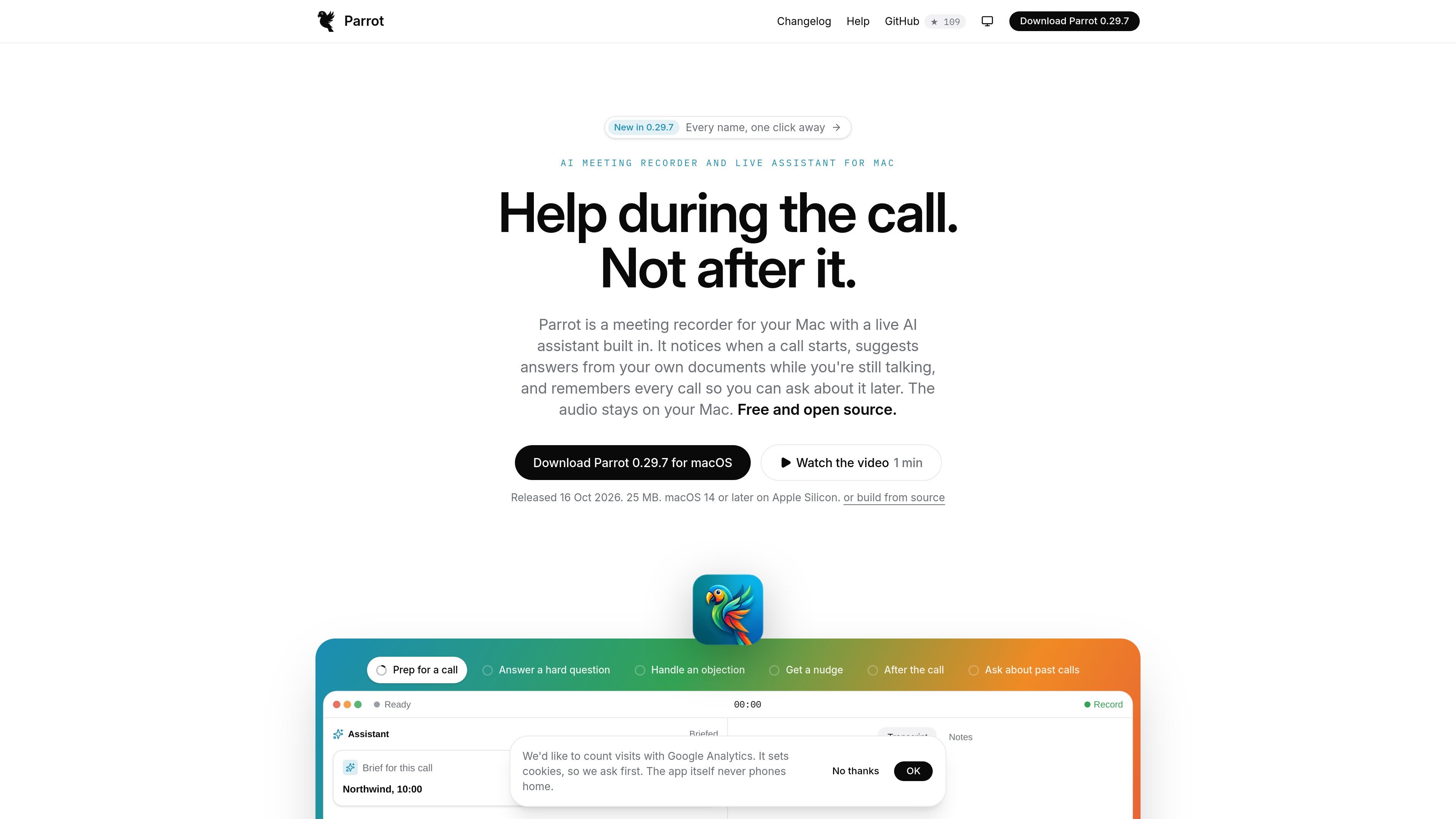
Parrot is a free, open-source meeting recorder and live AI assistant for macOS. It captures what the Mac plays and hears rather than joining calls as a bot, then transcribes meetings, detects speakers, and keeps calls available for later questions.
During a call, Parrot can use locally indexed PDFs, text files, and Markdown documents to suggest answers and cite their sources. Profiles tailor the assistant’s focus and post-call report to contexts such as sales discovery or interviews, while configurable local and cloud AI options let users choose how transcription and assistant processing are handled.
Records the audio your Mac already plays and hears, without joining the meeting or appearing in the participant list. It can prompt you when a call app starts.
Uses documents such as PDFs, text files, and Markdown as a local knowledge base. The assistant can quote sources, show where an answer came from, and answer questions during a call.
Runs transcription, speaker detection, document indexing, and embeddings on the Mac when local options are selected. Cloud transcription and assistant providers can be enabled separately.
Profiles define what the assistant watches for and how the post-call report is written. Built-in profiles cover call types such as sales discovery, interviews, one-to-one coaching, and investor updates; custom profiles can add rules, card types, and gauges.
Automatically detects or lets you choose the call language, identifies speakers on the Mac, and can remember names for future calls. Reports and assistant responses are written in the call language.
Makes meeting data available to connected apps including Claude Desktop, Claude Code, Codex, and Cursor through a read-only workflow. Search, follow-up drafting, call preparation, and profile suggestions are supported subject to sharing controls.
Load a pricing sheet, FAQ, or playbook before the call. Parrot can surface relevant excerpts and cite the source while the conversation is still happening.
Use a sales profile to watch for objections and buying signals, then review a report focused on budget, decision-makers, promises, and next questions.
Create an interview profile with its own report sections and scorecard so candidate conversations can be reviewed consistently after the call.
Connect the calendar to select profiles for particular event types and use on-device-only settings for calls that should not leave the Mac.
Ask Claude or another connected desktop AI app to search several calls, prepare for an upcoming conversation, draft follow-ups, or summarize commitments without modifying the meetings.
Parrot is designed for macOS 14 or later on Apple Silicon Macs. It records the audio your Mac plays and hears, so it can work with services such as Google Meet, Zoom, Teams, or a phone on speaker without joining the meeting as a bot.
No account is required. Download the macOS app, connect a calendar if you want profiles selected from events, and optionally add PDFs, text files, or Markdown documents for the assistant to use during calls.
Parrot can transcribe with Whisper or Parakeet on the Mac, or with supported cloud services when you enable them. Assistant processing can use local Ollama or configured providers such as Claude, OpenAI, Gemini, Groq, OpenRouter, or LM Studio; the app identifies what data each choice sends.
You can connect Parrot to Claude Desktop, Claude Code, Codex, Cursor, or another MCP-compatible app. After enabling AI-app access in Parrot, the connected app can search meetings, transcripts, reports, notes, promises, talk-time data, and profile information according to the sharing settings.
Parrot is free and open source under GPL-3.0. The supplied pricing page does not provide additional plan limits or paid pricing, so those details should be confirmed before publication if they become relevant.

QuickQuill is a local-first macOS dictation and transcription app to record meetings, summarize audio, and export notes without the cloud.

MeetStream is a meeting bot API for Zoom, Google Meet, Microsoft Teams, and Webex. Record, stream, and analyze meetings with usage-based pricing and $5 free credit.

Tactiq is an AI note taker for Google Meet, Zoom, and Microsoft Teams that transcribes meetings live into summaries, action items, and follow-up outputs.

Notewarp is an AI note-taking tool that turns voice notes, uploads, or pasted text into cleaner notes, transcripts, summaries, and action items.

Scripta is a privacy-first AI notetaker that records, transcribes, and summarizes meetings on your device. Mac beta download available; Windows waitlist.

Liam is an AI copilot for inbox management, email replies, prioritizing messages, and scheduling meetings. Free for individuals; custom pricing for teams and enterprise.