
Spatial canvases
Place notes, links, images, and files on a spatial canvas. Cards retain their positions, while each canvas remembers its own position and zoom.

put·here is a local-first spatial workbench for macOS to collect, connect, search, write, and research notes, links, images, and files on visual canvases.
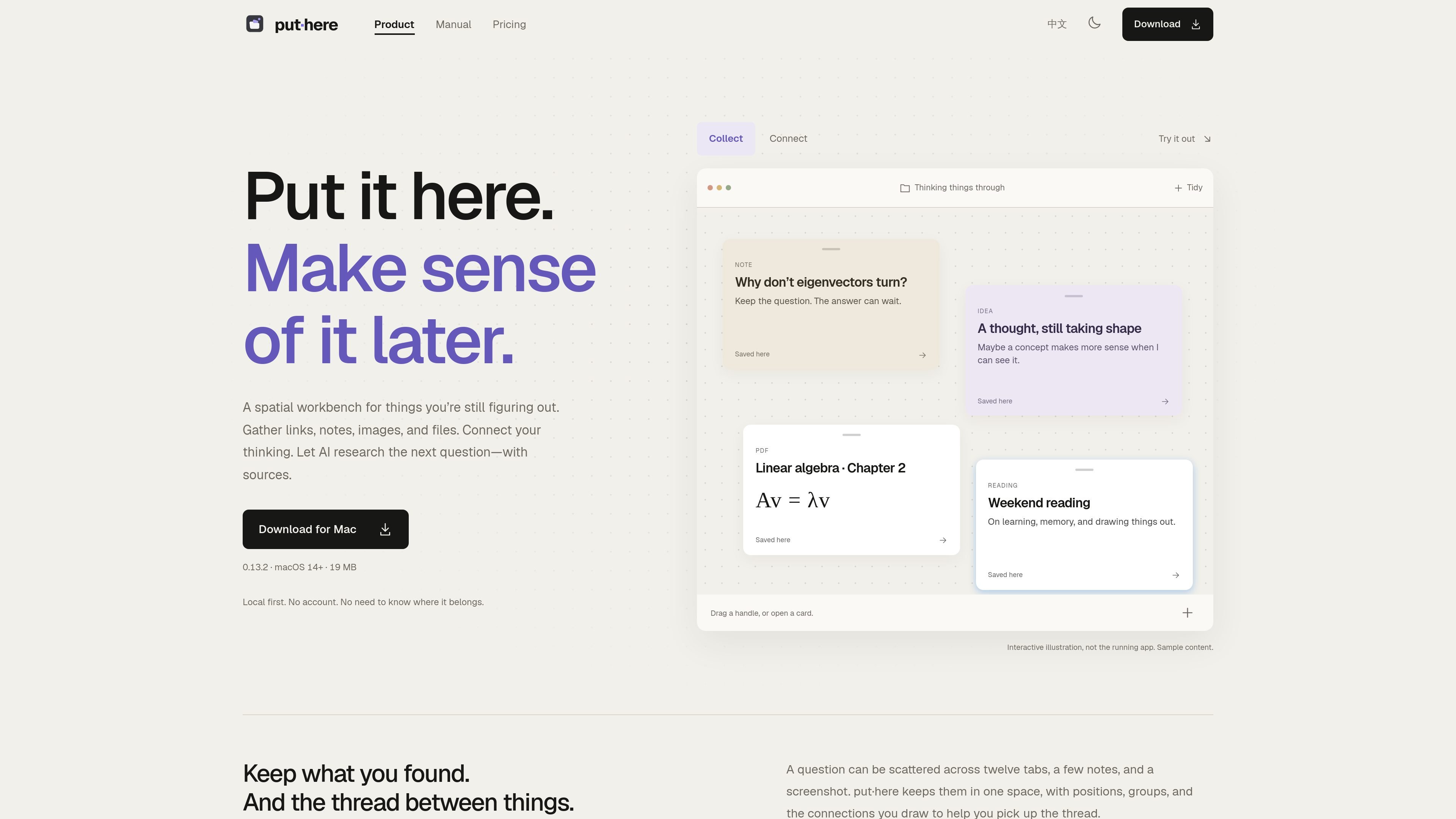
put·here is a local-first spatial workbench for Mac that helps you collect material before you know how it belongs together. It places notes, links, images, and files on canvases where position, groups, and manually drawn connections provide context.
Each canvas maps to a real Finder folder. Text is stored as plain Markdown, while images and other files keep their original formats, so the material remains accessible outside the app. Optional AI can organize related cards, search across canvases, or research a question with findings and sources in a separate workspace.
Place notes, links, images, and files on a spatial canvas. Cards retain their positions, while each canvas remembers its own position and zoom.
Paste or drag content into a canvas. Text becomes Markdown, URLs become link cards, and images and files remain in their original formats.
Open text cards in a block-based Markdown writing page with headings, lists, to-dos, quotes, callouts, code blocks, tables, and linked blocks.
Create groups manually or with AI Groups, rearrange them with Tidy Up, and turn a group into a separate canvas and Finder folder when needed.
Search cards on the current canvas by text or type, or use Search with AI across canvases by meaning. Results identify the matching canvas and explain the match.
Hand a question card to AI for web research using saved material. The resulting research workspace includes findings and sources, while your main canvas remains under your control.
Collect articles, screenshots, PDFs, and notes on one canvas, then connect related cards and preserve the trail between source material and emerging ideas.
Put a difficult question beside the notes and files that inform it. Hand the question to AI to investigate the web and return evidence-backed findings in a separate workspace.
Keep textbook chapters, explanations, equations, and visual references together on a spatial canvas, using Markdown cards and linked blocks to work through a concept.
Use canvases as lightweight project spaces for gathering working documents and decisions, with groups that can later be filed away as child canvases and folders.
No. put·here is free to download and use without an account. AI is optional, and usage is counted against an anonymous device ID when built-in AI is used.
put·here supports macOS 14 or later and runs on both Intel and Apple silicon Macs. The listed download size is 19 MB.
You can paste text, URLs, images, and files, or drag items from other apps. Text is saved as Markdown, while images and files retain their original formats. Each canvas corresponds to a Finder folder.
AI can use the material in a question card, research the web, and return findings with sources in a separate workspace. AI is optional; you can use the built-in allowance, your own API key, or a local model.
You can export a share bundle. Publishing a canvas to a hosted link currently requires an invitation code and is not part of the standard download experience.

Contextberg records your screen, input, browser, and AI agent history locally, then shares work context via MCP with Claude Code and Cursor for resumptions, search, and reviews.

recall is an AI flashcard app that turns reading and notes into study cards with Claude, ChatGPT, or another MCP client. One-time lifetime access with spaced repetition review.

Goldfish is an AI memory app for macOS that helps you reply, write, summarize, and continue with context already on your Mac. It stores memory locally and writes in your tone.

Flunkey is a voice-first productivity layer for Windows that turns speech into text, AI outputs, and remembered context without leaving your app.

Lasso is an ecommerce product data platform for enriching catalog records, processing supplier files, generating product content, and tracking competitors. It includes a web app, REST API, SDK, and MCP server.

ArtDeck is a visual reference board app for iPhone, iPad, and Mac. Collect mixed references on one canvas and study them with ToolBox lenses. Offline, optional iCloud sync, one-time purchase.