
Customizable workspaces
Create separate spaces for different areas of work or life, with nested workspaces, working-hours settings, and drag-and-drop app ordering.

Rambox brings web apps, accounts, and workflows into one organized desktop workspace, helping teams reduce browser-tab and notification clutter.
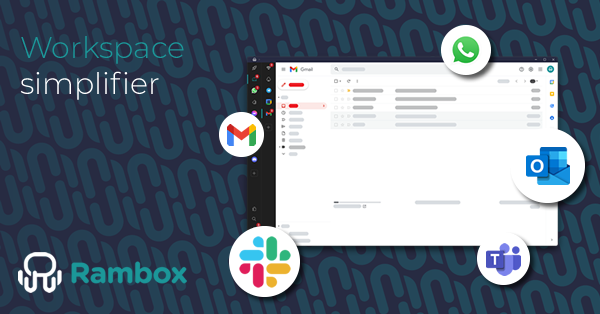
Rambox is a desktop workspace for bringing web apps, accounts, and workflows into one organized environment. It is designed for people who otherwise manage work across many browser tabs and separate app sessions, providing a single place to open services, search across supported apps, and control notifications.
The product combines customizable workspaces with session management and multi-login. Users can separate personal, client, or company contexts, run more than one account for the same service, and add both directory-listed tools and custom web apps. It is available on Windows, macOS, and Linux, with account synchronization for apps, workspaces, and configurations.
Create separate spaces for different areas of work or life, with nested workspaces, working-hours settings, and drag-and-drop app ordering.
Keep personal, client, and company accounts in separate environments, and use multiple accounts from the same service without repeatedly logging in and out.
Start with more than 700 listed apps or add web-based services as custom apps, then keep them alongside the rest of your workspace.
Use Focus Mode, per-app or per-workspace notification controls, quick search, shortcuts, in-app search, and app hibernation to reduce interruptions and resource use.
Adjust compatible apps with extensions, per-app or general proxies, JavaScript and CSS injection, custom user agents, link handling, and mobile view.
Protect the workspace with session lock, encrypted storage, data cleanup, isolated app environments, and synchronized configuration across devices.
Keep communication, project management, documentation, and file tools in one desktop environment instead of distributing them across browser windows and tabs.
Create separate workspaces and sessions for personal, client, or company accounts when one person needs to work across different organizations.
Run multiple accounts from the same service at once, which can reduce repeated sign-ins for users handling separate customer, team, or personal profiles.
Use Focus Mode, notification controls, and app muting during concentrated work periods while leaving selected services available in the workspace.
Give a team a predefined environment with centralized management, authentication options, billing, branding, and preinstalled workspaces.
Rambox is available for Windows, macOS, and Linux. You can install it on multiple computers; the Basic plan permits one active session, while Pro permits up to three active computers simultaneously.
Rambox includes a free Basic plan with unlimited apps and core productivity features. New accounts start with a 30-day Pro trial without a credit card; after the trial, you can continue on Basic or subscribe to Pro.
Rambox says it does not store credentials on its servers. Its listed security controls include encrypted storage, session lock, data cleanup, and isolated app environments.
Rambox includes a directory of more than 700 ready-to-use apps and supports custom web apps, so web-based tools that are not listed can also be added.
Rambox for Teams adds organization-level capabilities such as team management, centralized billing, SAML or Active Directory support, preinstalled workspaces, custom branding, and priority support.

Goldfish is an AI memory app for macOS that helps you reply, write, summarize, and continue with context already on your Mac. It stores memory locally and writes in your tone.

ArtDeck is a visual reference board app for iPhone, iPad, and Mac. Collect mixed references on one canvas and study them with ToolBox lenses. Offline, optional iCloud sync, one-time purchase.

Biji is a versatile platform designed to enhance productivity through innovative tools and features.

Malyatko is a baby tracker for feeding, sleep, growth, teething, and milestones. Use it on iPhone, Apple Watch, and widgets offline, with iCloud sharing.

Redline is a budgeting tool for Claude Code that paces sessions by time, tokens, cost, or plan percentage, helping them end with a usable result.

Claude Overlay is a Windows desktop overlay for Claude Code that reads your screen, so you can ask questions, inspect content, and request edits without leaving the app. Uses your existing Claude subscription via Claude CLI.