
Format conversion
Convert HEIC images to JPG, images to WebP, audio to MP3, and video to MP4 without opening a separate converter.

Ricly adds 17 file tools to Finder on macOS, including conversion, compression, PDF workflows, duplicate detection and sharing, with 13 free tools and full access in Pro.
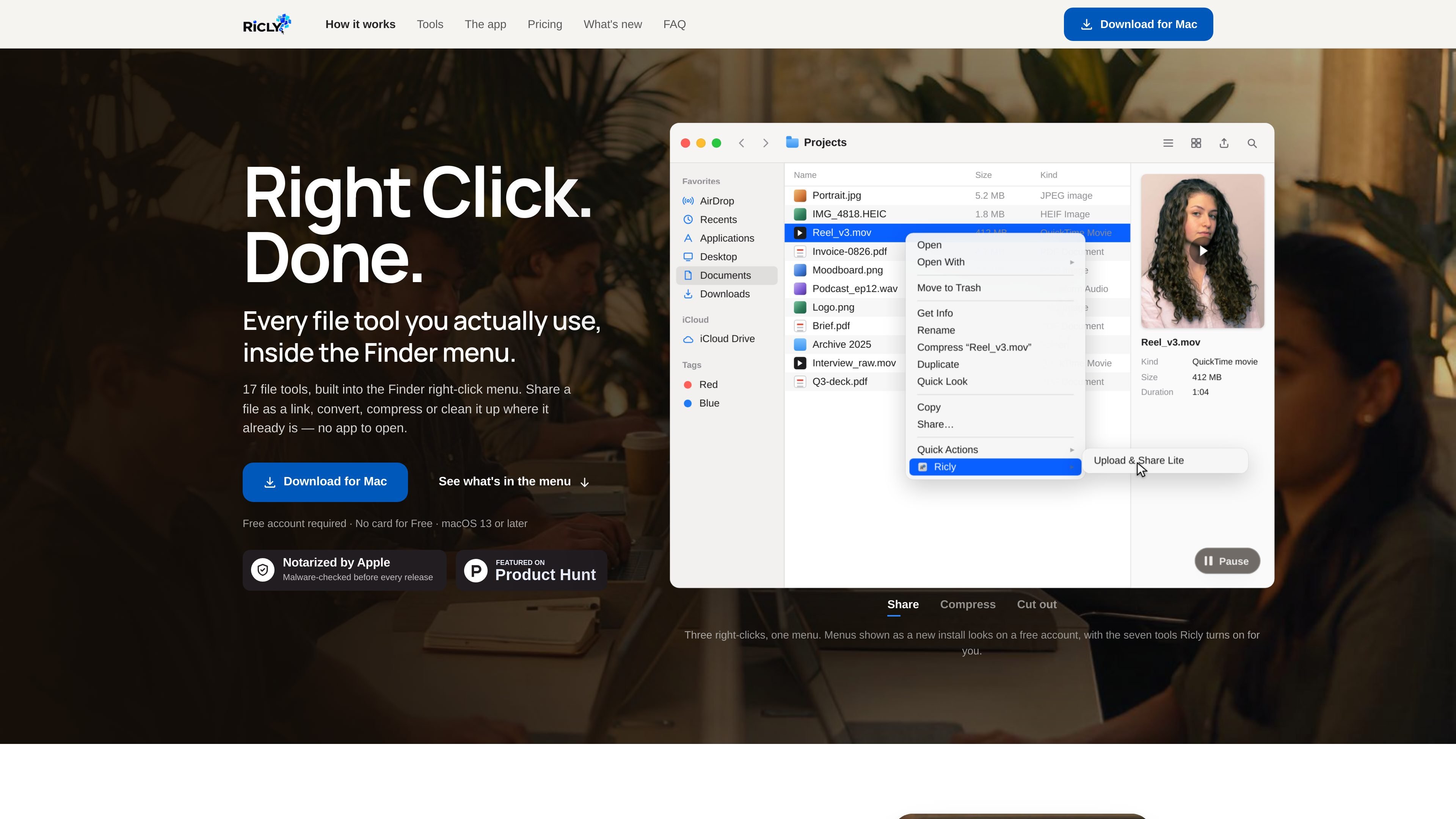
Ricly is a macOS utility that adds 17 file operations to Finder’s right-click menu. It covers conversion, compression, resizing, renaming, image cleanup, PDF work, duplicate detection, OCR, and sharing, so the selected file can be handled from its existing Finder location rather than through a separate browser workflow.
Most processing is performed on the Mac; the site specifically describes local operations as staying on the machine. Upload & Share is designed for sending a file online as a link. Ricly has a free account with 13 tools, while Pro provides access to the full 17-tool catalogue and removes selected free-plan ceilings.
Convert HEIC images to JPG, images to WebP, audio to MP3, and video to MP4 without opening a separate converter.
Compress images and PDFs, resize images, upscale images on-device, and generate icon sets for common image workflows.
Remove image backgrounds with on-device AI and strip metadata from files; the background-removal result is saved as a PNG next to the original.
Scan a folder and its subfolders for byte-for-byte identical files, review the groups, and move selected copies to the Trash rather than permanently deleting them.
Merge selected files into one PDF after arranging their order, and extract text from documents with OCR on the Pro plan.
Upload a file from Finder, copy a share link, and monitor link status from Ricly’s menu bar item. Free sharing provides 1 GB online at a time, three uploads per day, and links lasting three days.
Select a folder and run duplicate detection recursively through its contents. Ricly groups files that are identical byte for byte so you can review copies before sending selected items to the Trash.
Select images in Finder to convert formats, compress them, resize them, remove backgrounds, or strip metadata before handing them to a client or publishing them.
Arrange scans, office files, notes, and existing PDFs in a chosen order, then merge them into one document from the Finder workflow.
Convert a recording to MP3 or a video clip to MP4 when the recipient or destination requires a more widely supported format.
Upload a selected file, copy its link, and track its remaining lifetime from the menu bar when sending the file as a link is more practical than attaching it directly.
Ricly is a macOS app. Download it for macOS 13 or later, sign in with a free account, and use its tools from Finder’s right-click menu. The app is notarized by Apple, and the download is listed as 297 MB on the pricing page.
Ricly’s local tools run on the Mac, and the site states that files processed locally do not leave the machine. Upload & Share is the exception: it sends a selected file online and creates a share link.
The free account includes 13 tools. The catalogue lists all 17 tools with Pro, while individual free-tool limits apply to some operations, including background removal, PDF compression, duplicate cleanup, PDF merging, and free sharing.
Yes. Ricly supports selecting multiple files in Finder for batch operations. The site specifically describes batch selection for duplicate scanning and says the menu shows the number of selected files before the tool runs.

ArtDeck is a visual reference board app for iPhone, iPad, and Mac. Collect mixed references on one canvas and study them with ToolBox lenses. Offline, optional iCloud sync, one-time purchase.

Codex Plugins bundle reusable skills, app integrations, and MCP servers into workflows you can install in the Codex app or use from Codex CLI.

Snapmark is a VS Code extension for annotating clipboard screenshots before pasting them into AI chats. Blur sensitive details, add numbered callouts, and auto-resize large images.

PDFTools is a browser-based suite of free and premium PDF tools for editing, conversion, and document handling—process PDFs locally without uploading files.

Open Computer Use is an open-source Computer Use service wrapped as MCP for macOS, Linux, and Windows. It helps AI agents and MCP clients run desktop automation workflows through client setup commands or manual MCP configuration.

CloudFuze guides Claude to Gemini migration, moving conversation history and context into Google Drive and Gemini Gems for continuity.